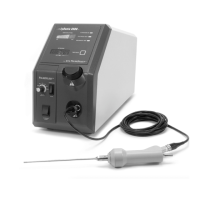
LySonix 3000
®
with PulseSelect™ Operation Manual
40-OM-0002 Page 28 of 43 Rev B
5. SYSTEM TEST
CAUTION -
System test should always be done in advance of prepping patient for surgery to minimize
risk to patient in case of system malfunction.
5.1 Turn the Main Switch (rear panel) to the ON position. Fan should start and the Ultrasonic Use
Timer LED Display should illuminate.
5.2 Turn on the IRRIGATION UNIT (if so equipped).
5.3 Turn on the ASPIRATION UNIT (if so equipped). If hollow Probes are utilized, then suction
should be felt at the distal end of the Probe. Placing the distal end of the Probe in sterile saline
should result in liquid being evacuated from the container and deposited in the Waste Reservoir.
Check all aspirant line connections for leaks and repair or replace as necessary.
WARNING -
When ultrasound output power is on DO NOT touch the Probe. Doing so may result in
injury. Place Probe in water BEFORE activating. DO NOT allow Probe to run unless immersed in water.
5.4 Place the Ultrasound Enable Switch (front panel) in the ON position, set the Pulse Mode Switch to
"CONTINUOUS". Turn the Amplitude Control Knob to setting “5”.
5.5 Depress the Footswitch. The Ultrasound ON Light should illuminate. A Bell type sound should
be heard for 1 second upon pressing of the Footswitch. The Ultrasound Use Time readout should
count-up in 1 second increments. Placing the distal end of the Probe in sterile liquid should result
in an audible hiss or noise and bubbles of liquid should appear below the distal end of the Probe in
the liquid.
WARNING -
When ultrasound output power is on DO NOT touch the Probe. Doing so may result in
injury. Place Probe in water BEFORE activating. DO NOT allow Probe to run unless immersed in water.
WARNING – DO NOT hold Probe tip up to ear. The Operating frequency of the system is above the
range of human hearing, but does emit acoustic energy. DO NOT activate the Probe in open air within 2
feet of the ears of operating room staff or patient.
5.6 Release the Footswitch. The Ultrasound output should be disabled. The Ultrasound Use Time
indicator should freeze at the last reading. If so, reset timer by pressing and releasing the RESET
BUTTON.
5.7 Repeat steps 5.5 through 5.6 two more times to verify operation of system. If performance cannot
be verified or if Mechanical Limit Light or Electrical Fault Light illuminates or audible alarm is
heard, go to Troubleshooting Chart for instructions. Otherwise, proceed to next step.


 To Next Page