27
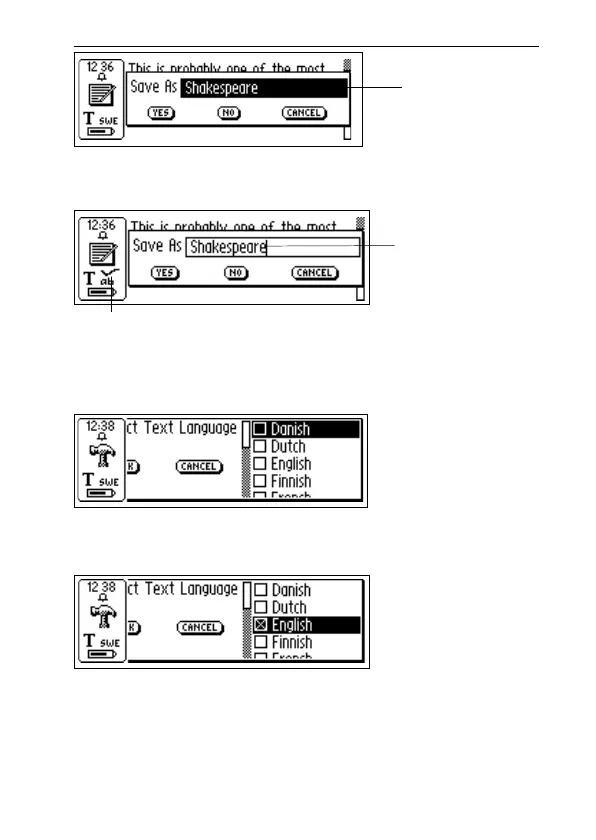
A cursor will appear in the edit field and the status field
will show the edit mode symbol. See Editing text, p. 33.
Check boxes
To mark an alternative in a list of check boxes, navigate to
the alternative of your choice (using the Nav button).
Mark the alternative by selecting it (press the Nav button
briefly).
The check box becomes checked and the OK button is
highlighted. Press OK if you are satisfied with your choice,
otherwise press CANCEL.
Edit field
Cursor
Edit mode symbol



 To Next Page