98 xGenConnect Installation and Programming Guide
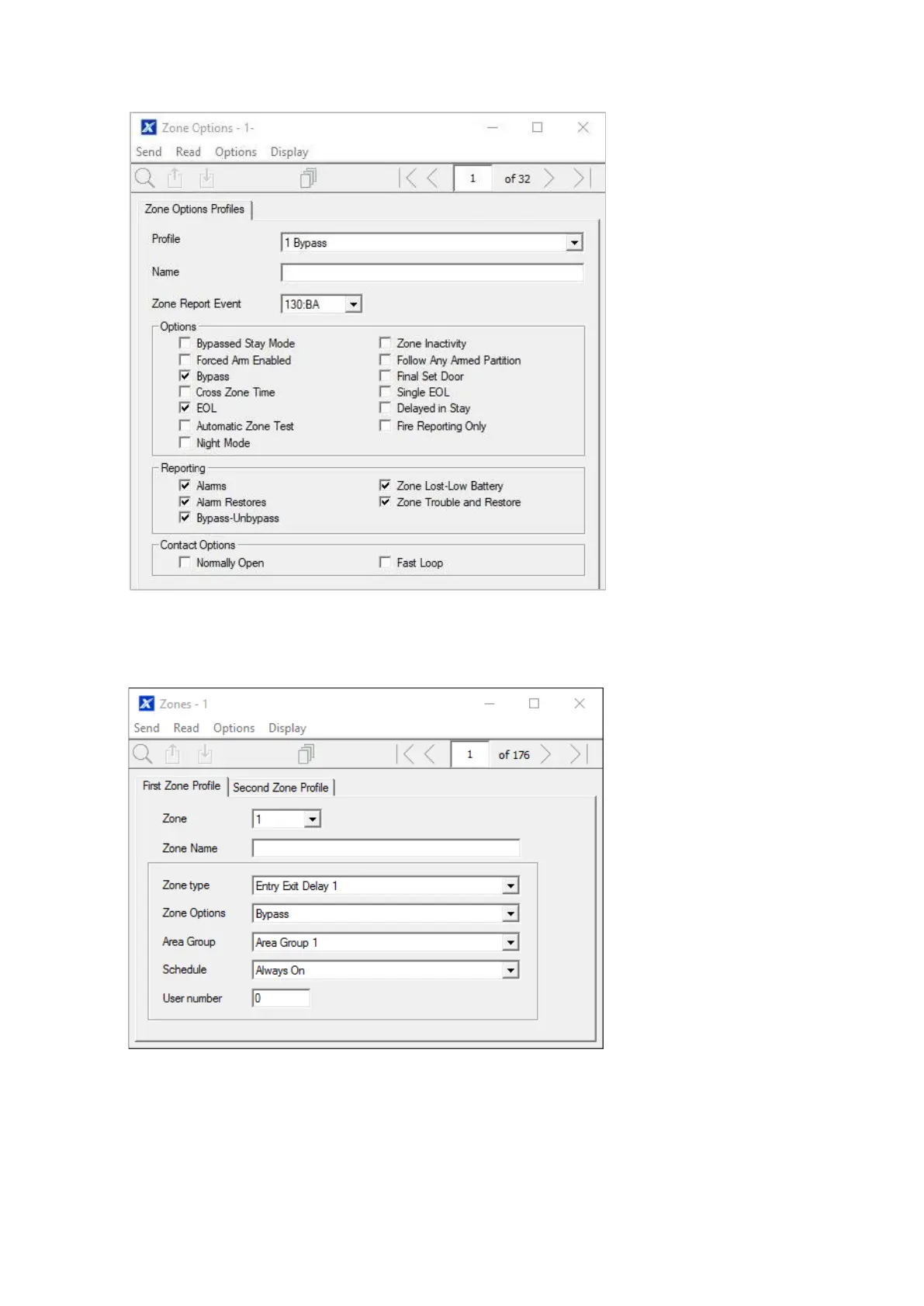
2. Go to Zone Options.
3. Select the options you want, the SIA/CID event code can be customized. See
xGen Reference Guide for a table of codes.
4. Go to Zones.
5. Select a zone number you want to program.
6. Enter a name for the zone.
7. Select the zone type profile you just created.
8. Select the zone options profile you just created.



 To Next Page