xGenConnect Installation and Programming Guide 103
• xGenConnect automatically handles schedules that span midnight (for
example, bakers hours), do not tick the following day of the AM hours. (See
xGen Reference Guide for more details.)
Programming Sequence
Instructions
1. Go to Menu 7. Schedules.
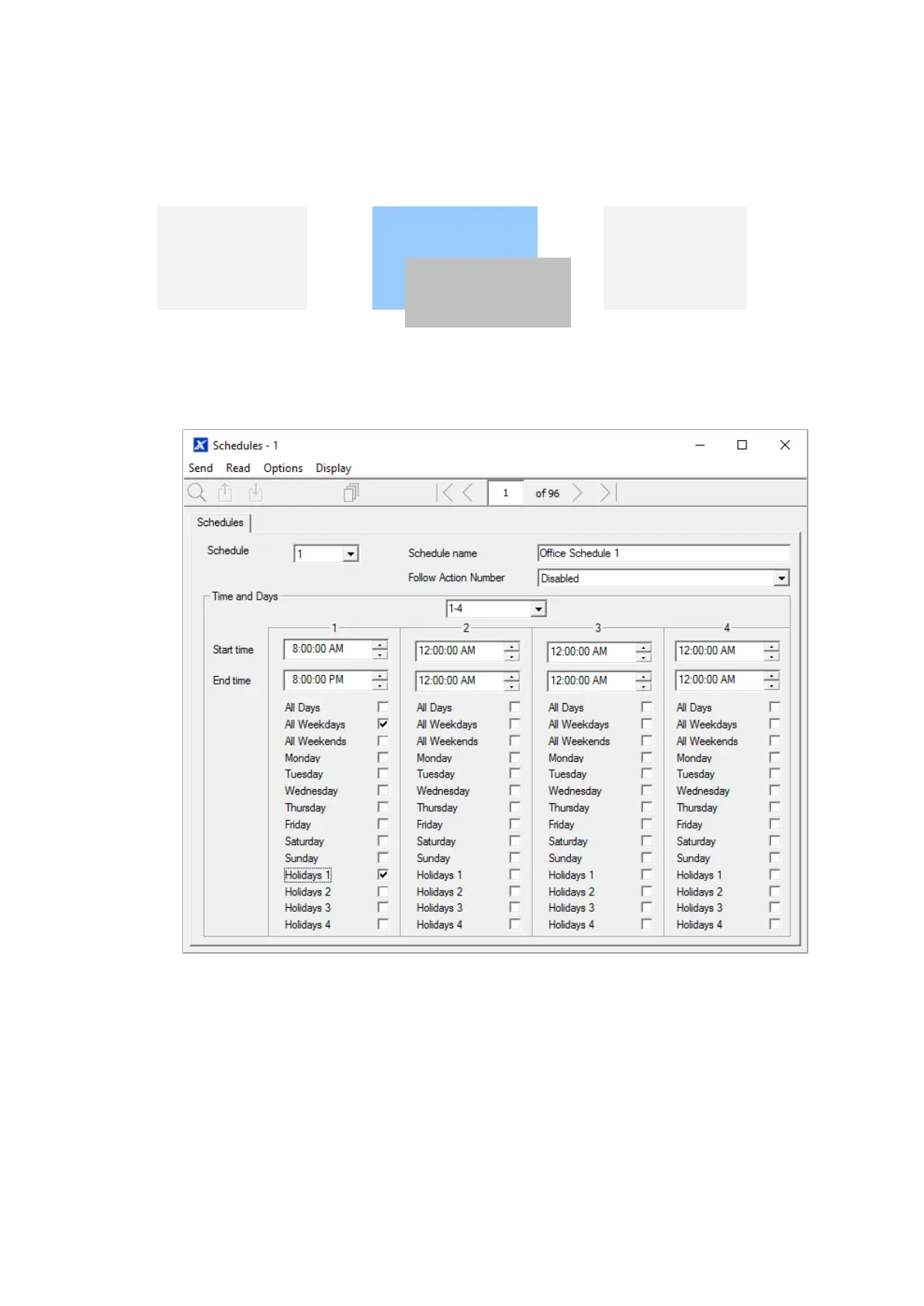
2. Enter a name for the Schedule.
3. Select the first Start and End time.
4. Select the days you want this start and end time to apply to.
5. If you are using the DLX900 software you will be able to see 4 sets of times
and days, click the drop-down in the middle to access more. Each schedule
can have up to 16 sets of times and days.
If you are using an NXG-18xx, press the Up and Down buttons to access the
16 sets of times and days.



 To Next Page