xGenConnect Installation and Programming Guide 59
The keypad menu also allows you to add cards to users sequentially, which
simplifies the configuration process. See NXG-183x-EUR Series Keypad User
Manual for more details.
Alternatively, use the panel web page to configure cards.
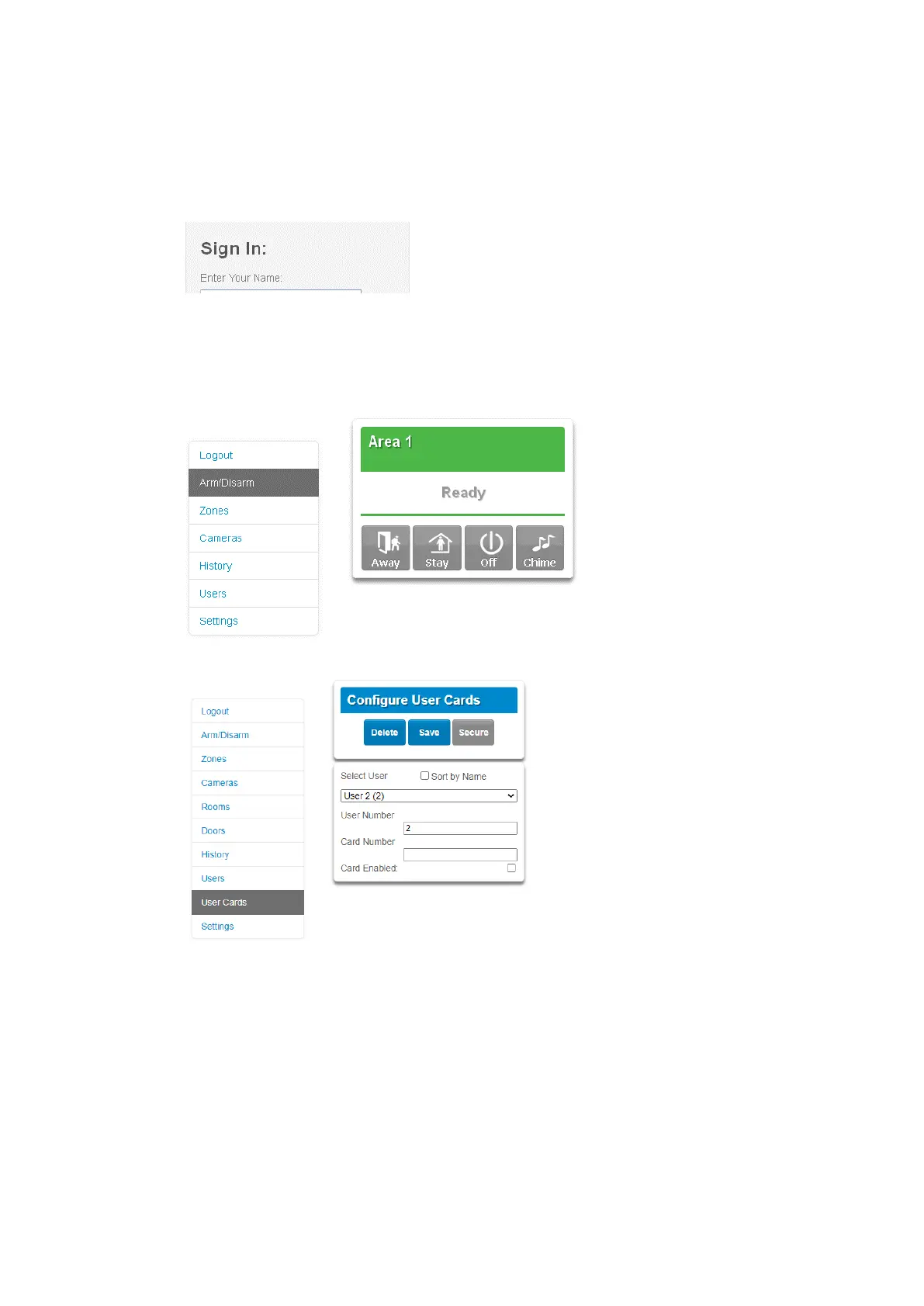
1. Log in to the Web Server.
2. Enter your username and password. A master code is required to add cards.
By default the user name is “User 1” (with a space between “User” and “1”),
and the password is “1234”. Next, click Sign In.
3. The Arm/Disarm screen will appear:
4. Click User Cards.
5. Select a user to assign the card.
6. Type the card number (eight digits) as printed on the card. The card number
cannot be reused for more than one user.
7. Check the Card Enabled parameter.
8. Press Save button.
The card is now configured for the user. If the card has already been used for the
other user, the relevant error message appears.



 To Next Page