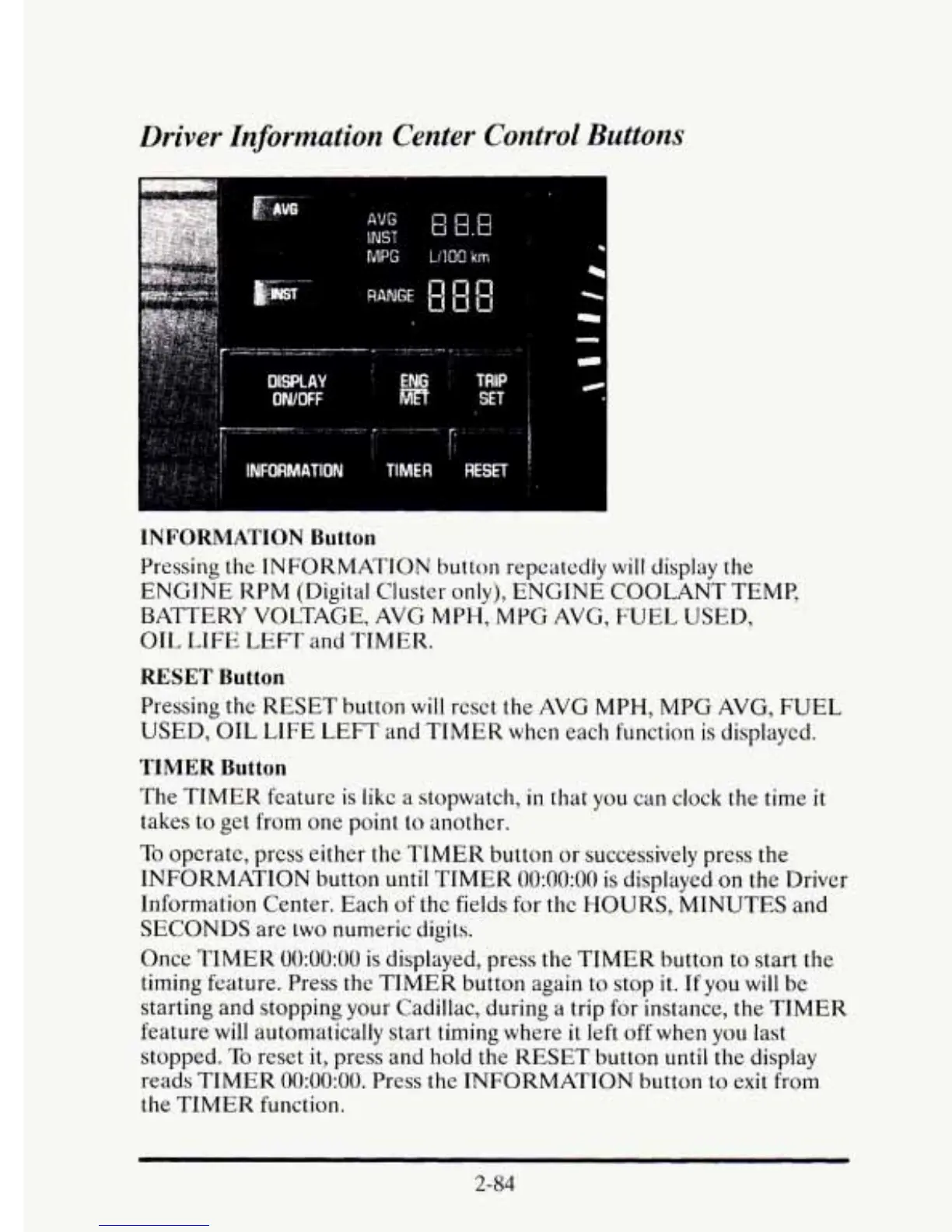
Driver Information Center Control Buttons
MPG
LlIQO
km
INFORMATION
Button
Pressing the INFORMATION button repeatedly
will
display
the
ENGINE KPM (Digital Cluster only), ENGINE COOLANT TEMP,
BATTERY VOLTAGE, AVG
MPH,
MPG
AVG,
FUEL
USED,
OIL
LIFE
LEFT
and TIMER.
RESET
Button
Pressing the RESET button
will
reset the AVG MPH,
MPG
AVG, FUEL
USED,
OIL
LIFE
LEFT and TIMER when each function is displayed.
TIMER
Button
The
TIMER
feature
is
like
a
stopwatch,
in
that you can clock the time
it
takes to get from one point
to
another.
To
opcrate, press either the
TIMER
button
or
successively press the
INFORMATION button
until
TIMER
0O:OO:OO
is displayed
on
the Driver
Information Center. Each
of
the fields for the HOURS, MINUTES and
SECONDS
are
two
numeric digits.
Once
TIMER
0O:OO:OO
is
displayed, press the TIMER button to start the
timing feature. Press the TIMER button again to stop
it.
If you
will
be
starting and stopping your Cadillac, during a trip for instance, the
TIMER
feature will automatically start timing where
it
left off when you last
stopped.
To
reset
it,
press and hold the
RESET
button
until
the display
reads
TIMER
0O:OO:OO.
Press
the
INFORMATION
button to
exit
from
the
TIMER
function.
2-84











 To Next Page