EN1805CMINSA Rev. 5 2021-10
43
www.cafection.com 800-561-6162
SERVICE & INSTALLATION MANUAL - Encore 29
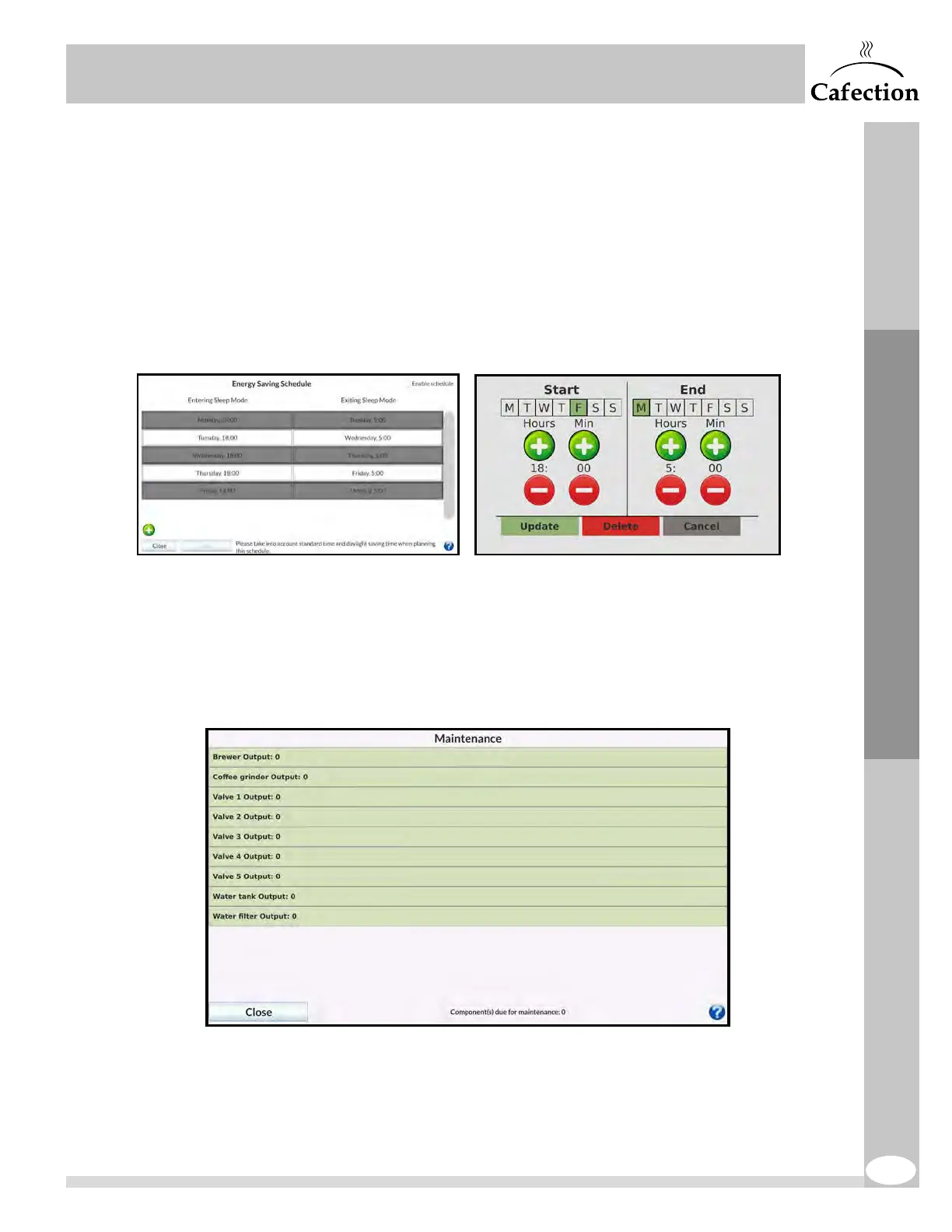
9. This button gives access to the Energy Saving Schedule interface.
This interface is used to plan sleep periods, reducing the brewer’s electricity
consumption. By pressing the (+) and (-) buttons, the user can set the time frames
during which the brewer will be sleeping. While in Energy Saving mode, the water
temperature of the tank is maintained at approximately 140°F. To order a drink
while Energy Saving mode is active, press anywhere on the screen. This wakes up
the brewer for 1hour. The water tank takes 4 to 10 minutes to heat up to the right
temperature. For more help, press the (?)icon.
10. This button gives access to the Maintenance interface.
This interface displays the maintenance counters in which each use of a component
is recorded. The components requiring maintenance are highlighted in red. To reset a
component’s counter, press on the "Reset" button. For more help, press the (?) icon.
Service Mode



 To Next Page