EN1805CMINSA Rev. 5 2021-10
www.cafection.com 800-561-6162
44
SERVICE & INSTALLATION MANUAL - Encore 29
6.6.3 Network Sub Tab
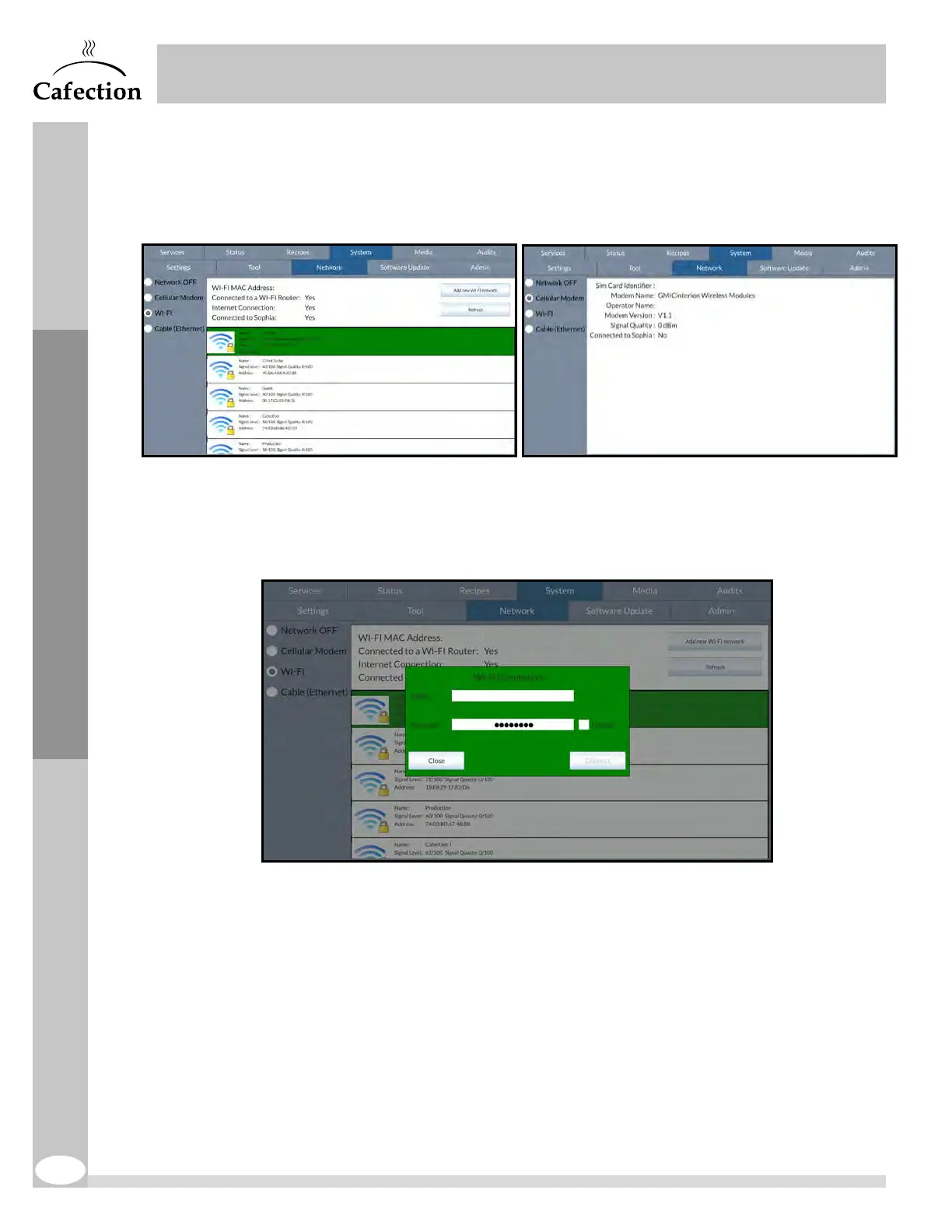
This section is used to connect the brewer to the internet. Use the checkboxes on the left
to select the desired connection.
Wi-Fi (Wireless Network)
To connect the brewer to a wireless network (Wi-Fi), check the "Wi-Fi" box and select the
desired network in the list.
Add New Wi-Fi Network
If the wireless network is invisible or not shown in the list, press on the "Add new Wi-Fi
network" button.
The network name (ESSID) and its password (if applicable) are required.
Service Mode



 To Next Page