12
3. Operating Your Spa3. Operating Your Spa
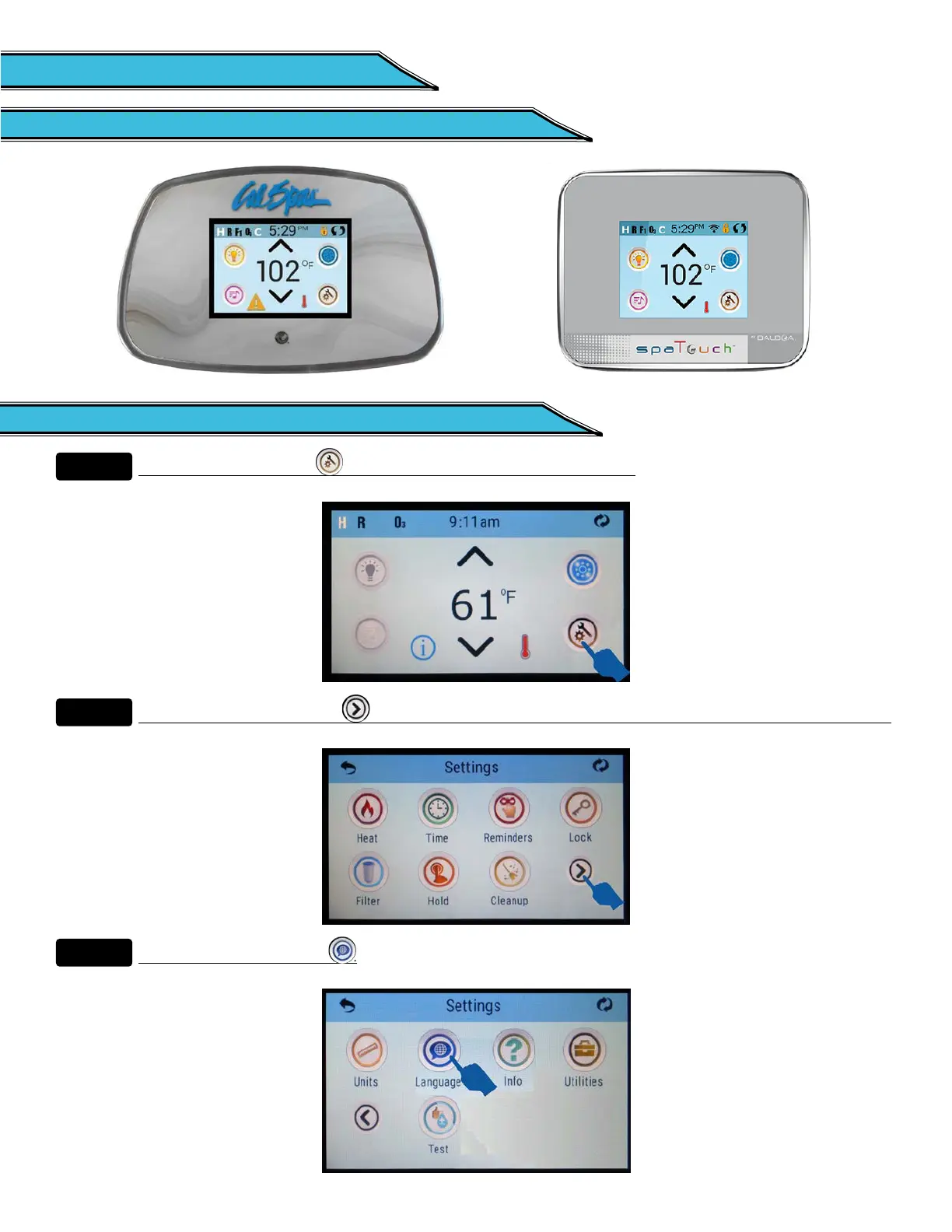
3.1 spaTouch Icon Driven Control Panel3.1 spaTouch Icon Driven Control Panel
3.2 Changing Languages for the Display3.2 Changing Languages for the Display
Step 1.Step 1.
Touch the Settings Icon at the lower right portion of the screen.
Step 2.Step 2.
Touch the Right Arrow Icon at the lower right portion of the screen. It takes you to the next screen.
Step 3.Step 3.
Touch the Language Icon .



 To Next Page