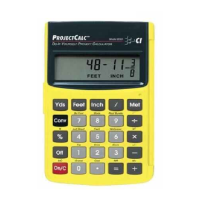
Dimensional Unit Keys
y — Yards Key
Enters or converts to yards.
f — Feet Key
Enters or converts to feet as whole or decimal numbers.
Also used with the i and / keys for entering Feet-
Inch Fraction values (e.g., 6 f 9 i 1 / 2).
Repeated presses during conversions toggle between
Feet-Inch Fractions and Decimal Feet.
i — Inch Key
Enters or converts to inches as whole or decimal numbers.
Also used with the / key for entering fractional inch
values (e.g., 9 i 1 / 2). Repeated presses during
conversions toggle between Fractional and Decimal Inches.
m — Meter Key
Enters or converts to meters.
Entering Square or Cubic
Dimensions
To label a dimension as "square" or "cubic," enter the
value, then press the desired unit key twice for square
and three times for cubic. For example, to enter 25 cubic
yards, press 2 5 y y y.
POCKET REFERENCE GUIDE - 3



 To Next Page
 Loading...