Connect your smartphone
14
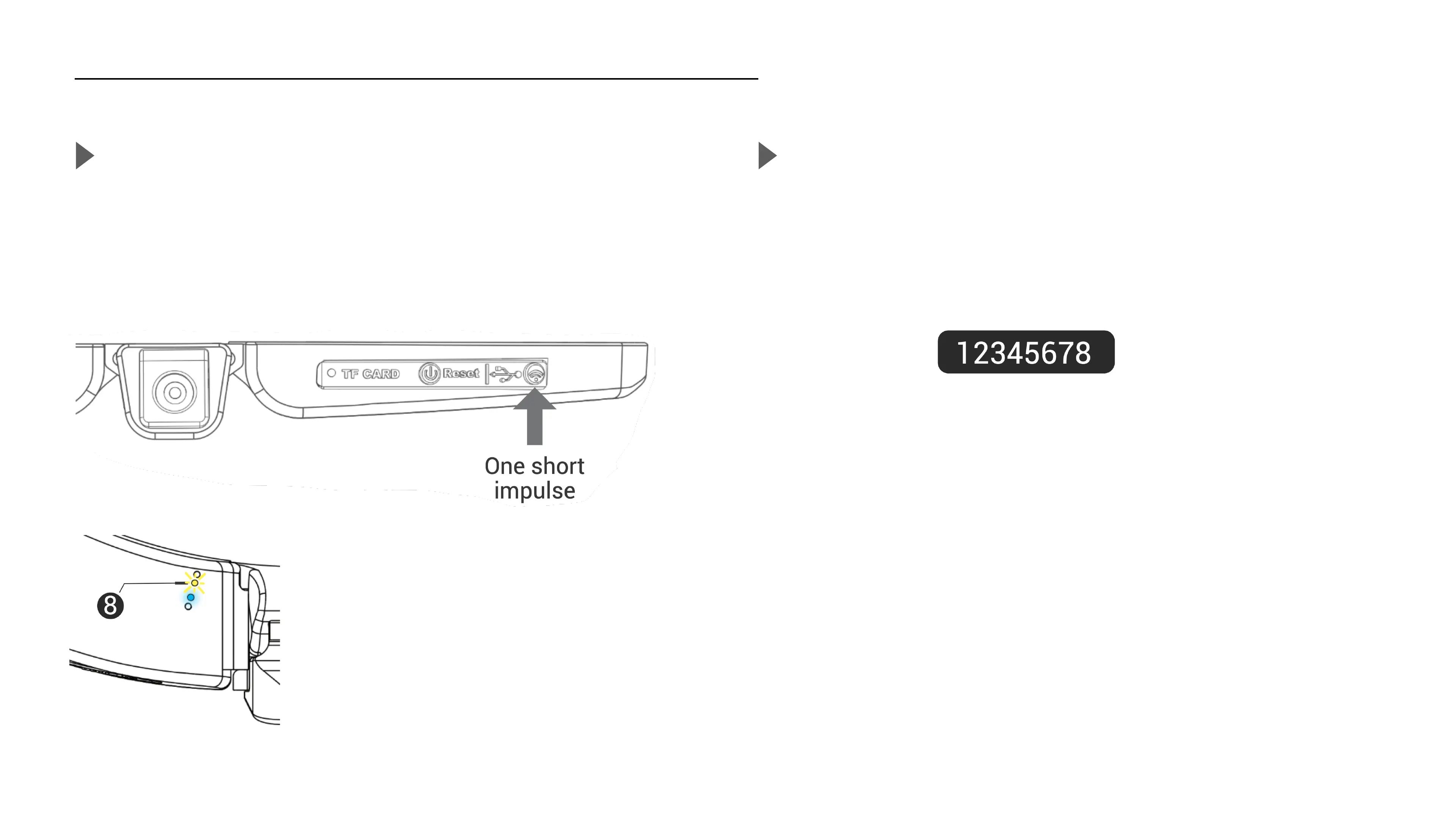
Enable the embedded Wifi antenna
When your camera is on, press the ON/OFF button to pause the camera
(see page 7), the blue light turns solid. Cambox is ready to activate the
wifi.
The Cambox will display a flashing yellow
LED to confirm that the Wifi antenna is
enabled and the camera is ready to be
paired.
Pair with your smartphone
In your smartphone’s Wifi settings, select the network called Cambox
ISI3, MKV3 or XTRM3, and enter the default password :
Password
Once the connexion is established between your smartphone and the
Cambox, the yellow LED will stop flashing and will turn solid.



 To Next Page