To start
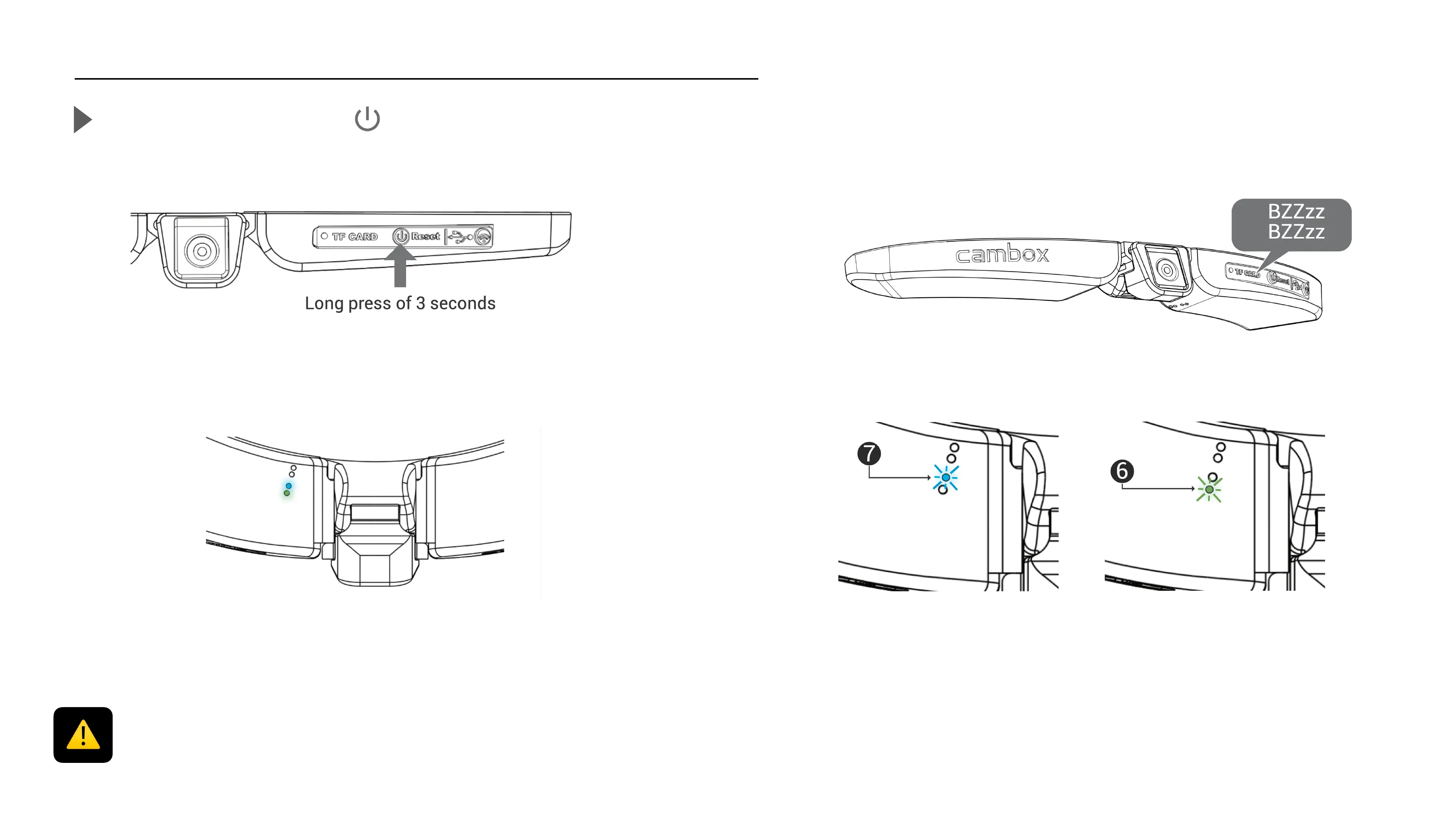
Turn on / Start the camera
Press the ON/OFF button for 3 seconds
6
The green (6) and the blue LED (7) turn on simultaneously indicating that the
camera is on.
Video recording starts automatically
After a few seconds, the Cambox vibrates twice
The LED starts to blink every second indicating that the video
recording is on, 2 modes are available :
Flashing blue LED"
Video record is on "
FullHD 1080 mode"
30 frames / second
Flashing green LED "
Video record is on"
HD720 mode"
60 frames / second
Before using your Cambox, be sure to check the following points :
1) The battery is fully charged
2) You have enough free space available on your memory card!
All this information is available via the application



 To Next Page