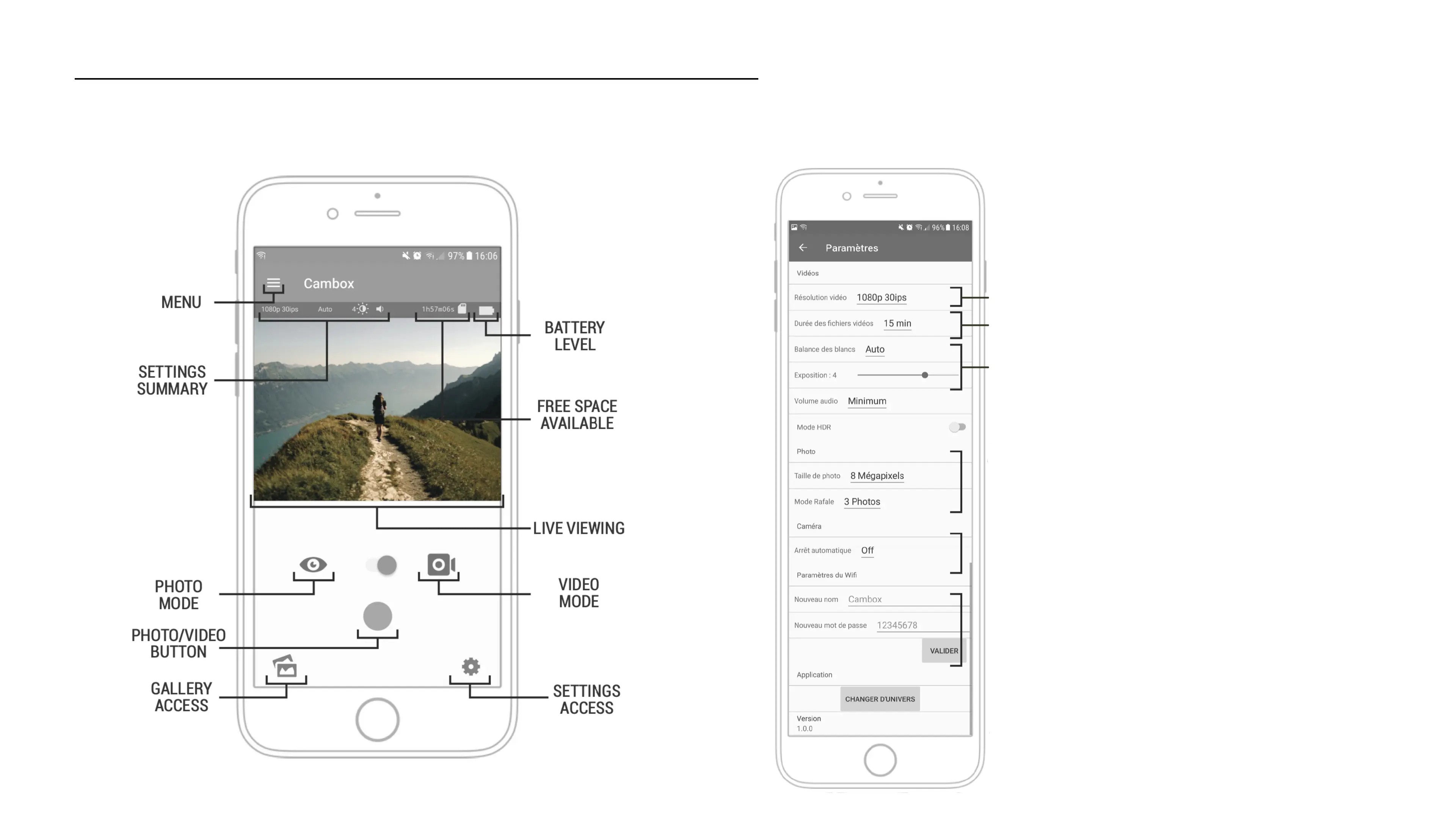
Discover the Cambox app
15
Home menu Settings edition
VIDEO MODE SETTINGS
Change of video resolution
Video file duration*
Brightness settings
PHOTO MODE SETTINGS
You can here choose another level of resolution
and between single picture or gust mode
CAMERA SETTINGS
If the Cambox is on and is not recording (pause
mode), the camera can switch off automatically
WIFI SETTINGS
You can define your own Wifi network name and a
new password (you will have to restart the Cambox).
* The Cambox automatically creates a new storage file every X minutes .
You can select an interval of 5, 15 or 30 minutes. For a nomad use via
Wifi, prefer a setting of 5 minutes in order to download the files on your
phone faster.



 To Next Page