Your Cambox
1
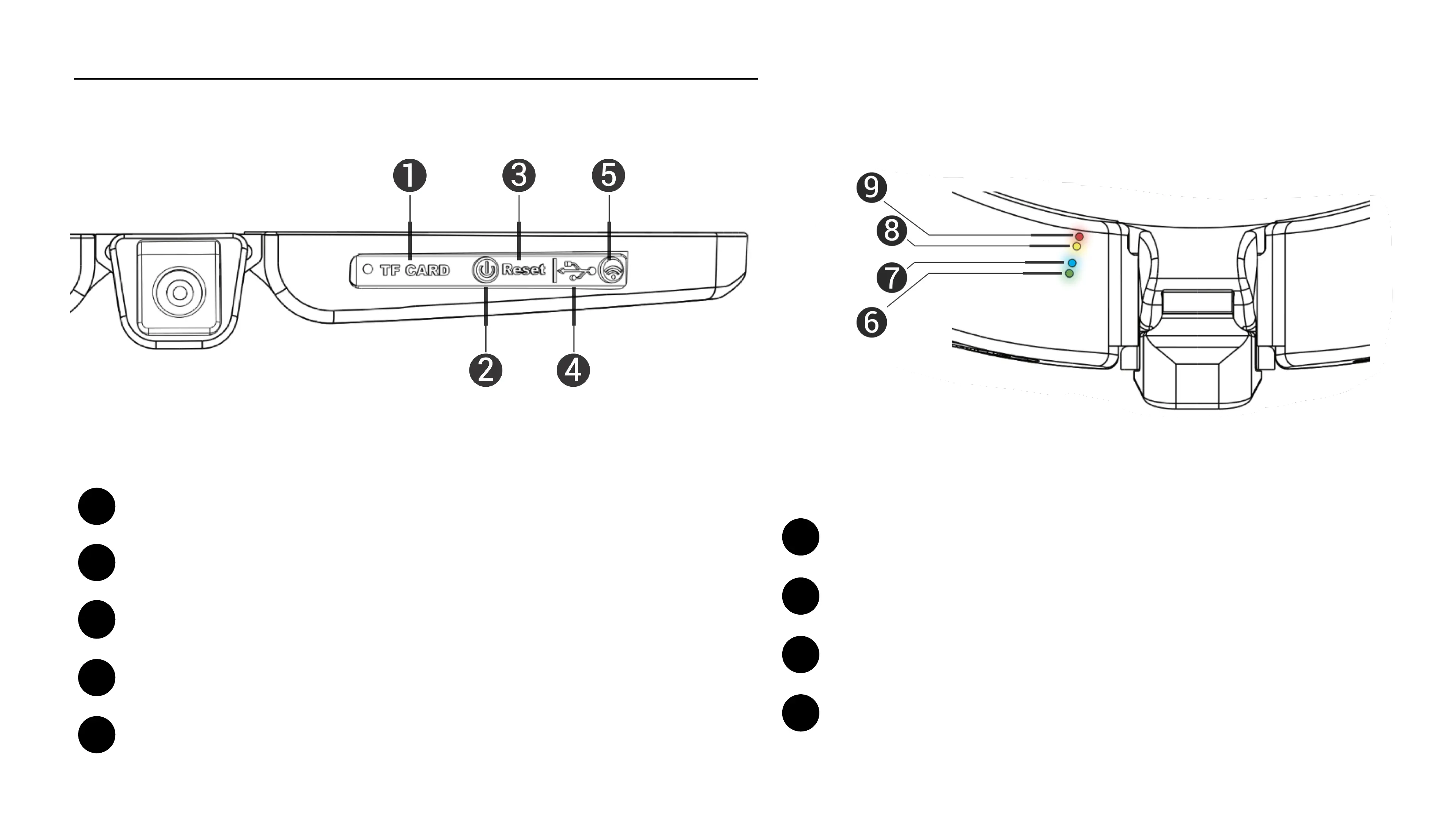
On/Off button// RecordPause
2
3
4
5
USB socket : battery charge and files transfer
Reset button (use a clip)
Activation button of the Wifi antenna
8
9
Yellow LED : Wifi antenna enabled
Red LED : Charging in progress
7
Blue LED : FullHD 1080
Memory card slot (2 to 64 Gb max)
4
Green LED : Status On, HD720
4
6



 To Next Page