
 Need help?
Do you have a question about the Cambridge Audio azur 551R and is the answer not in the manual?
Guidance on making connections and using the On-Screen Display.
Crucial safety guidelines for operating the AV receiver safely.
Details of CE, C-Tick, Gost-R, and FCC compliance marks.
Information on the product warranty provided by Cambridge Audio.
Instructions on ventilation, positioning, power, cleaning, and servicing.
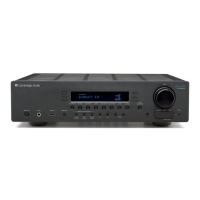
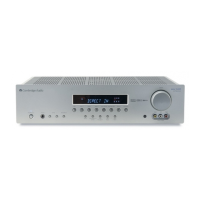
Buttons for power, source selection, and audio/picture modes.
Volume control, headphone jack, and MP3 input on the front panel.
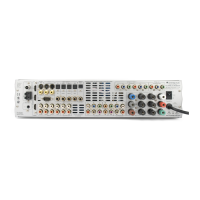
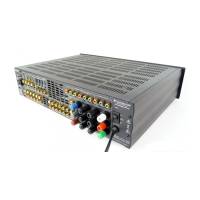
FM/AM antenna, Emitter In, Service/Normal, RS232C connections.
Analogue/digital audio, HDMI, component video, and composite/S-Video inputs.
Speaker terminals, 7.1 Preamp Out, 7.1 Direct In, and mains power.
Standby, Mute, Volume, Analogue Direct, and source selection buttons.
Stereo/Surround modes, Picture Adjustment, Lip Sync, and OSD control.
Bass/Treble, Audio Input Type, and Apple device compatibility.
Icons for audio input type, decoding mode, and video inputs.
Display of selected source, surround mode, and output channel status.
Connecting CD players, tape decks, and audio players via RCA.
Connecting digital sources using optical (Toslink) or coaxial (S/P DIF).
Connecting sources via HDMI for digital audio and video.
Connecting Composite, S-Video, and Component video sources.
Converting and scaling analogue video to HDMI for TV output.
Connecting multi-channel analogue audio sources for direct playback.
Defining the speaker system type (5.1 or 7.1).
Adjusting speaker delay and level calibration.
Mapping video sources to HDMI and analogue inputs.
Configuring audio connection types and processing modes.
Setting speaker size (Large/Small) and subwoofer presence.
Manually setting speaker delay times for optimal surround sound.
Adjusting speaker levels for consistent loudness.
Using CAMCAS for automatic distance and level calibration.
Mapping video sources to available input sockets.
Setting video sources to process or bypass the scaler.
Choosing between Analogue, Digital, or HDMI audio inputs.
Configuring video processing and output resolution.
Overview of Dolby True HD, DTS-HD Master Audio, and other formats.
Explains Pro Logic II/IIx and Neo:6 for matrix encoded sources.
Using DSP for surround effects from unencoded sources.
Modes for stereo playback and multi-channel PCM sources.
Choosing audio/video sources and desired sound modes.
Understanding front panel display of incoming audio formats.
Mapping input formats to output channels for 5.1 setup.
Mapping input formats to output channels for 7.1 setup.
Tuning, storing stations, and RDS information display.
Correcting audio/video timing discrepancies.
Adjusting picture settings and viewing one source while listening to another.
Configuring subwoofer crossovers and routing bass frequencies.
Enabling bi-amping for enhanced front speaker performance.
Changing OSD language and accessing setup menus.
Controlling dynamic range and fine-tuning Dolby/DTS parameters.
Visual guide to DTS-HD 7.1 speaker re-mapping schemes.
Using IR emitters and RS232C for system control.
Restoring factory defaults and preserving settings.
Diagnosing no sound, channel loss, hum, hiss, and phase problems.
Addressing input connection, speaker setup, and remote control issues.
Power output, THD, crosstalk, frequency response, S/N ratio, and impedance.
Input/output types, dimensions, weight, and power consumption.
Visual guide for connecting sources, speakers, and display.
 General
| Brand | Cambridge Audio |
|---|---|
| Model | azur 551R |
| Category | Receiver |
| Language | English |




 To Next Page