


 Need help?
Do you have a question about the Cambridge Audio Azur 640R and is the answer not in the manual?
Provides an overview of the Cambridge Audio Azur range AV receiver and its capabilities.
Advises on essential setup steps and considerations before making any connections.
Outlines the terms and conditions of the product warranty and coverage.
Important safety information to ensure safe operation and prevent damage.
Guidance on optimal placement and airflow for the AV receiver to prevent overheating.
Covers grounding, power sources, overloading, lightning protection, and cleaning.
Information regarding professional servicing and the use of only approved attachments.
Controls the unit's power state between active and standby modes.
Buttons to select various input sources for playback (DVD, Video, CD, etc.).
Buttons to configure audio and video input settings for selected sources.
Buttons to select and adjust surround sound and listening modes.
Controls for adjusting audio level and muting sound output.
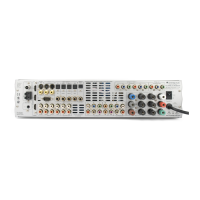
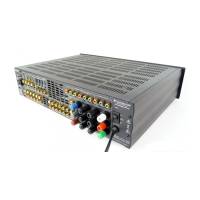
Ports for connecting various audio and video sources, including HDMI and analog inputs.
Ports for sending audio/video signals to other devices, zones, or external amplifiers.
Interfaces for custom installation systems and remote control (RS232C, Control Bus).
Connects loudspeakers to the amplifier, ensuring correct impedance and polarity.
Power input point and essential cooling vent grille for the unit.
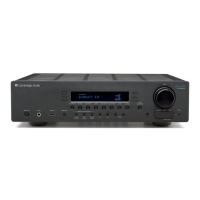
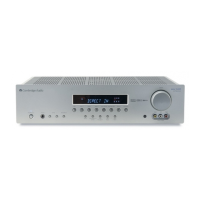
Buttons for power, source selection, and basic operation of the receiver.
Controls for selecting and adjusting surround sound and listening modes.
Controls for audio level, tone, tuner functions, and program search.
Controls for viewing status, navigating setup menus, and confirming selections.
Shows tuner mode status, decoding modes, and input types on the display.
Indicates active controls like tone, direct mode, and balance adjustments.
Details how to connect analog audio sources using RCA cables.
Details how to connect digital audio sources using optical or coaxial cables.
Explains composite, S-Video, and component video connection types.
Details HDMI connections for high-definition video and audio transfer.
How to connect multi-channel analog audio sources for playback.
How to connect external power amplifiers using preamp outputs.
Temporary connections for video games consoles and cameras.
Instructions for connecting FM and AM aerials for tuner reception.
Instructions for connecting and positioning the AM loop aerial for optimal reception.
Deciding on the speaker package (5.1, 6.1, or 7.1) and its layout.
Setting speaker delay times for optimal surround sound arrival.
Adjusting relative speaker levels for balanced sound output.
Configuring audio/video input types and processing modes for each source.
Assigning HDMI inputs to desired source selections within the OSD.
Step-by-step guide to calibrating speaker levels using the test signal.
Selecting between analog or digital audio input types for each source.
Setting the analog video input type (Composite, S-Video, Component).
Adjusting HDMI signal pre-emphasis for optimal cable transmission over longer distances.
Explains Dolby Digital, DTS, Dolby Digital EX, DTS-ES Matrix, and DTS-ES Discrete formats.
Covers Pro Logic II, IIx, DTS Neo:6, DTS 96/24, and DSP modes for surround sound.
Describes additional modes like Stereo, Stereo + Sub, and Analog Stereo Direct.
Step-by-step guide to choosing the desired audio/video input source.
How to select appropriate surround sound modes based on source material.
Settings for dynamic range compression to manage loud and quiet passages.
Fine-tuning Pro Logic IIx processing parameters for music playback.
Comprehensive guide to using the tuner, tuning, storing stations, and RDS features.
Allows listening to one source while viewing another, e.g., Radio commentary with video.
Explains recording capabilities and independent output settings for Recorders 1 and 2.
Settings for bass, treble, subwoofer crossover, and LFE trim.
How to rename input sources displayed on the front panel.
How to integrate the 640R with custom installation systems via Control Bus and RS232C.
Procedures for resetting settings to factory defaults or preserving memory.
Solutions for common operational problems, audio issues, and connectivity errors.
Addresses hum, buzz, channel loss, cutting sound, low bass, and noise issues.
Troubleshooting no sound from rear, center speakers, or subwoofer.
Solutions for remote control malfunctions and input type mismatches.
Detailed technical data for audio output, distortion, frequency response, and inputs.
Technical details regarding video signal handling, impedance, and HDMI interface support.
Information on connections, power consumption, dimensions, and weight.
Lists the range of audio decoding formats supported by the unit.
 General
| Brand | Cambridge Audio |
|---|---|
| Model | Azur 640R |
| Category | Receiver |
| Language | English |




 To Next Page