EasyManua.ls Logo

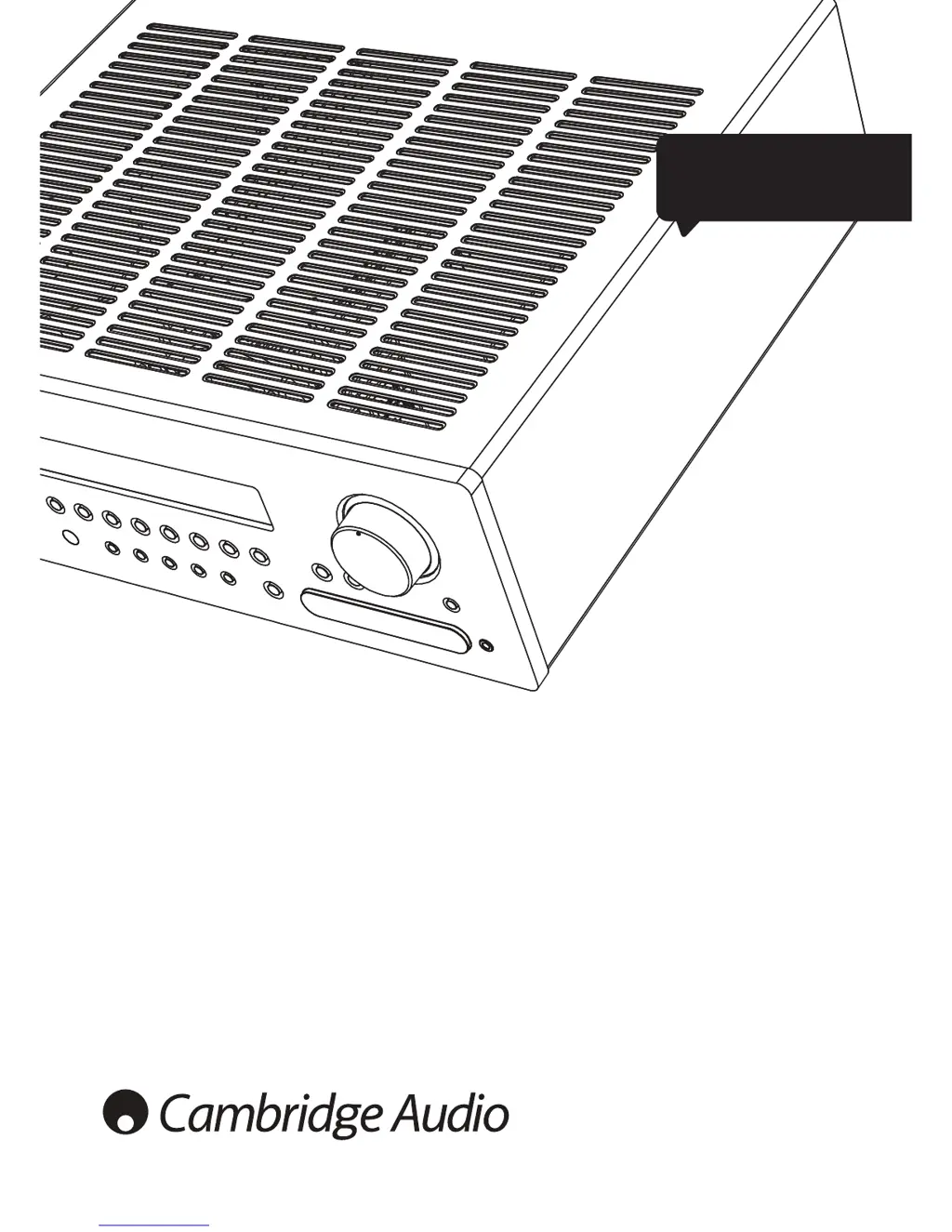
Cambridge Audio azur 651R - User Manual

Cambridge Audio azur 651R
40 pages
Print Icon
To Next Page IconTo Next Page
Loading...
Your music + our passion
651R/751R
azur
ENGLISH
AV receiver
User’s manual
2

Table of Contents

Questions and Answers

  • S
    sullivandarrenAug 19, 2025
    What to do if the Cambridge Audio azur 651R remote control is not working?
    • M
      Matthew MercerAug 19, 2025
      If your Cambridge Audio Receiver's remote control isn't working, first, replace the batteries. If that doesn't solve the problem, try moving the remote closer to the receiver, ensuring you're within its effective range.
  • C
    Carmen MarquezAug 21, 2025
    Why is there no sound from my Cambridge Audio azur 651R Receiver subwoofer?
    • J
      Jeremy GutierrezAug 21, 2025
      If you're not getting any sound from your subwoofer, check that the subwoofer hasn't been set to 'Off' in the OSD setup menu or via the remote. Change the setting of the subwoofer from 'Off' to 'On'. Also, if you've selected DTS Neo:6, DD Dolby Pro Logic II/IIx modes (which have no LFE channel) with all speakers set to 'Large' (and bass augment off), change the mode selection or speaker size settings.
  • J
    Jeffrey StewartAug 25, 2025
    What to do if Cambridge Audio azur 651R sound cuts off or there is no sound?
    • J
      James CaseyAug 25, 2025
      If the sound cuts off when listening to music or there is no sound even though the power is on, it could be due to a couple of reasons. First, the speaker impedance might be less than prescribed for the 651R/751R, so use speakers with the correct impedance. Second, the unit might not be adequately ventilated and is overheating, so ensure the unit is adequately ventilated.
  • T
    Tracy SmithAug 26, 2025
    How to fix no sound from the center speaker on Cambridge Audio Receiver?
    • Y
      ybrandtAug 26, 2025
      If you're not getting any sound from the center speaker, it might be that the center speaker has been set to 'None' in the OSD setup menu. Change the center speaker setting from 'None'. Also, if a stereo mode has been selected, select a surround sound mode instead.
  • K
    kweberAug 28, 2025
    Why is there no sound from the rear speakers on my Cambridge Audio azur 651R?
    • J
      jamie45Aug 28, 2025
      If you're not getting sound from the rear speakers, there are a few potential causes: * The source being played might not be recorded in surround sound, so ensure the source is recorded in surround sound. * The speaker/s might be set to 'None' in OSD setup menu, so change the speaker setting from 'None'. * A stereo mode might have been selected, so select a surround sound mode instead of stereo mode.
  • R
    Ronnie WilsonAug 30, 2025
    What to do if there is no sound from Cambridge Audio azur 651R speakers connected to a digital input or HDMI?
    • C
      Christopher ReynoldsAug 30, 2025
      If you're not getting any sound from speakers connected to a digital input or HDMI, the audio input type might be set to analogue. Check the display and press the Audio Input Type button to switch to digital or HDMI.
  • L
    Lisa DeanSep 1, 2025
    How to troubleshoot no sound from Cambridge Audio Receiver speakers connected to an analogue input?
    • D
      Dr. Michael Massey DDSSep 1, 2025
      If you're experiencing no sound from speakers connected to an analogue input, it could be that the audio input type is set to digital. Press the Audio Input Type button to switch to analogue. Alternatively, the audio input type can also be set in the Input/Output Setup menu of the OSD, so adjust the input type setting there.
  • A
    Adam ParkerSep 3, 2025
    What causes sound not audible from one channel on Cambridge Audio Receiver?
    • B
      Benjamin ChanSep 3, 2025
      If sound is not audible from one channel, it could be due to speaker connections being disconnected, so check and reconnect the speaker connections. Another reason could be the speaker being set to 'None' in the OSD setup menu, so change the speaker setting from 'None'.
  • T
    Tyler MillerSep 5, 2025
    How to eliminate a low hum or buzz sound from Cambridge Audio azur 651R?
    • M
      marie91Sep 5, 2025
      If you're hearing a low hum or buzz, it could be due to power cords or lighting placed near the Cambridge Audio Receiver, so remove them. Another cause might be analogue inputs not connected securely, so reconnect them securely.
  • J
    jerry22Sep 8, 2025
    Why is there excessive noise in Cambridge Audio Receiver stereo and monaural radio broadcasts?
    • J
      Jordan TurnerSep 8, 2025
      Excessive noise in both stereo and monaural radio broadcasts could be due to a poor location and/or direction of the antenna, so adjust it. It could also be that the transmitting station is too far away, so move closer to the transmitting station.

Summary

Introduction

Before Connecting the AV Receiver

Guides users through initial connections and setup procedures for the AV receiver.

Safety Instructions and Compliance

Electrical Safety Warnings

Critical warnings regarding electric shock, water exposure, and ventilation.

Regulatory Compliance Marks

Explanation of WEEE, CE, C-Tick, and Gost-R symbols and their meanings.

Product Care and Warranty Information

Ventilation, Positioning, and Power

Guidelines for optimal placement, airflow, power usage, and cleaning.

Servicing, Battery Disposal, and UK Plug Fitting

Instructions for servicing, battery disposal, and specific UK plug fitting.

Front Panel Controls Overview

Power, Audio Output, and Source Selection

Controls for Standby/On, Phones, Volume, Mute, and selecting inputs like BD/DVD, USB.

Tuner, Mode, and Display Controls

Controls for FM/AM tuning, mode selection, storing stations, and display status.

Front Panel Controls - Advanced Functions

Audio Input Type, Stereo, and Surround Modes

Selecting audio input types, stereo modes, and various surround sound modes.

Picture Adjustment, Zone 2, and Special Inputs

Controls for video adjustments, Zone 2 operation, and direct input modes.

Rear Panel Connections Guide

Antenna, Control, and USB Ports

Connections for FM/AM antennas, RS232C, and USB interface (751R only).

Digital, HDMI, and Analogue Connectivity

Toslink digital, HDMI inputs/outputs, and analogue video/audio connections.

Rear Panel Connections - Expansion and Zone 2

Expansion, Control, and Zone 2 Outputs

Expansion port, IR inputs/outputs, Control Bus, and Zone 2 outputs.

Speaker Terminals and Power Connections

Connections for loudspeakers, power lead, and trigger outputs.

Zone 2 Remote Control Functions

Zone 2 Basic Operations

Controls for Zone 2 volume, standby, mute, and source selection.

Follow Main Function for Zone 2

Enables Zone 2 to mirror the main zone's source selection.

Main Remote Control Functions

Core Operations: Power, Volume, and Tuner

Controls for Standby, Volume, Mute, Tuner operations, and OSD display.

Audio Modes and Zone 2 Control

Selecting Analogue Direct, Stereo modes, Surround modes, and Zone 2.

Special Functions and Device Compatibility

Controls for Trigger outputs, Apple device compatibility, and OSD navigation.

Front Panel Display Indicators

Output Channel and Decoding Mode Indicators

Shows active channels, decoding modes, Zone 2 status, and Room EQ.

Main Information and Input Type Displays

Displays source, surround mode, and input type (HDMI, Digital/Analogue).

Loudspeaker Connections Guide

Audio Connection Types

Analogue Audio Connections

Guidance on connecting CD players, BD/DVD players, and recorders.

Digital Audio Connections

Instructions for connecting sources via Optical (Toslink) or Coaxial (S/P DIF).

Video Input Connection Types

HDMI Input Connections

Connecting high-definition sources via HDMI for optimal audio and video quality.

Analogue Video Input Connections

Connecting video sources using Composite, S-Video, or Component cables.

Video Output and Direct Input Connections

Video Output Connection (HDMI A & B)

Connecting TVs/projectors via HDMI outputs, including ARC support.

5.1;7.1 Direct Input

Connecting multi-channel analogue sources like DVD-Audio or SACD players.

Audio Output and Front Input Connections

7.1 Preamp Out

Connecting external power amplifiers to the 7.1 preamp outputs.

Front Input Connections

Connecting sources to front panel inputs like Video 3/MP3 and front HDMI.

Aerial Connections

Connecting FM and AM aerials for optimal tuner reception.

651 R;751 R Setup Process

Speaker Setup Procedure

Manual or Audyssey setup for speaker configuration, delay, and levels.

Background Information on Speakers

Details on the function and placement of various speaker types (Front, Center, Surround).

Performing the Setup

Manual Speaker Configuration

Manually Setting Speaker Size

Configuring speaker size (Large/Small) for bass management and crossover settings.

Manually Setting Speaker Delay

Adjusting channel delay times to synchronize sound arrival at the listening position.

Manual Audio Calibration

Manually Setting Level Calibration

Adjusting speaker output levels for balanced loudness at the listening position.

Sub Crossovers and Bass Management

Configuring subwoofer crossover points and bass redirection.

Audyssey 2 EQ and Autosetup Introduction

Audyssey 2 EQ Room EQ Calibration

Advanced Audyssey Features

Audyssey Dynamic EQ

Maintains tonal balance and surround impression across different volume levels.

Audyssey Dynamic Volume

Manages large variations in playback volume between programs and content.

Input and Source Configuration

Assigning Video Inputs

Assigning HDMI and Component video inputs to specific source selections.

Source Setup: Audio Type and Scaler

Selecting audio input type and configuring video scaler settings for sources.

Video Processing and Surround Sound Modes

Video Processing Settings

Adjusting resolution, frame rate, colour space, aspect ratio, and colourimetry.

Surround Sound Modes Overview

Introduces various surround sound formats supported by the receiver.

Surround Sound Modes and DSP Options

Surround Sound Modes Details

Describes formats like Dolby Digital EX, DTS ES, Pro Logic II/IIx/IIz, Neo:6.

DSP Modes and Other Audio Modes

Creating surround effects and selecting Analogue Direct, PCM, Multi Stereo.

USB Audio (751 R Only) and Bit Perfect Transfer

Using USB Audio with PCs and Macs

Connecting and using the 751R with Windows PCs and Apple Macs via USB.

Bit Perfect Transfer Modes

Achieving bit-perfect audio transfer using ASIO or WASAPI Exclusive modes.

Operating Instructions: Source and Mode Selection

Selecting the Source

How to select and switch between different audio and video sources.

Selecting the Desired Listening Mode

Choosing playback modes like Stereo, Surround, and DSP for optimal audio experience.

Decode Modes - 5.1 Speaker Setup Reference

Decode Modes - 5.1 + Height Speaker Setup Reference

Decode Modes - 7.1 Speaker Setup Reference

Decode Modes - 7.1 Speaker Setup Key

Tuner Operations and Audio Synchronization

Using the Tuner and Storing Stations

Instructions for tuning, storing FM/AM stations, and using RDS features.

Lip Sync and Audio Return Channel (ARC)

Adjusting audio delay and enabling ARC for TV audio.

Video and Audio Configuration Options

Picture Adjustment Settings

Adjusting video parameters like brightness, contrast, and output resolution.

Audio Split Mode and HDMI Outputs

Listening to one source while watching another, and managing HDMI outputs.

Trigger Outputs Configuration

Configuring trigger outputs for controlling external devices.

Advanced Audio Configuration

Bi-amping Configuration

Using SBL/SBR amplifier channels to bi-amp front speakers for improved sound.

Tone;Sub;LFE Configuration

Adjusting bass, treble, subwoofer levels, and bass augmentation features.

Recording Output Settings

Details on using recorder outputs for analogue and digital audio signals.

Output Selection and System Setup

Record 2;Zone 2 Output Select

Choosing the source for Recorder 2 and Zone 2 outputs.

OSD Setup and Software Version

Changing OSD language and viewing firmware information.

Advanced Dolby;DTS Adjustments

Fine-tuning Dolby Pro Logic II/IIx modes like Panorama, Center Width, Dimension.

Dynamic Range Control and Source Naming

Compressing soundtracks and renaming source inputs.

Advanced System Integration

Using an IR Repeater System

Setting up and integrating an IR repeater system for remote control.

Zone 2 Setup and Use

Configuring and operating a second audio/video zone independently.

Zone 2 Operation and Control

Controlling Zone 2 from the Main Room

Using the main remote or front panel to control Zone 2 functions.

Controlling Zone 2 Components

Using remotes to control source components connected to Zone 2.

Zone 2 with External Power Amplifier

Connecting a separate power amplifier for Zone 2 audio output.

Zone 2 Control and DTS-HD Speaker Re-mapping

Controlling Zone 2 from Zone 2 Itself

Using an IR repeater system to control Zone 2 and its components from within Zone 2.

DTS-HD Speaker Re-map

Repurposing channels for optimal sound and adding height dimensions.

DTS-HD Speaker Re-map Configurations

System Management and Troubleshooting

Auto Power Down and Custom Installation

Configuring auto power down and integrating with custom installation systems.

Reset, Back-up Memory, and Troubleshooting

Resetting settings, memory preservation, and solutions for common issues.

Technical Specifications

Cambridge Audio azur 651R Specifications

General IconGeneral
Amplifier TypeClass AB
Power Output100 W per channel (8 ohms)
HDMI Inputs6
HDMI Outputs2
HDMI Version1.4a
Analog Audio Inputs4
7.1 multi-channel analogue inputYes
Phono InputYes
USB PortNo
Ethernet PortNo
Network ConnectivityNo
BluetoothNo
Wi-FiNo
Video ProcessingUpscaling to 1080p
Weight12.5 kg
Input Sensitivity200mV
Digital Audio Inputs2 x Optical, 2 x Coaxial
Audio Formats SupportedDolby Digital
Dimensions (W x H x D)430 x 150 x 405mm (16.9 x 5.9 x 15.9")

Related product manuals