EasyManua.ls Logo

Cambridge Audio azur 650R - User Manual

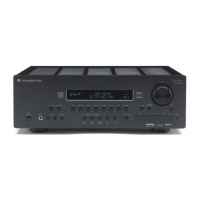
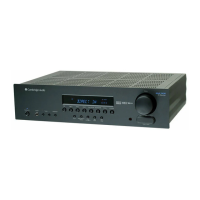
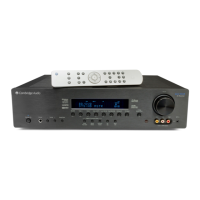
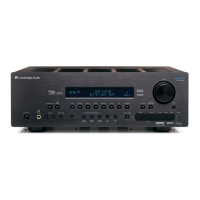
Cambridge Audio azur 650R
32 pages
Print Icon
To Next Page IconTo Next Page
Loading...
Your music + our passion
650R
azur
ENGLISH
AV receiver
User’s manual
2

Table of Contents

Question and Answer IconNeed help?

Do you have a question about the Cambridge Audio azur 650R and is the answer not in the manual?

Summary

Introduction and Initial Setup

Before Connecting

Advice on essential connections before initial setup.

Important Safety Instructions

Safety Compliance and Warnings

Details safety symbols, compliance marks, and regulatory information.

Limited Warranty and Usage Guidelines

Installation and Usage Guidelines

Guidance on proper installation, ventilation, power, cleaning, and battery disposal.

Plug Fitting Instructions (UK Only)

Instructions for fitting or replacing the UK mains plug and fuse.

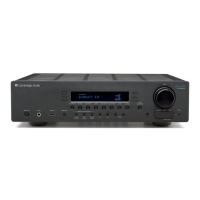
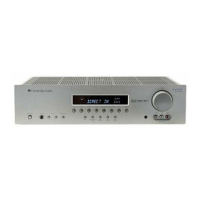
Front Panel Controls Overview

Standby;On

Controls the unit's power state between standby and operational modes.

Phones

Connects headphones for private listening.

Tuning and Preset Control

Adjusts FM frequencies and skips presets.

Tuner Mode Selection

Selects the FM or AM tuner band.

Display and IR Receiver

Shows unit status and houses the IR receiver.

Source Input Selection

Buttons to select different audio/video input sources.

Audio Input Type Selection

Selects analogue, digital, or HDMI audio input type.

Surround Mode Selection

Selects stereo or surround sound modes.

Video Input Type Selection

Selects Composite, S-Video, Component, or HDMI video input.

Analogue Stereo Direct

Selects direct analogue input for best stereo quality.

Volume Control

Adjusts the audio output volume level.

Mute and Display Control

Mutes audio output or re-displays current decoding mode.

Video 3 Input

Selects and connects Video 3 source.

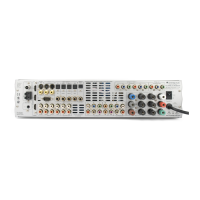
Rear Panel Connections

Service;Normal Mode

Mode switch for dealer use only.

RS232 C Control Port

For Custom Install control of the 650R.

Antenna Connections

Connects the FM and AM aerials.

HDMI Connections

HDMI inputs and output for audio/video.

Source and Recorder Input;Output Ports

Ports for connecting sources, recorders, and displays.

Component Video Inputs

Connects component video from source equipment.

Heat Tunnel Vent Grille

Ventilation grille for internal circuitry cooling. Do not obstruct.

Direct Audio Inputs (7.1 Direct In)

Connects 5.1/6.1/7.1 analogue audio sources.

Preamp Outputs (7.1 Preamp Out)

Outputs for connecting external amplifiers.

Multi-Room Outputs (A-BUS;Incognito)

Outputs for multi-room audio and control.

Control Inputs (Emitter In, Control Bus)

Inputs for IR commands and multi-room system control.

Speaker Terminals

Connects loudspeakers (4-8 ohms impedance).

Mains Power Connection

Connects the unit to the mains power socket.

Power On;Off Switch

Switches the unit on and off.

Remote Control Operations

Standby;On

Switches the unit between standby and on modes.

Analogue Direct Mode

Selects direct analogue input with no processing.

Stereo Mode Selection

Selects stereo or stereo + sub modes.

Surround Mode Selection

Selects surround sound modes for various sources.

Dynamic Range Control

Adjusts dynamic compression range.

Subwoofer Mute (Sub On;Off)

Temporarily mutes the subwoofer.

Tuner Functions

Controls tuner search, storage, and mode selection.

Display Information

Shows source, decoding mode, or sample rate.

Stereo;Mono FM

Alternates between stereo and mono FM reception.

Mute Function

Mutes the audio output.

Volume Adjustment

Adjusts audio output volume.

Navigation and Menu Control

Navigates menus and confirms selections.

OSD Control

Turns on/off setup menus on the display.

Tone Controls

Adjusts bass and treble levels.

Direct Input Selection (7.1 Direct)

Selects the 5.1/6.1/7.1 direct input.

Input Type Selection

Selects analogue, digital, or HDMI input types.

Lip Sync Adjustment

Adjusts audio delay to synchronize with video playback.

Source Input Selection Buttons

Directly selects audio/video input sources.

Front Panel Display Indicators

Tuner Mode Indicators

Shows tuner status (Memory, Stereo, AutoScan, RDS).

Tone Control Indicator

Indicates when tone controls are active.

Direct Mode Indicator

Lights when in Analogue Stereo Direct or 7.1 Direct mode.

HDMI Indicator

Indicates HDMI audio input type.

Multi Indicator

Indicates multi-channel PCM over HDMI reception.

Frequency Type Indicator

Shows tuned frequency in AM or FM tuner mode.

Decoding Mode Indicators

Shows current decoding mode (Dolby Digital, DTS, etc.).

Main Information Display

Shows selected source, surround mode, or station info.

Balance Indicator

Indicates if channel balance adjustment has been made.

Digital;Analogue Input Indicators

Indicates digital (SPDIF/Toslink) or analogue audio input type.

Output Channel Indicators

Shows active output channels based on decoding and source.

Loudspeaker Connections

Speaker Connection Guide

Instructions for connecting speakers, including polarity and cable preparation.

Analogue Audio Connections

Digital Audio Connections

HDMI Input Connections

Analogue Video Input Connections

Video Output Connections

5.1;6.1;7.1 Direct In

7.1 Preamp Out

Front Input Connections

Aerial Connections

650 R Setup Procedure

Speaker Configuration

Define speaker package type (5.1, 6.1, or 7.1).

Speaker Setup (Delay & Calibration)

Set speaker delay and level calibration.

Assigning HDMI Sources

Assign HDMI inputs to specific source inputs.

Source Setup (Audio;Video Type)

Configure audio and video types for each source.

Speaker Delay

Level Calibration

Auto Speaker Setup (Distance;Level)

Assigning HDMI (or DVI) Sources

Source Setup

Audio Connection Type

Select analogue, digital, or HDMI audio input for sources.

Video Connection Type

Surround Sound Modes

DSP Modes

Stereo;Stereo + Sub

Other Modes

Analogue Stereo Direct

Direct analogue input for highest stereo fidelity.

Multi Channel PCM

Receive decoded multi-channel PCM audio.

Operating Instructions

Selecting the Source

Choose the desired audio/video input source.

Selecting the Listening Mode

Choose audio processing modes (Stereo, Pro Logic, DD/DTS).

Decode Modes - 5.1 Speaker Setup

Decode Modes - 6.1 Speaker Setup

Decode Modes - 7.1 Speaker Setup

Operating Instructions Continued

Dynamic Range Control

Compresses audio to limit level differences in movies.

Advanced Dolby;DTS Adjustments

Fine-tune Dolby Pro Logic settings (Panorama, Width, Dimension).

DTS-HD Speaker Re-map

Reposition audio signals for optimal 7.1 playback.

Speaker Setup Configurations

Advanced Dolby;DTS Setup

Adjustments for Pro Logic IIx and DTS HD speaker remapping.

Operating Instructions Continued

Using the Tuner

Instructions for tuning stations and storing presets.

Radio Data Systems (RDS)

Information display for FM radio stations.

Program Type Search (PTY)

Search for radio stations by program type.

Auto Program Search (APS)

Automatically searches and stores radio stations.

Audio Split Mode

Listen to one source while watching another.

Recorder 1;2 Setup

Connect recording devices for audio and video.

Tone;Sub;LFE Configuration

Bi-amping

Lip Sync Adjustment

Input Naming

Custom Installation (C.I.) Use

Reset;Back-up Memory

OSD Setup

Multi-Room Connections

Troubleshooting

Audio Issues

Solutions for hum, buzz, no sound, or phasey response.

Speaker and Channel Issues

Troubleshooting no sound from specific channels or speakers.

Remote and Input Issues

Problems with remote control or input signal detection.

Volume and Calibration Issues

Troubleshooting volume limits and calibration errors.

Technical Specifications

Summary

Introduction and Initial Setup

Before Connecting

Advice on essential connections before initial setup.

Important Safety Instructions

Safety Compliance and Warnings

Details safety symbols, compliance marks, and regulatory information.

Limited Warranty and Usage Guidelines

Installation and Usage Guidelines

Guidance on proper installation, ventilation, power, cleaning, and battery disposal.

Plug Fitting Instructions (UK Only)

Instructions for fitting or replacing the UK mains plug and fuse.

Front Panel Controls Overview

Standby;On

Controls the unit's power state between standby and operational modes.

Phones

Connects headphones for private listening.

Tuning and Preset Control

Adjusts FM frequencies and skips presets.

Tuner Mode Selection

Selects the FM or AM tuner band.

Display and IR Receiver

Shows unit status and houses the IR receiver.

Source Input Selection

Buttons to select different audio/video input sources.

Audio Input Type Selection

Selects analogue, digital, or HDMI audio input type.

Surround Mode Selection

Selects stereo or surround sound modes.

Video Input Type Selection

Selects Composite, S-Video, Component, or HDMI video input.

Analogue Stereo Direct

Selects direct analogue input for best stereo quality.

Volume Control

Adjusts the audio output volume level.

Mute and Display Control

Mutes audio output or re-displays current decoding mode.

Video 3 Input

Selects and connects Video 3 source.

Rear Panel Connections

Service;Normal Mode

Mode switch for dealer use only.

RS232 C Control Port

For Custom Install control of the 650R.

Antenna Connections

Connects the FM and AM aerials.

HDMI Connections

HDMI inputs and output for audio/video.

Source and Recorder Input;Output Ports

Ports for connecting sources, recorders, and displays.

Component Video Inputs

Connects component video from source equipment.

Heat Tunnel Vent Grille

Ventilation grille for internal circuitry cooling. Do not obstruct.

Direct Audio Inputs (7.1 Direct In)

Connects 5.1/6.1/7.1 analogue audio sources.

Preamp Outputs (7.1 Preamp Out)

Outputs for connecting external amplifiers.

Multi-Room Outputs (A-BUS;Incognito)

Outputs for multi-room audio and control.

Control Inputs (Emitter In, Control Bus)

Inputs for IR commands and multi-room system control.

Speaker Terminals

Connects loudspeakers (4-8 ohms impedance).

Mains Power Connection

Connects the unit to the mains power socket.

Power On;Off Switch

Switches the unit on and off.

Remote Control Operations

Standby;On

Switches the unit between standby and on modes.

Analogue Direct Mode

Selects direct analogue input with no processing.

Stereo Mode Selection

Selects stereo or stereo + sub modes.

Surround Mode Selection

Selects surround sound modes for various sources.

Dynamic Range Control

Adjusts dynamic compression range.

Subwoofer Mute (Sub On;Off)

Temporarily mutes the subwoofer.

Tuner Functions

Controls tuner search, storage, and mode selection.

Display Information

Shows source, decoding mode, or sample rate.

Stereo;Mono FM

Alternates between stereo and mono FM reception.

Mute Function

Mutes the audio output.

Volume Adjustment

Adjusts audio output volume.

Navigation and Menu Control

Navigates menus and confirms selections.

OSD Control

Turns on/off setup menus on the display.

Tone Controls

Adjusts bass and treble levels.

Direct Input Selection (7.1 Direct)

Selects the 5.1/6.1/7.1 direct input.

Input Type Selection

Selects analogue, digital, or HDMI input types.

Lip Sync Adjustment

Adjusts audio delay to synchronize with video playback.

Source Input Selection Buttons

Directly selects audio/video input sources.

Front Panel Display Indicators

Tuner Mode Indicators

Shows tuner status (Memory, Stereo, AutoScan, RDS).

Tone Control Indicator

Indicates when tone controls are active.

Direct Mode Indicator

Lights when in Analogue Stereo Direct or 7.1 Direct mode.

HDMI Indicator

Indicates HDMI audio input type.

Multi Indicator

Indicates multi-channel PCM over HDMI reception.

Frequency Type Indicator

Shows tuned frequency in AM or FM tuner mode.

Decoding Mode Indicators

Shows current decoding mode (Dolby Digital, DTS, etc.).

Main Information Display

Shows selected source, surround mode, or station info.

Balance Indicator

Indicates if channel balance adjustment has been made.

Digital;Analogue Input Indicators

Indicates digital (SPDIF/Toslink) or analogue audio input type.

Output Channel Indicators

Shows active output channels based on decoding and source.

Loudspeaker Connections

Speaker Connection Guide

Instructions for connecting speakers, including polarity and cable preparation.

Analogue Audio Connections

Digital Audio Connections

HDMI Input Connections

Analogue Video Input Connections

Video Output Connections

5.1;6.1;7.1 Direct In

7.1 Preamp Out

Front Input Connections

Aerial Connections

650 R Setup Procedure

Speaker Configuration

Define speaker package type (5.1, 6.1, or 7.1).

Speaker Setup (Delay & Calibration)

Set speaker delay and level calibration.

Assigning HDMI Sources

Assign HDMI inputs to specific source inputs.

Source Setup (Audio;Video Type)

Configure audio and video types for each source.

Speaker Delay

Level Calibration

Auto Speaker Setup (Distance;Level)

Assigning HDMI (or DVI) Sources

Source Setup

Audio Connection Type

Select analogue, digital, or HDMI audio input for sources.

Video Connection Type

Surround Sound Modes

DSP Modes

Stereo;Stereo + Sub

Other Modes

Analogue Stereo Direct

Direct analogue input for highest stereo fidelity.

Multi Channel PCM

Receive decoded multi-channel PCM audio.

Operating Instructions

Selecting the Source

Choose the desired audio/video input source.

Selecting the Listening Mode

Choose audio processing modes (Stereo, Pro Logic, DD/DTS).

Decode Modes - 5.1 Speaker Setup

Decode Modes - 6.1 Speaker Setup

Decode Modes - 7.1 Speaker Setup

Operating Instructions Continued

Dynamic Range Control

Compresses audio to limit level differences in movies.

Advanced Dolby;DTS Adjustments

Fine-tune Dolby Pro Logic settings (Panorama, Width, Dimension).

DTS-HD Speaker Re-map

Reposition audio signals for optimal 7.1 playback.

Speaker Setup Configurations

Advanced Dolby;DTS Setup

Adjustments for Pro Logic IIx and DTS HD speaker remapping.

Operating Instructions Continued

Using the Tuner

Instructions for tuning stations and storing presets.

Radio Data Systems (RDS)

Information display for FM radio stations.

Program Type Search (PTY)

Search for radio stations by program type.

Auto Program Search (APS)

Automatically searches and stores radio stations.

Audio Split Mode

Listen to one source while watching another.

Recorder 1;2 Setup

Connect recording devices for audio and video.

Tone;Sub;LFE Configuration

Bi-amping

Lip Sync Adjustment

Input Naming

Custom Installation (C.I.) Use

Reset;Back-up Memory

OSD Setup

Multi-Room Connections

Troubleshooting

Audio Issues

Solutions for hum, buzz, no sound, or phasey response.

Speaker and Channel Issues

Troubleshooting no sound from specific channels or speakers.

Remote and Input Issues

Problems with remote control or input signal detection.

Volume and Calibration Issues

Troubleshooting volume limits and calibration errors.

Technical Specifications

Cambridge Audio azur 650R Specifications

General IconGeneral
Channels7.1
HDMI Inputs4
HDMI Outputs1
Input Sensitivity200 mV
Audio D/A Converter24-bit/192 kHz
Tuner BandsAM/FM
Preset Station Qty30
Audio Formats SupportedDolby Digital, Dolby Digital Plus, Dolby TrueHD, DTS, DTS-HD Master Audio
Network ConnectivityEthernet
Dimensions430 x 150 x 420mm
Input Impedance47 kΩ
Surround Sound EffectsDTS Neo:6
ConnectorsHDMI, RCA, Optical, Coaxial, Ethernet, USB
Signal-To-Noise Ratio100 dB

Related product manuals