USER MANUAL
i -SERIES
i-SERIES
advancEd amplIfIERS
P.15
4 OPERATION
All settings and selections are done through the rotary encoder. Changes
will take effect immediately.
4.1.5 MENU Buttons
The left (3) MENU button will always act as an ESCAPE / EXIT button.
The right (4) MENU button offers following sub-menus, accessible
through repeated pressing on the right MENU button:
Load preset
Save preset
Access Level control
Auxilliary information:
à
Version Info Serial Number (SN)
à
Version Info FW Version (SW)
à
Version Info Hardware Version (HW)
à
IP Address
à
MAC Address
à
Temperature of both amplifier stages
Inside the Auxilliary information menu you can navigate through the sub
menus with the encoder wheel. Note that in this menu the encoder will only
work in a round-robin fashion, regardless of the rotation direction.
l NOTE
The left (3) MENU button always acts as an ESCAPE / EXIT button in
all menus.
4.1.6 Rotary Encoder with Push Button
The rotary encoder allows to make swift adjustments of parameters (like
for example the Gain settings) by simply turning it in the desired direction.
In some menus the push-function of the encoder will act as an ENTER
button, for example when selecting / loading presets.
4.2 Hot Key Functions – Standby
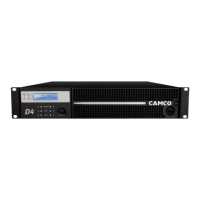
To set the iD4 to standby mode simply press both (34) MENU buttons
simultaneously for more than three seconds. You will then be asked if you
want to switch to Standy Mode. Pressing the encoder knob (without rotat-
ing it) will then power down the main power supply of the iD4.
The standby function can of course also be controlled by the DSP Control
remote application.
4.3 Standby Function
The iD4 offers the possibility to set the amplifier into standby mode either
from the user interface or by the DSP Control remote application.
In standby mode the iD4 will power down it’s main SMPS, thus saving
energy while at the same time staying accessible via network connection.
From the amplifier’s user interface this function is accessible through a Hot
Key function as described above.
Inside the DSP Control remote application you can access this function
through the Hardware menu.
An additional feature is the automatic standby function which will set the
iD4 in standby mode if no input signal (analogue and / or AES) is applied
for a certain period of time. This delay time can be set individually (or
switched off) inside the DSP Control remote application through the
Hardware
à
Configure
à
Standby Delay menu.
l NOTE
If the amplifier has been set into standby through the auto-standby
function, automatic wakeup will only work if digital AES input signal
is applied again.
Applying analogue signal again will not wakeup the amplifier.
When unsing analogue input signal, exiting the automatic standby mode
must be done manually through the user interface or the DSP Control
remote application. So please consider this carefully before using this
function with analogue input signal.


 To Next Page