EasyManua.ls Logo

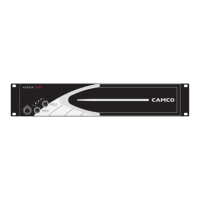
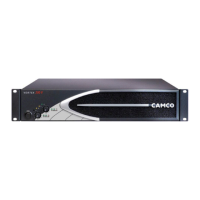
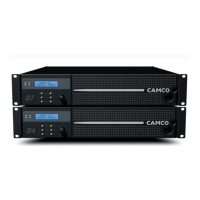
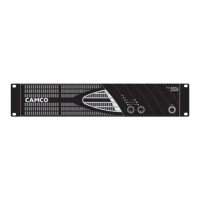
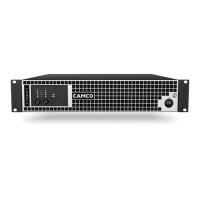
Camco Vortex Series - User Manual

Camco Vortex Series
42 pages
Print Icon
To Next Page IconTo Next Page
Loading...

Other manuals for Camco Vortex Series

Questions and Answers

  • B
    Brandon OwenJul 26, 2025
    What to do if my Camco Amplifier has no sound?
    • R
      Raymond YoungJul 26, 2025
      If your Camco Amplifier is producing no sound, start by verifying the AC plug is securely connected and the outlet is functioning correctly by testing it with another device. Also, ensure the signal source is active and try using a different cable. Check the position of the volume controls. As an additional step, power off the amplifier, disconnect the source to prevent DC entry, and then power it back on. If the LED sequence remains unchanged, the amplifier requires servicing by a qualified technician. If this does not resolve the issue, turn off the amplifier, disconnect AC power, and have it serviced by a qualified technician.
  • D
    Deborah WoodAug 5, 2025
    Why is my Camco Vortex Amplifier producing distorted sound?
    • W
      William JordanAug 5, 2025
      If the sound from your Camco Amplifier is distorted, try using a different speaker and inspect the wiring for any issues. Make sure to keep the amplifier's volume controls at least halfway up to prevent the source from being overdriven. Additionally, adjust the input sensitivity from 1.4 V to 32 dB or 26 dB using the gain selector located on the rear panel.
  • J
    jared64Aug 16, 2025
    How to fix no channel separation on Camco Vortex Amplifier?
    • V
      vcampbellAug 16, 2025
      If you're experiencing no channel separation with your Camco Amplifier, check the speaker wiring for any breaks and try using a different speaker and cable. Ensure that the amplifier has proper ventilation, and if the fans are not running, the amplifier needs servicing. Verify the mode indicators on the front panel and confirm that the mode selector on the rear panel is set to the stereo position. Also, ensure that other equipment in the signal path, such as mixers and preamps, are set to stereo and not mono.

Summary

Important Safety Instructions

Explanation of Symbols and Safety

Details warning symbols and their safety implications.

General Safety Precautions

EC Declaration of Conformity

Welcome and Product Introduction

Welcome to CAMCO

Introduction to CAMCO's history and expertise.

Unpacking the Amplifier

Instructions for safely unpacking and inspecting the new amplifier.

The VORTEX Amplifier Overview

VORTEX Amplifier Features

Highlights advantages like reduced distortion and integrated remote control.

Facilities and Components

Front and Rear Panel Layout

Identifies controls and connectors on the front and rear panels.

Factory Settings

Details the default factory settings for the VORTEX 3 QUADRO.

Installation Guide

Power Switch and Mounting

Explains power switch function and amplifier mounting procedures.

Cooling, Ground Lift, and Indicators

Covers cooling, ground lift, and front panel mode indicator LEDs.

Mode Selectors and Basic Concepts

Mono-Bridge Operation and Wiring

SPEAKON Connection and Multi-Channel Operation

Three-Channel Operation

Two-Channel Operation Modes

Mono-Bridge Configurations

Operating the Amplifier

Power Supply and Precautions

Connecting to AC circuit and important operational precautions.

Volume Control and Gain Settings

Adjusting volume and gain levels for optimal performance.

Limiter Switch and Indicator LEDs

Power Amplifier Protection Systems

Overview of protection mechanisms like Clip Limiter and Under Impedance Limiter.

Mains and SMPS Protection

Fan Operation and Filter Cleaning

Describes fan operation and the filter cleaning procedure.

Advanced Options and Connectivity

CAMCO Audio Interface (CAI)

Details the CAI bus system for external monitoring and control.

CAI Wiring and Address Settings

Instructions for connecting and configuring CAI addresses.

CAI Status Indicator

Troubleshooting Common Issues

On LED Flashing Sequences

Interpreting LED flash patterns to diagnose operating status and failures.

No Sound or Low Sound Issues

Channel Separation and Distortion

Troubleshooting missing channel separation or distorted audio output.

Hiss and Feedback Problems

Technical Specifications

Performance Measurements

Warranty Information

Summary of Warranty

Outlines the three-year warranty coverage for material and workmanship.

Excluded Items and Claims

Lists damages and conditions not covered by the warranty.

Obtaining Warranty Service

Instructions on how to contact the dealer/distributor for warranty service.

Service and Support

Owner and Problem Description

Fields for owner's details and a description of the problem encountered.

Shipping Address for Returns

Provides the address for returning the amplifier for service or repair.

Maintenance Information

Decommissioning Procedures

Company Contact Information

Camco Vortex Series Specifications

General IconGeneral
ManufacturerCamco
CategoryAmplifier
Channels2
Voltage Gain32 dB
Damping Factor>500
SeriesVortex
THD+N<0.05% (typical)
Signal-to-Noise Ratio>110dB
Input Impedance20 kOhms (balanced), 10 kOhms (unbalanced)
ProtectionShort circuit, DC, thermal, over-current, voltage limiting
Connectors InputXLR
Connectors OutputSpeakon NL4

Related product manuals