5 OPTIONS
0
1
2
3
4
5
6
7
8
9
0
1
2
3
4
5
6
7
8
9
0
1
2
3
4
5
6
7
8
9
0
1
2
3
4
5
6
7
8
9
USER MANUAL
VORTEX 3 QUADRO
P.26
USER MANUAL
VORTEX 3 QUADRO
P.27
These sequences are repeated for 30 seconds (timeout). Then the On LEDs
return to their normal function.
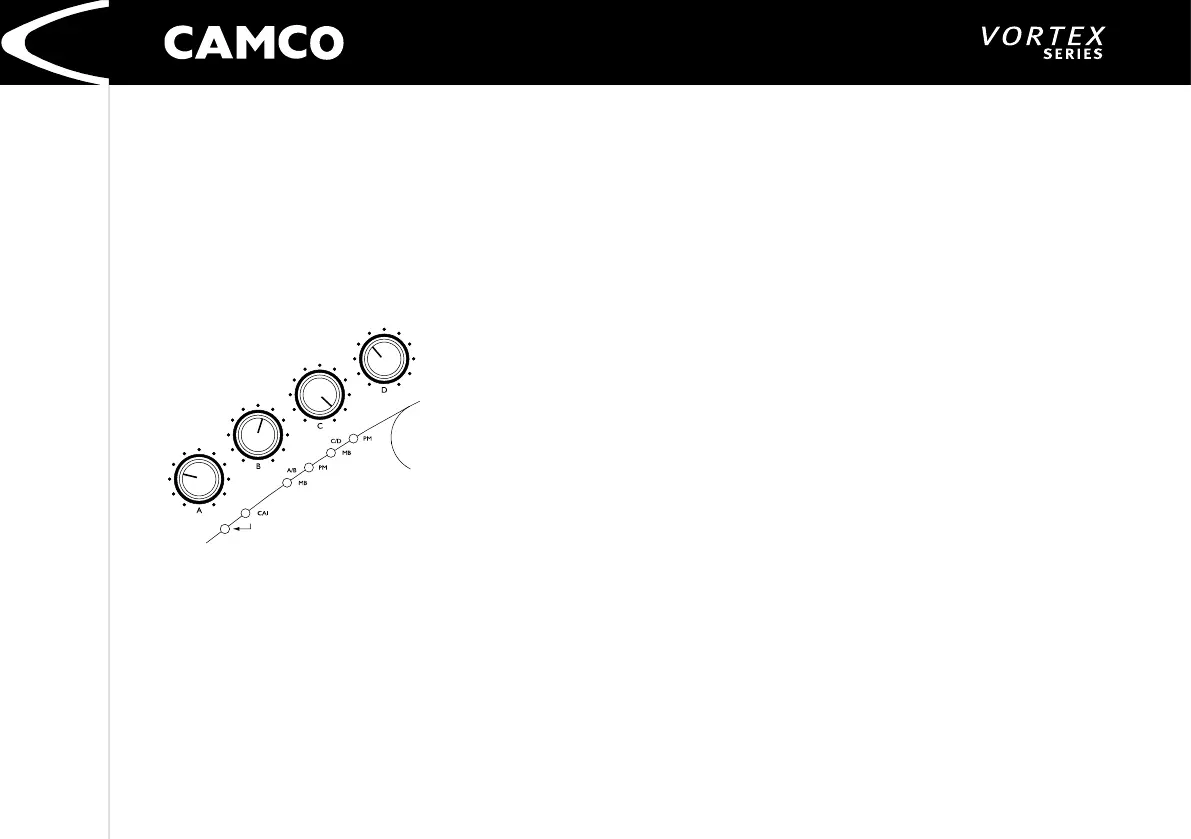
To change CAI addresses, turn the appropriate volume potentiometer to the
required address of amplier A/B (Volume Pot Ch A => T
ens, Volume Pot
Ch B => U
nits). The address of amplier C/D is automatically set to address for
amplier A/B plus one.
To adjust the address you can use the scale markings of the potentio-
meters. You will nd the digits 0,1,...,9 on the 10 scale spacing .
The current selected address of amplier A/B will be immediately displayed
but
NOT
automatically stored or activated! After each turn of pot you have
another 30 seconds to timeout. You can leave this procedure without saving
the new addresses by briey pressing the Enter-Switch or waiting for timeout
(as described above).
To store and activate the new addresses you have to press the Enter-Switch
for 3 seconds. These new addresses are stored in an EEPROM, which holds the
information even if the amp is subsequently disconnected from mains. Be sure
to set the CAI-Master-PC to these new addresses. If not, the communication will
be interrupted.
5.1.3 CAI Status Indicator
This green LED indicates the presence of communication between PC and the
amp.


 To Next Page