13 - FA01818M4A - 01/2023 - © CAME S.p.A. -
Installation
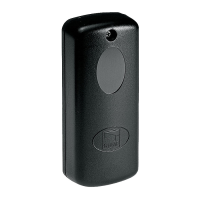
Fasten the photocells at a height of about 50 cm from the ground.
The photocells must directly face each other.
B
In recessed installations, the base must be secured.
Fasten the casing to the wall (or base) using suitable screws.
Use plugs if necessary.
D
Use a screwdriver to remove the board, from the end shown only.
Fasten the cover.
Electrical connections
E
Use a jumper to set the type of power supply, choosing from 12 V or 24 V, and
connect the electrics.
The diagrams shown in this manual only show the electrical connections to
CAME control panels.
F
TX-RX connection
G
Reopening during closing
A pair of photocells.
H
Reopening during closing
Two pairs of photocells.
I
Reopening during closing - Partial stop
Two pairs of photocells.
L
Reopening during closing
Two pairs of photocells DIR + DELTA I/E.
M
Reopening during closing
Two pairs of photocells DIR + DLX.


 To Next Page