DANGER
Never Operate the Pellet grill without the ash cup in place.
Make sure the burner clean-out port is closed and locked
before starting the grill.
WARMING RACK
COOKING GRATE
CLEANOUT PORT KNOB
CLEANOUT PORT KNOB
Never open the burner clean-out port when the grill is hot.
After cleaning out the burner make sure to close the burner
clean-out by pushing the clean-out port knob in on the right side
of the grill. Make sure to lift the pullout lock and push the clean-
out port knob all the way in and lock in place with the pullout
lock. Every 50 hours of use, remove the grill grates, grease tray,
and heat deflector and clean the inside of the grill. If you notice a
lot of ash blowing around in the grill it is time to vacuum it out.
FILLING THE AUGER TUBE
CAUTION: ONLY USE THE FEED SETTING WHEN HOPPER HAS RUN
OUT OF PELLETS. FEED SETTING IS NOT FOR NORMAL USE.
The first time you use your grill or any time the hopper has ran
out of pellets you will need to fill the auger tube. This simply
means you must fill the auger tube with pellets until pellets
reach the burner. This is done by selecting FEED from the main
menu. This will turn the auger on and the controller will display
“FEED”. The auger will remain on for no more than 7 minutes.
This is ample time for the pellets to reach the burner. It is easiest
to open the burner clean-out by pulling the knob on the right
side of the grill. Once you hear pellets dropping into the cup you
can close the clean-out port by pushing the knob on the right
side of the grill and then select your cooking temperature. (Never
operate grill without the ash cup in place). Always make sure
the burner clean-out port is closed by pushing in the knob on the
right side of the grill before selecting any of the cook settings.
Never open the burner clean-out port when the grill is hot.
APP QUICK START GUIDE
1. Download the Camp Chef APP from the Apple APP store or
Android Play Store.
2. Turn the Grill controller on using the main power switch.
3. Open the Camp Chef APP and follow the setup instructions for
connecting the grill to your home 2.4 GHz WiFi network.
Warning - Do NOT leave this appliance unattended while in use.
The user must remain in the immediate area of the product and
have a clear view of the product at all times during operation.
Note - Some functions are only available from the controller. If
attempting to start the grill from the APP it will prompt you to
confirm starting the grill from the controller. Temperature and
Smoke settings can be adjusted from the APP. Shutdown can
also be performed from the APP.
For more information visit https:/www.campchef.com/app
CONTROLLER EXPLANATION
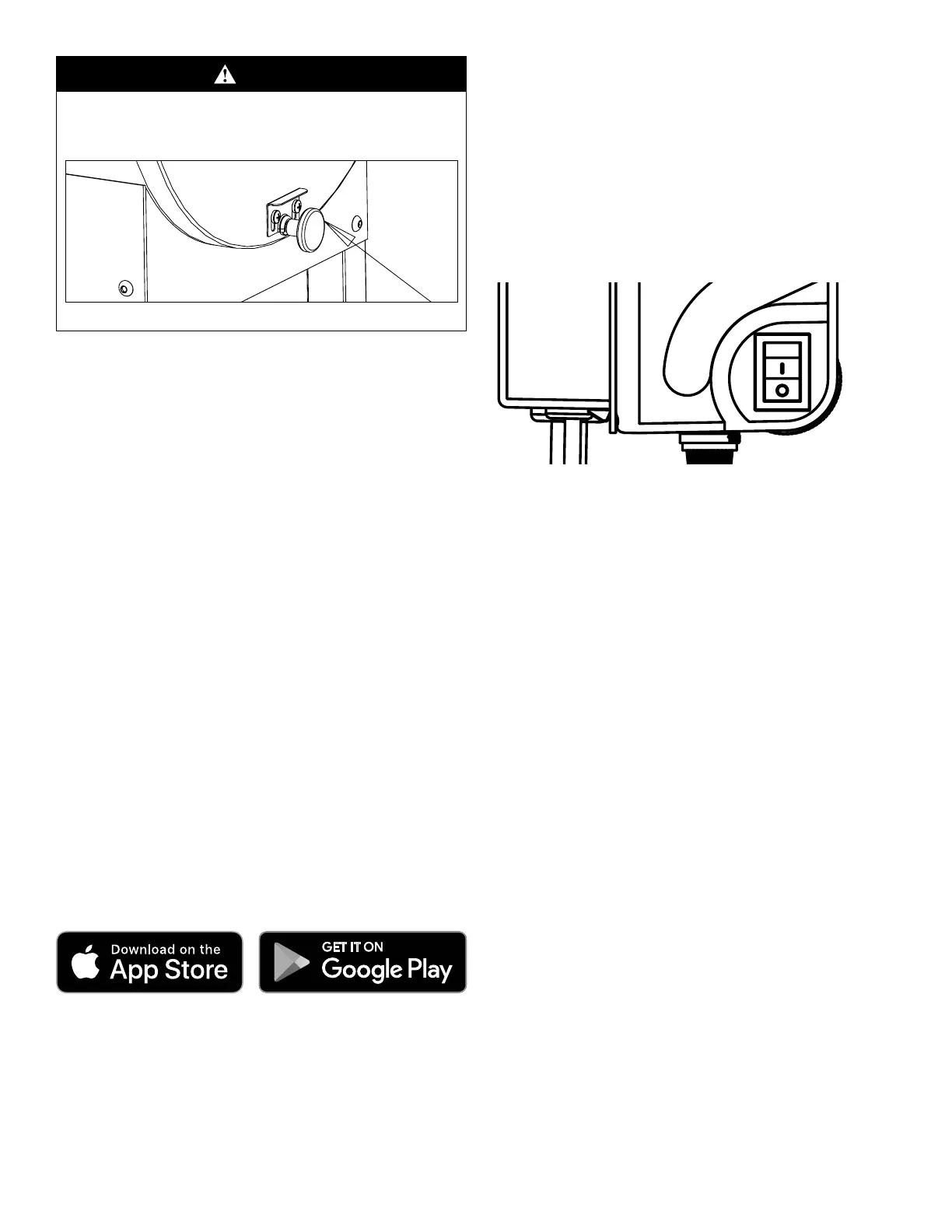
POWER SWITCH
Used to turn the main power onto the pellet grill. “O” is Off. “-“
is On. See Fig. 20
Fig. 20
CONTROLLER FUNCTIONS
Rotate the dial to scroll through menus, adjust temperature, or
smoke settings. Press the dial to select.
SHUTDOWN
This setting must be used after each use. Select SHUTDOWN
from the main menu. The fan will remain on for up to 20
minutes. This setting will burn up any extra pellets in the burner
and cool down the grill. Do not turn the main power switch off
when the grill is hot.
FEED - Select FEED from the main menu. This setting is used to
feed pellets to the burner. It will be used the first time you use
the grill to fill the auger tube and any time you may inadvertently
run the hopper out of pellets. See instructions on filling the
auger tube.
SET TEMP LOW SMOKE - Select SET TEMP from the main menu.
Rotate dial to LOW SMOKE and press to confirm. This setting is
used for smoking foods at an average temperature of 160F. This
setting will produce large amounts of smoke.
SET TEMP HIGH SMOKE - - Select SET TEMP from the main
menu. Rotate dial to HIGH SMOKE and press to confirm. This
setting is used for smoking foods at an average temperature of
220F. This setting will produce large amounts of smoke.
SET TEMP 160F TO 450F - Select SET TEMP from the main menu.
Rotate dial to the desired temperature and press to confirm.
SET TEMP HIGH - Select SET TEMP from the main menu. Rotate
dial to HIGH and press to confirm. This setting can be used
to achieve temperatures up to 500F depending on ambient
temperatures.
SET SMOKE – The SET SMOKE setting is available for
temperatures from 160F – 350F. Select SET SMOKE from
the main menu. Rotate dial to the desired SMOKE SETTING


 To Next Page
 Loading...