EN 16 EN 17
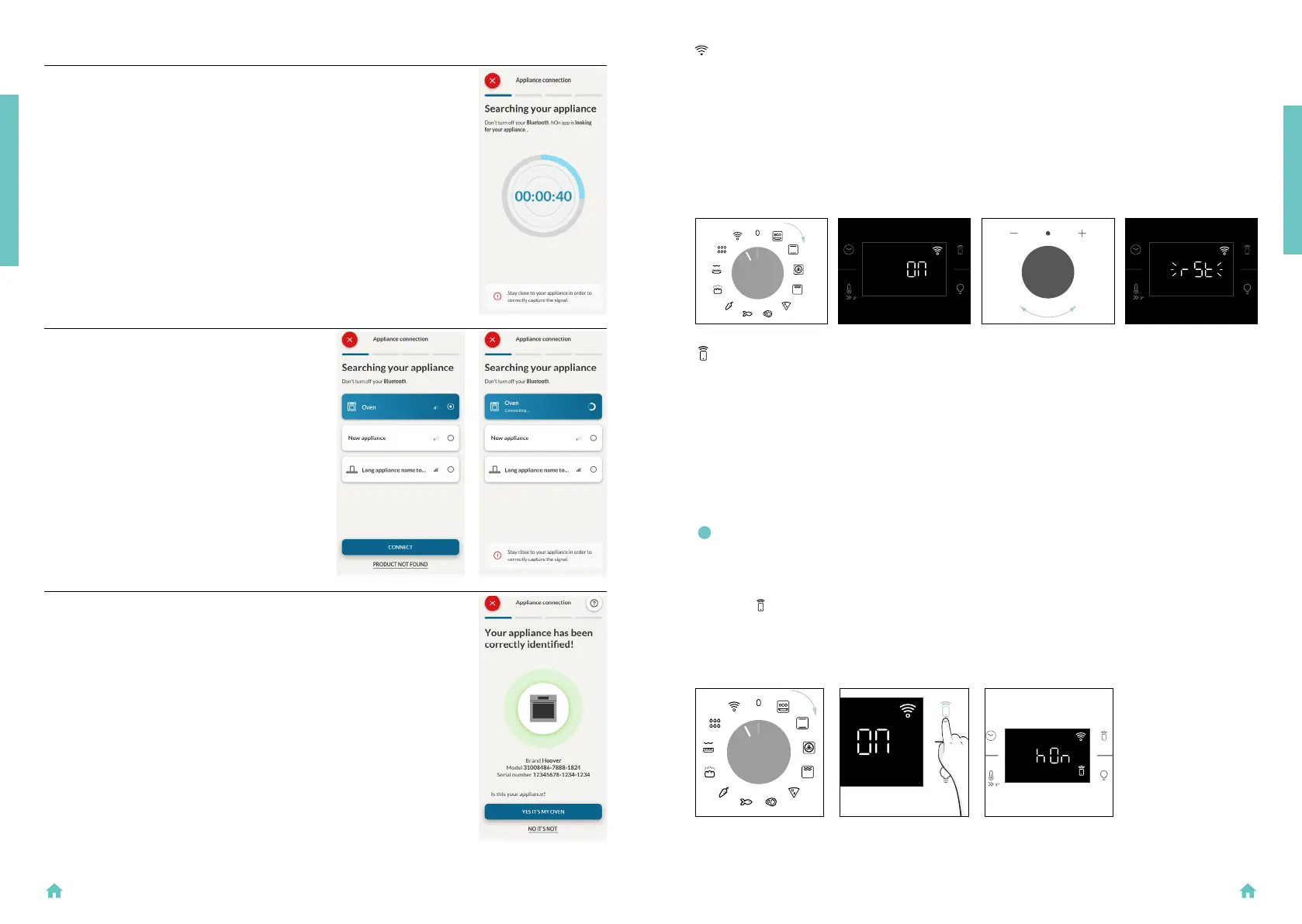
Step 7
• Your Oven will be found and you can
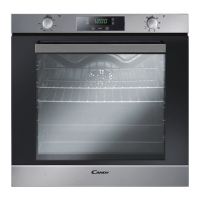
control it through hOn.
Step 5
• After turning on, the hOn app will start
searching for your home appliance.
Step 6.1-6.2
• Select your home appliance, tap on
“connect” and wait a few seconds.
PRODUCT INTRODUCTION
HOW TO CHANGE WIFI SETTINGS
Once the appliance is enrolled, the user can change the WIFI settings between:
• WIFI ON: It is only possible to monitor the oven status by App.
• WIFI OFF: The oven is not connected but still enrolled with network credentials saved.
• WIFI RESET: The connection is reset and a new enrollment is possible.
1. Turn the function knob on WIFI menu.
2. On display appears “On”.
3. Rotate the dial control until “Off” or the reset setting “rSt” will be showed.
REMOTE CONTROL
The Remote Control offers numerous advantages for users, enhancing convenience, efciency, and
the overall cooking experience, by giving the capability to control the product directly from both the
appliance and hOn App
This function allows, through your device, to enjoy various features, such as: instant or scheduled start
of recipes or cooking programs already available in the app; real-time monitoring of the progress of
your recipes; adjustment of the cooking parameters in use.
Furthermore, it is possible to receive notications once programs or recipes are completed.
The Remote Control can be activated exclusively when the product is enrolled.
NOTE: It is available for all cooking functions on the product, except for Gratin and Supergrill
programs.
How to activate Remote Control:
1. Turn the function knob on WIFI menu.
2. Press
.
3. On display appears “hOn”. Both WIFI and Remote Control icons will be shown.
4. Access to the App, select a program and let the cooking starts. During the process is possible to
control and change the program parameters from both product and App.
PRESS REMOTE
CONTROL
PRODUCT INTRODUCTION


 To Next Page