Clearing Paper Jams
3-9
3
Troubleshooting
Saddle Finisher-AE2
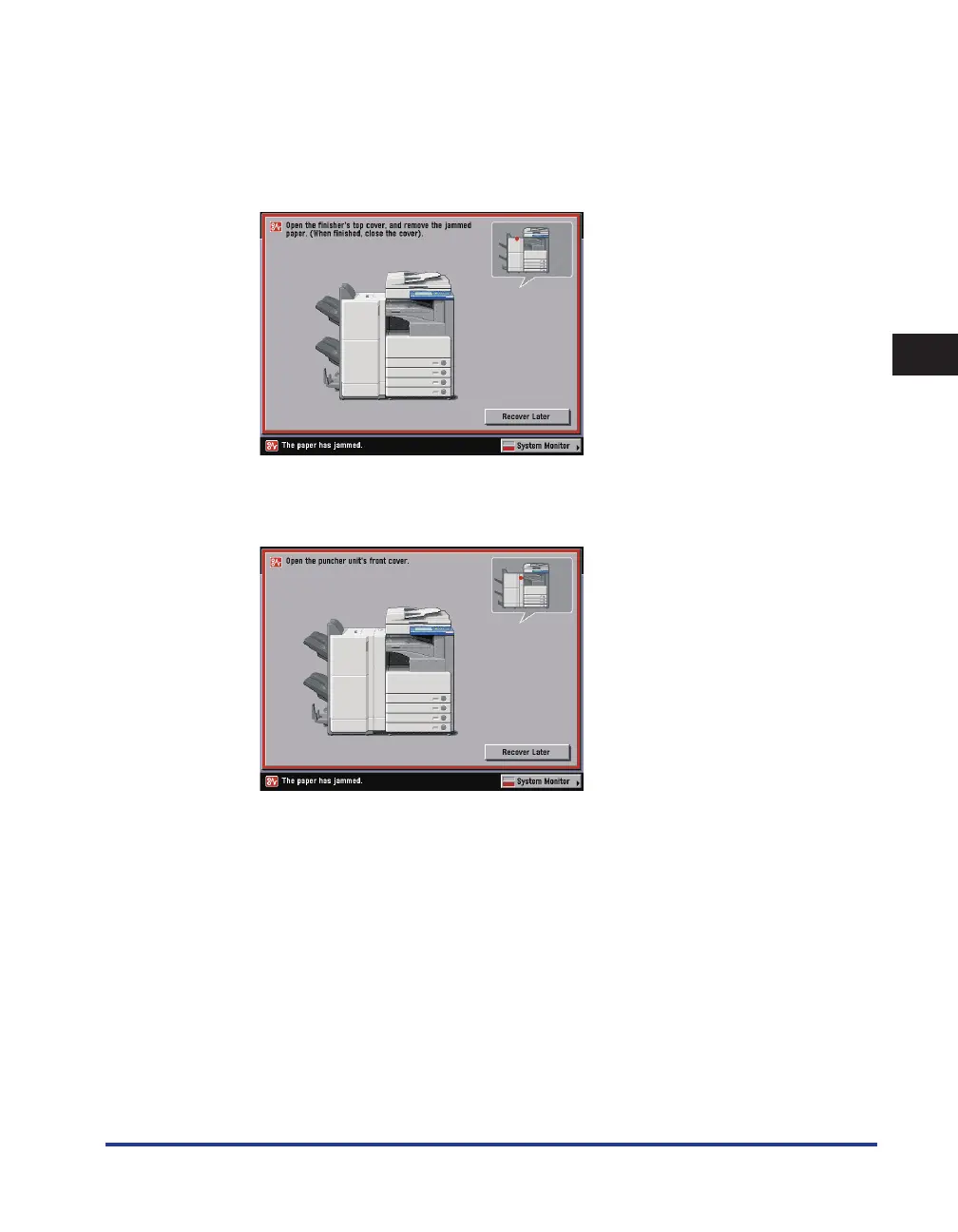
See “Inside the Top Cover of the Finisher-AE1/Saddle Finisher-AE2 (Optional),” on p. 3-57.
See “Inside the Buffer Pass Unit-E2 of the Finisher-AE1/Saddle Finisher-AE2 (Optional),” on p. 3-60.
See “Inside the Front Cover of the Saddle Finisher-AE2 (Optional),” on p. 3-62.
See “Saddle Stitcher Unit (Optional),” on p. 3-66.
Puncher Unit-M1
See “Puncher Unit-M1 (Optional),” on p. 3-69.
3
After you have removed all of the jammed paper in the locations indicated
on the touch panel display, restore all levers and covers to their original
positions.
●
☐
☐
☐
☐
●
☐



 To Next Page