Sample Reports
4-21
4
Appendix
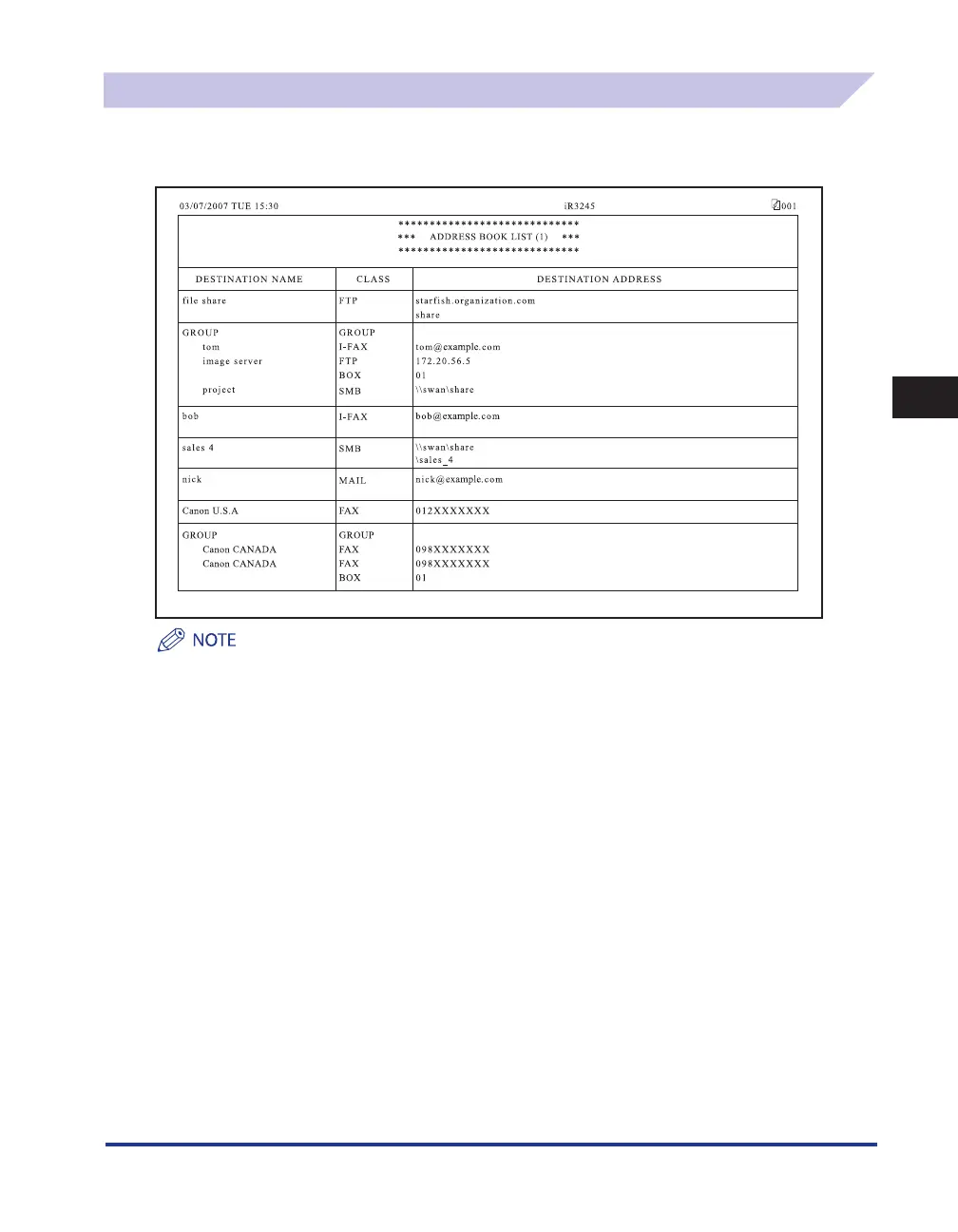
Address Book List
You can print the contents of the Address Book (subaddress books 1 to 10 or one-touch buttons).
Manually print the list of the selected Address Book whenever necessary. (See e-Manual > Send/Fax.)
If the optional Color Universal Send Kit (standard-equipped for the imageRUNNER 3245i/3235i) is activated, the
details of e-mail, I-fax, file server, and group destinations are printed.
If the optional FAX Board is installed, the details of fax and group destinations are printed.
DESTINATION NAME
The name of the specified destination is printed.
When printing the contents of a one-touch button, the number of the one-touch button is printed on the first
line.
CLASS
The specified destination's class (transmission mode) is printed.
•
•
■
■










 To Next Page