EasyManua.ls Logo

Canon 550ex - Page 38

Canon 550ex
49 pages
Print Icon
To Next Page IconTo Next Page
To Previous Page IconTo Previous Page
Loading...
Flash Exposure
Compensation
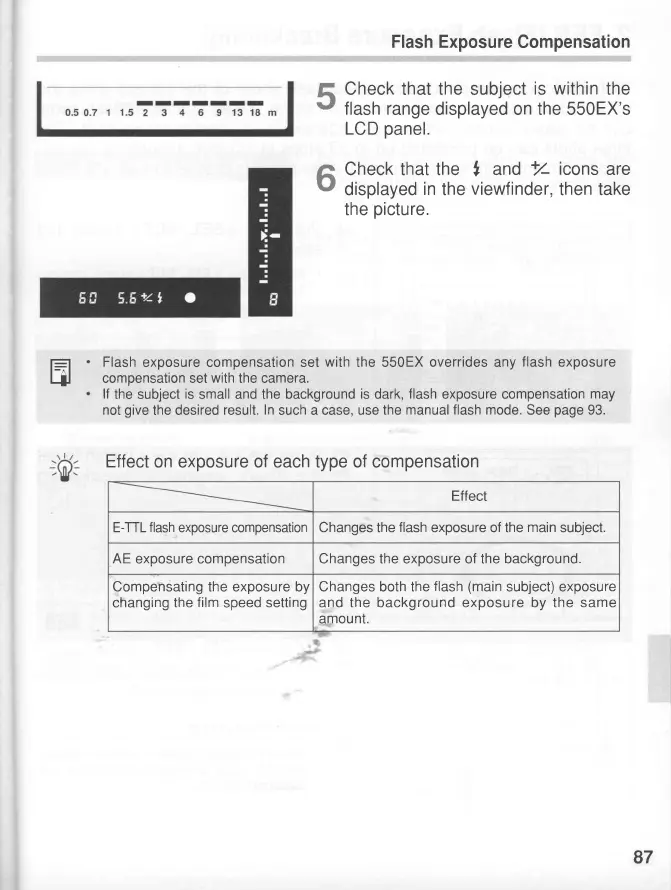
Check that the subject
is within
the
flash range
displayed on the 550EX's
LCD
panel.
Check that the
,
and
+/
icons
are
displayed
in
the
viewfinder,
then take
the
picture.
Flash
exposure compensation set
with
the 550EX overrides any
flash
exposure
compensation set
with
the camera.
lf
the subject
is
small
and
the background
is
dark,
flash
exposure compensation
may
not
give
the desired
result.
In
such a case,
use the manual
flash mode.
See
page
93.
5
6
E
Effect
on exposure of each type of compensation
Effect
E-TTL
flash
exposure
compensation
Changes the
flash
exposure of the
main
subject.
AE
exposure compensation Changes the exposure of the background.
Compensating the exposure by
changing
the
film
speed
setting
Changes both the
flash
(main
subject) exposure
and the background exposure by the same
amount.
87