EasyManua.ls Logo

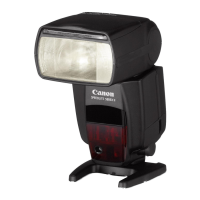
Canon 550ex - Bounce Flash

Canon 550ex
49 pages
Print Icon
To Next Page IconTo Next Page
To Previous Page IconTo Previous Page
Loading...
3.
Bounce
Flash
With
direct,
frontal flash,
harsh
shadows are
usually created
in
the
background behind the subject.
This
can be avoided by bouncing
the
flash
off
a
nearby wall
or ceiling.
Bounce flash
also
gives
softer
lighting
effects.
1
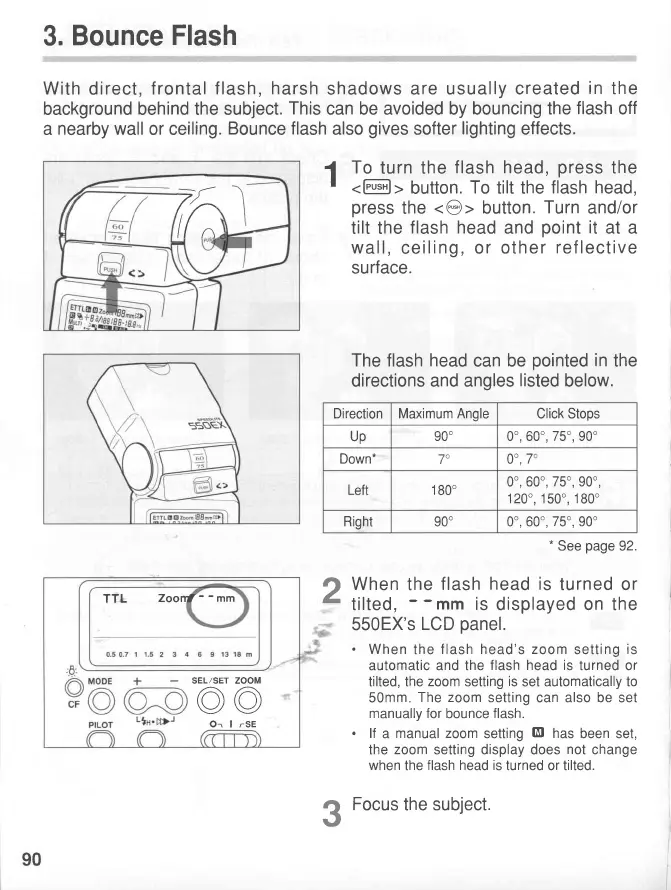
To
turn the
f lash head,
press
the
press
the
<@>
button.
Turn
and/or
tilt the
flash head
and
point
it
at a
wall,
ceiling, or
othe
r ref lective
surface.
The flash
head
can be
pointed
in
the
directions and angles
listed
below.
When
the
f lash
head is
tu
rned
or
tilted
,
- -
mm
is
displayed on the
550EX's
LCD
panel.
.
When
the
flash head's zoom
setting
is
automatic and the
flash head is
turned or
tilted, the
zoom
setting
is
set automatically to
50mm
The zoom
setting
can
also be
set
manually for
bounce
flash.
.
lf
a
manual zoom
setting
Et
has
been set,
the
zoom
setting display does
not
change
when
the
flash head is
turned or tilted.
Focus
the subject.
2
3
I
h
DirectionMaximum
Angle
Click Stops
Up
90" 0o, 60o,
75o,
90o
Down*
70
00,7
Left 1
80"
0o, 60o,
75o,
90o,
1200,150",180"
Right
90" 0o, 60o,
75o,
9oo
*
See
page
92.
TTL
ZoonJ--mm
SEL/SET ZOOM
@@
Or I rSE
90
www.orphancameras.com

Related product manuals