– 44 –
Automatic Border Removal and Skew Correction
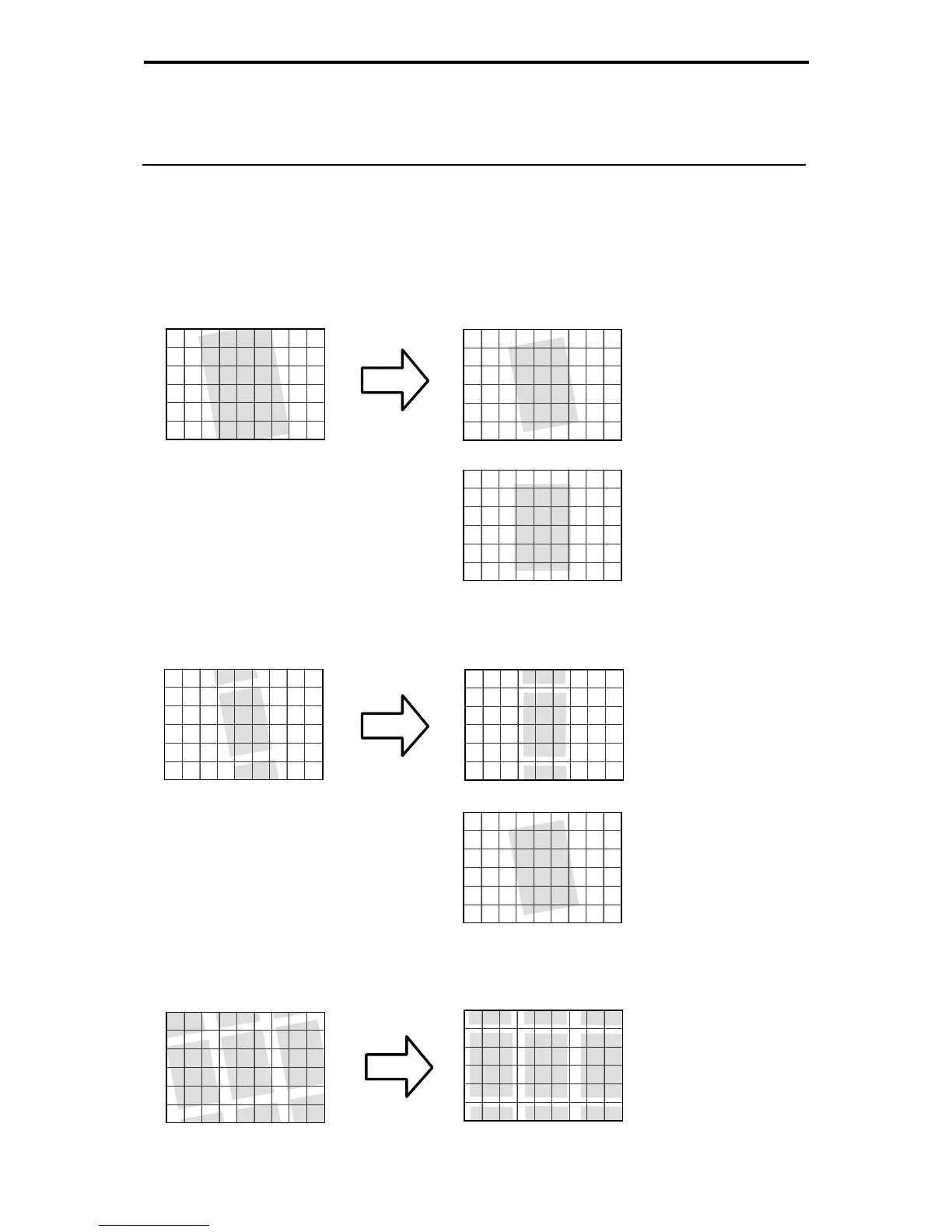
If the image projected on the screen resembles one of the images shown in the figure below, the
Border Removal function (P.25) and Automatic Skew Correction function (P.28) cannot recognize
the image and will not process the image correctly. For these functions to operate successfully, the
screen image must be adjusted.
● One corner of a skewed image is off the screen
➜ Reduce or rotate the image so that the entire image is displayed within the screen.
● The image is skewed and part of the preceding and following images appear on the screen
➜ Manually adjust the image angle or adjust the image so that the preceding and following
images do not appear.
● The image is skewed so that there is insufficient blank margin around the image.
➜ Manually adjust the image angle so that there is sufficient blank margin around all sides of
the image.
or
or
Maintenance and Troubleshooting





 To Next Page