– 5 –
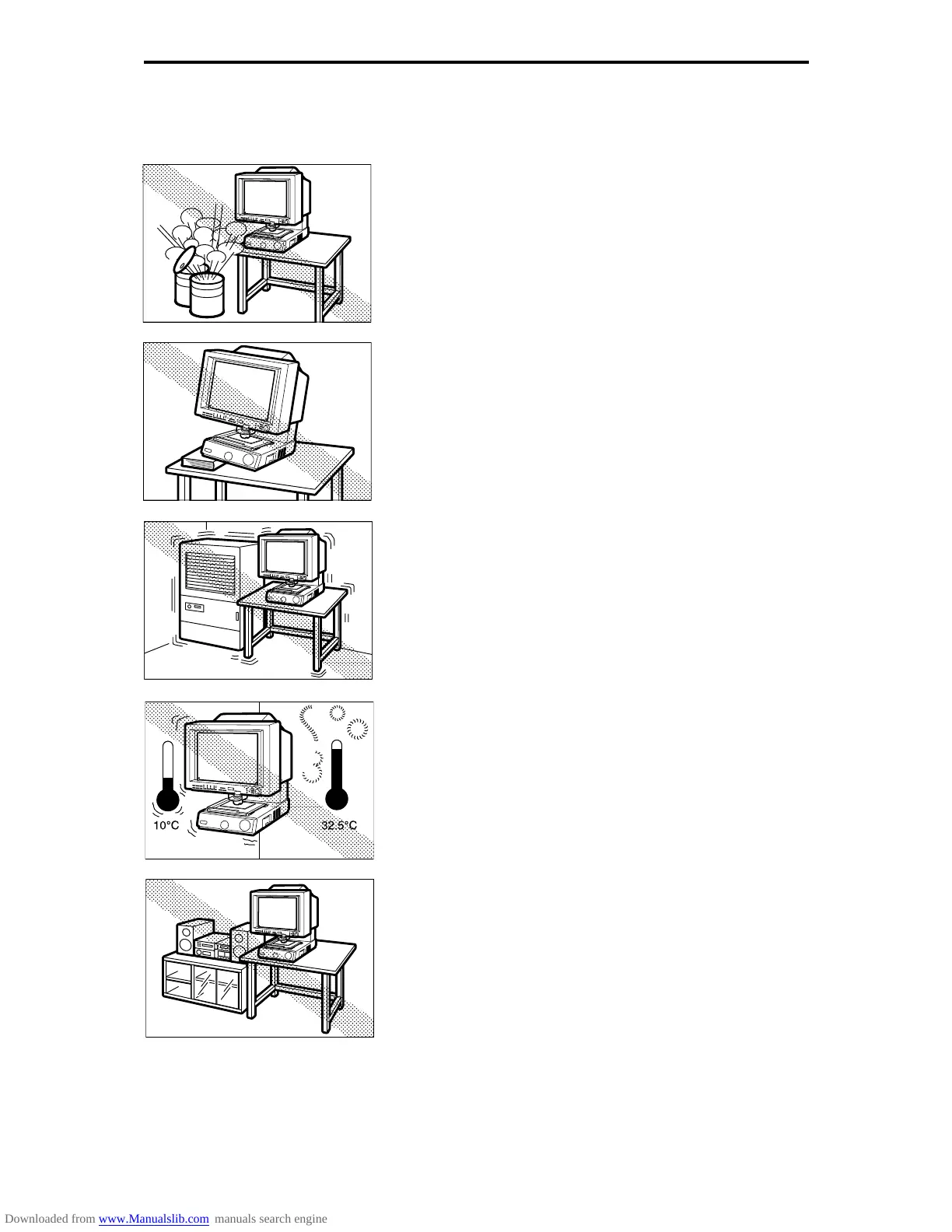
❏ Never set up the scanner in locations where flammable
substances such as alcohol, paint thinners or other
organic solvents are present.
❏ Always set up the scanner on flat and stable surface that
can support the weight of the scanner (47 kg).
❏ Choose a location that is free of excessive vibration.
❏ Avoid locations that are subject to extreme or sudden
changes in temperature.
Condensation formed inside the scanner can adversely
affect print quality. The temperature and humidity
ranges for optimum scanner operation are as follows:
Temperature: 10°C to 32.5°C (50°F to 90.5°F)
Humidity: 10% to 85% RH (condensation free)
❏ Do not set up the scanner close to equipment that can
generate strong magnetic fields, such as speakers, radios
or televisions.
Before You Begin...





 To Next Page