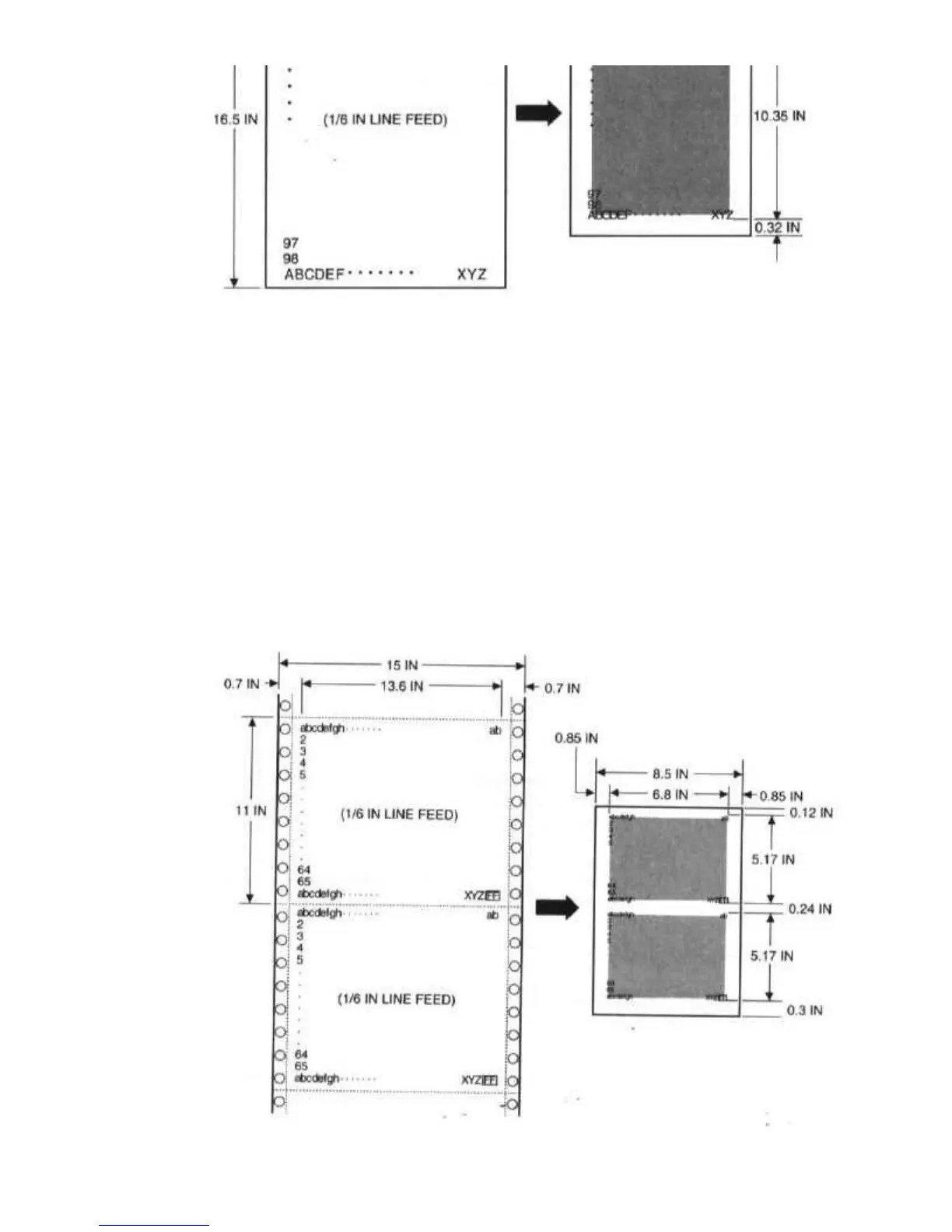
When using reduction mode, you must select the correct paper size
within your application. In the example above, you would specify a
paper size of 11.75 x 16.5 inches in your application. Be sure to account
for your margins.
One-half Reduction Mode
In one-half reduction mode, the printer automatically sets the print
dimensions as follows:
Top margin: 0.12 inch
Left margin: 0.85 inch
Print width (max.): 6.8 inch


 To Next Page