
 Need help?
Do you have a question about the Canon CP-300 and is the answer not in the manual?
Defines symbols used in the manual to denote important information.
Explains the terms and conditions of the printer's warranty.
Lists important cautions for operating the printer to avoid damage or injury.
Offers guidance on the correct methods for using and handling the printer.
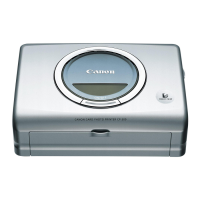
Details the parts and indicators of the CP-300 printer.
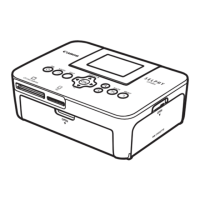
Details the parts and indicators of the CP-200 printer.
Guides users on selecting and preparing the correct ink and paper sets.
Provides step-by-step instructions for inserting the ink cassette into the printer.
Guides users on how to load paper correctly into the paper cassette.
Explains how to insert the loaded paper cassette into the printer.
Explains the procedure for safely turning off the printer.
Details the process of charging the battery pack while it is installed in the printer.
Provides information on the expected printing performance based on battery status.
Lists specific error messages and their corresponding causes and solutions.
Details general technical attributes like printer type, print method, and gradation.
Covers operational environment, power, dimensions, and weight of the printer.
Lists the minimum computer requirements for installing the printer software.
Instructs users on how to view the printer driver user guide.
Guides users on accessing PDF manuals for bundled software.
 General
| Type | Compact Photo Printer |
|---|---|
| Print Technology | Dye-sublimation |
| Print Resolution | 300 x 300 dpi |
| Media Size | Postcard, Credit Card |
| Connectivity | USB |
| Paper Sizes | Postcard size, Credit card size |












 To Next Page