26
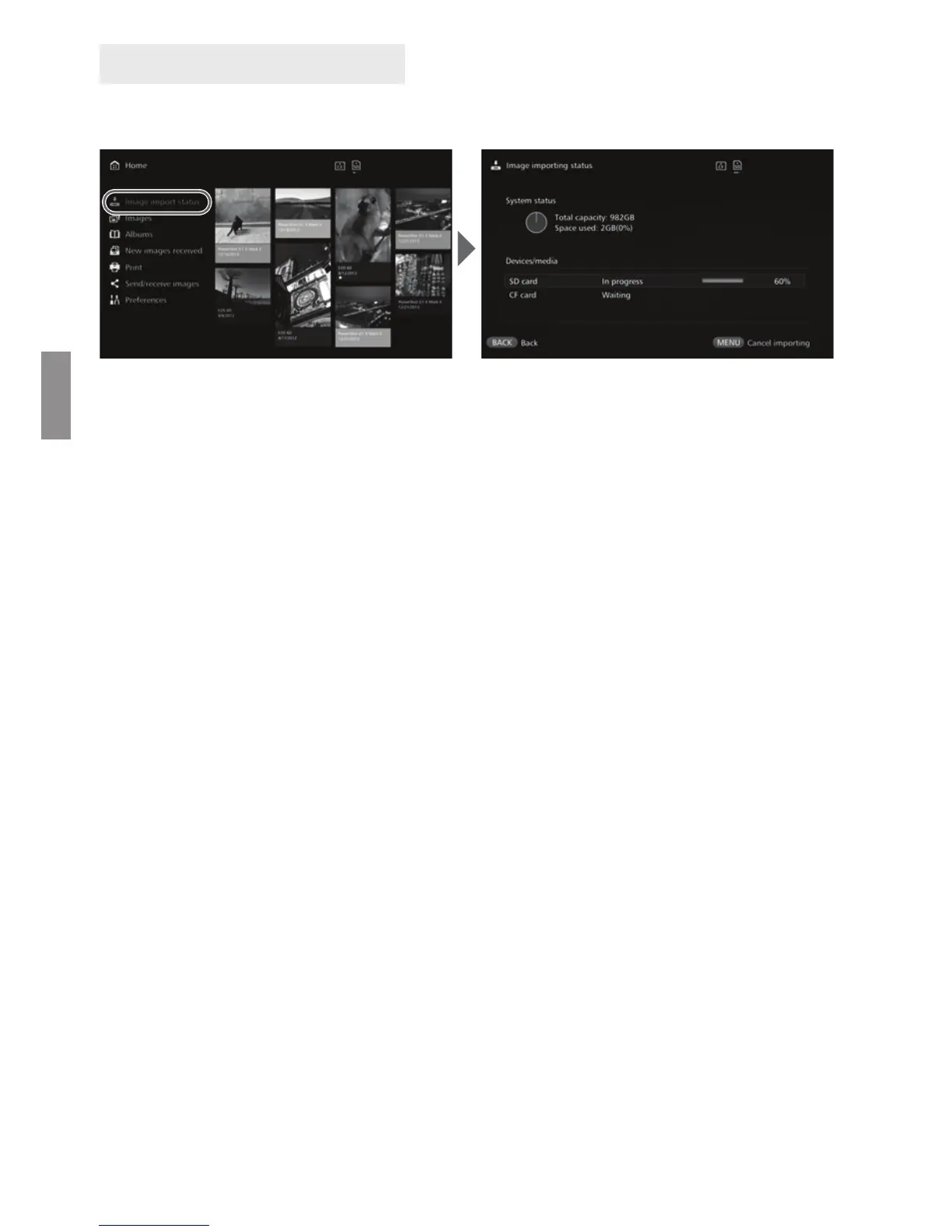
To check the image importing status, select [Image importing status] on the Home
screen.
When you select an item by pressing the <d> <f> keys and press <M>,
you can cancel the processing that goes on when Connect Station is importing
images or standing by.
During the import, the icon indicating that data is being imported is displayed on
the upper right of the screen (p.28).
The image import time varies depending on following conditions, etc.
• Number and sizes of the images to be imported.
• Write out speed of the card used.
• Signal reception status when connected wirelessly.
Importing movies takes a considerable time.
Image Importing Status


 To Next Page