Erasing I 21
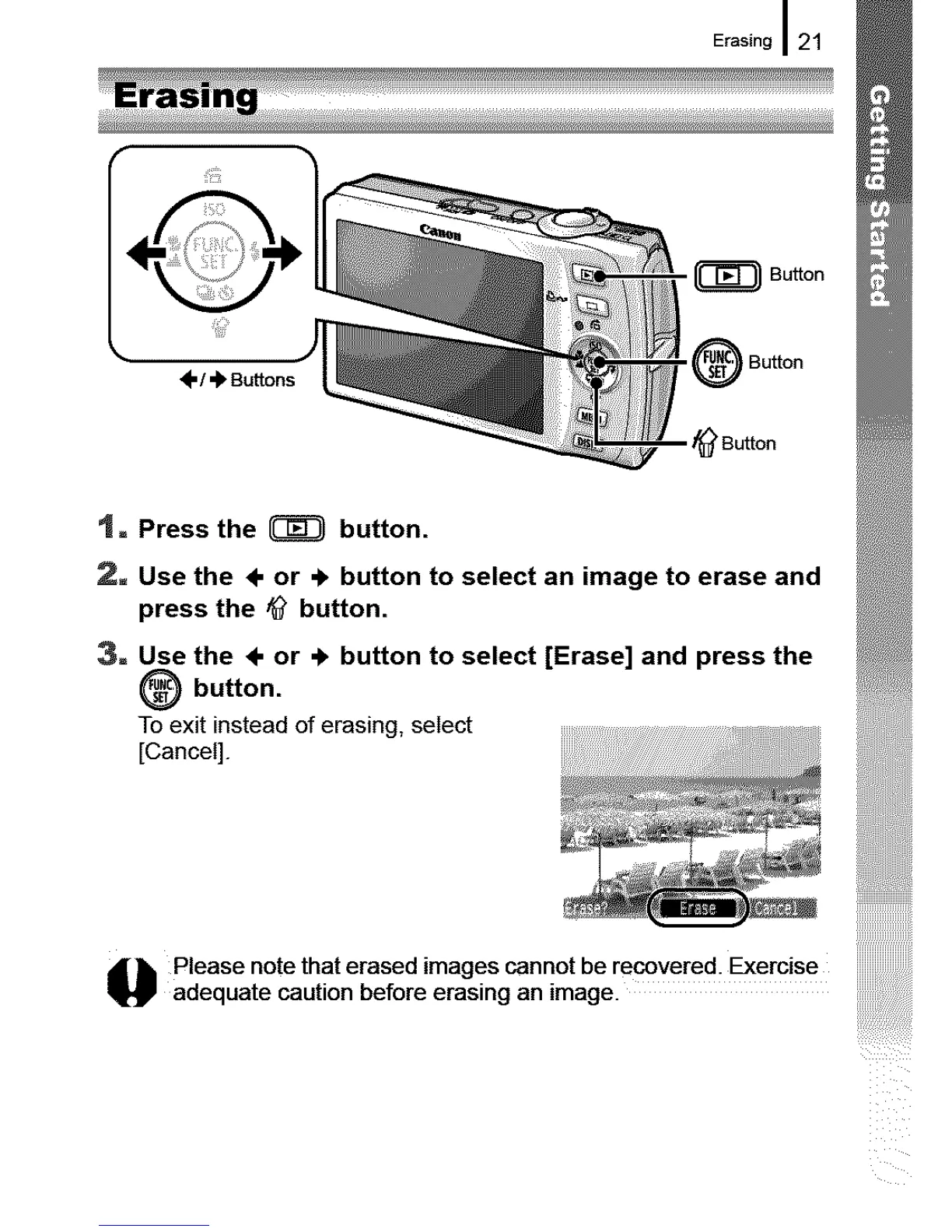
Bu.o°
m
-- • _ Button
_"/ '_ Buttons
- _ Button
t = Press the _ button.
2= Use the ÷ or ÷ button to select an image to erase and
press the ,_ button.
3= Use the ÷ or .!, button to select [Erase] and press the
button.
To exit instead of erasing, select
[Cancel]. , ::
_l_ lease note that erased images cannot be recovered: Exercise ....................
adequate caution before erasing an image.










 To Next Page