• Back View
I
Components Guide I 39
(9
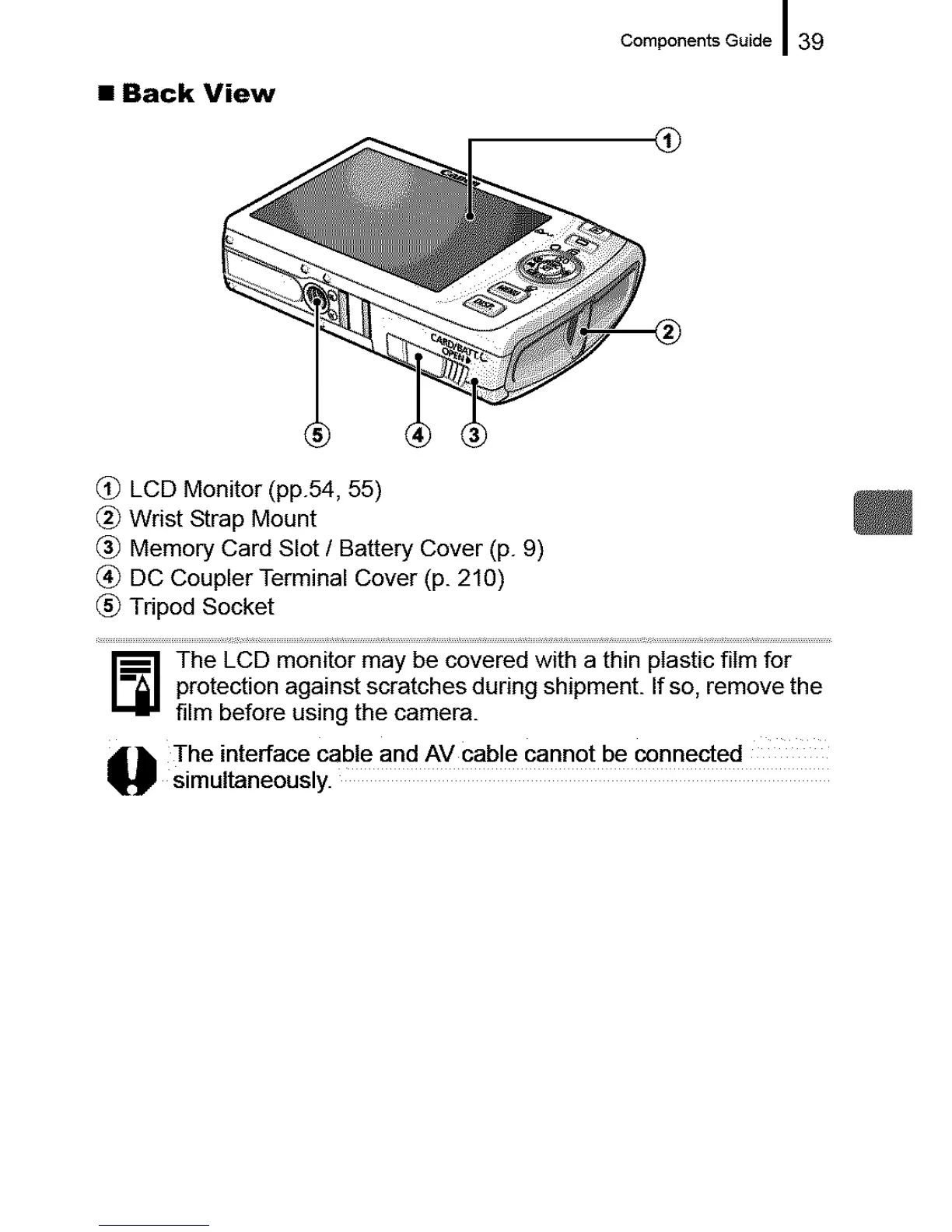
(_) LCD Monitor (pp.54, 55)
(_ Wrist Strap Mount
(_ Memory Card Slot / Battery Cover (p. 9)
(_) DC Coupler Terminal Cover (p. 210)
(_) Tripod Socket
The LCD monitor may be covered with a thin plastic film for
protection against scratches during shipment. If so, remove the
film before using the camera.
The interface cab! e and AV cab!e cannot be c°nnected
simultaneously.










 To Next Page