I
Components Guide _ 43
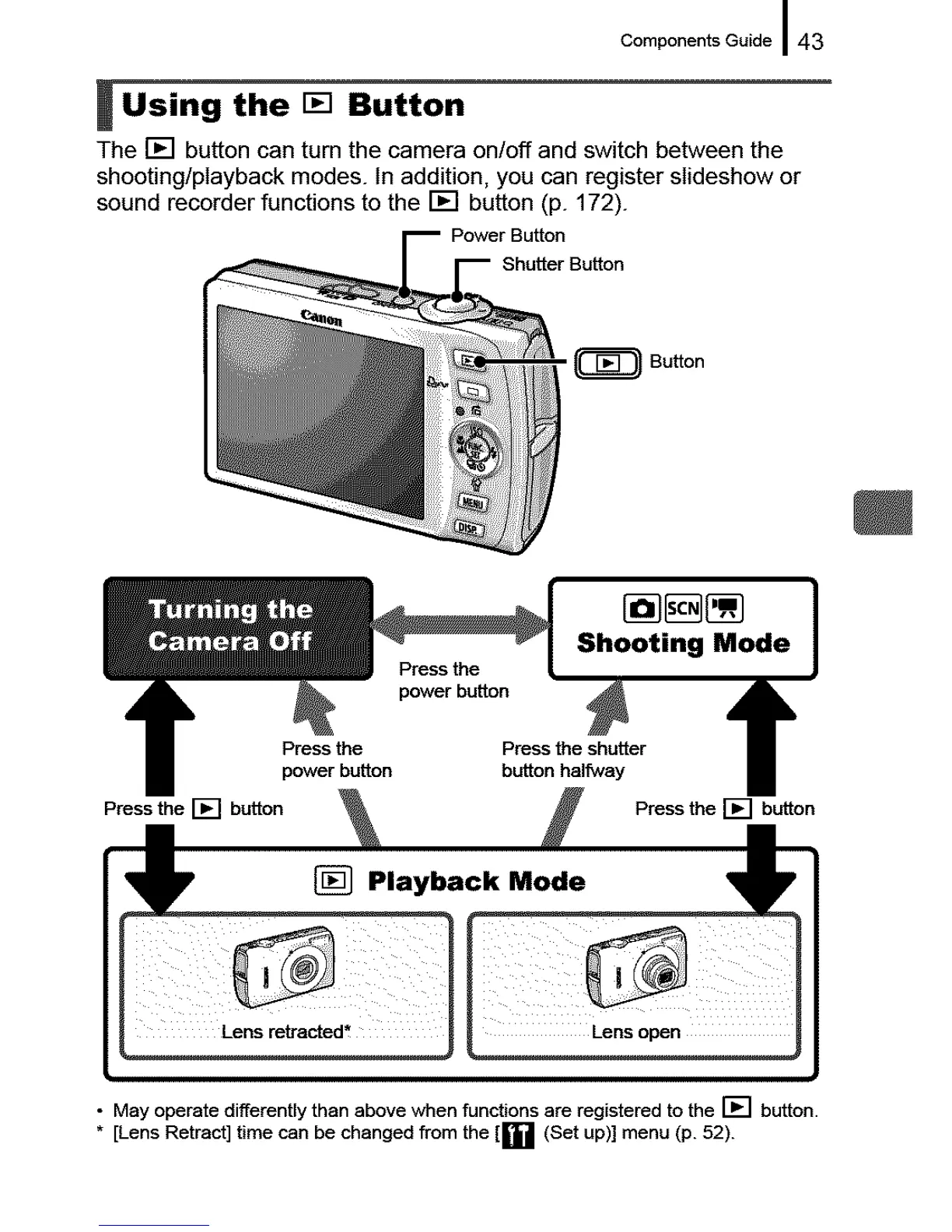
I Using the [] Button
The [] button can turn the camera on/off and switch between the
shooting/playback modes, tn addition, you can register slideshow or
sound recorder functions to the [] button (p. 172).
Power Button
Shutter Button
Bu_on
Shooting Mode
Press the
power button _ t
Press the Press the shutter
power button button halfway
Press the [] button Press the [] button
[] Playback Mode
Lens retracted* Lenso
• May operate differently than above when functions are registered to the [] button.
* [Lens Retract] time can be changed from the [i'll (Set up)] menu (p. 52).












 To Next Page