I
48 I Basic Operations
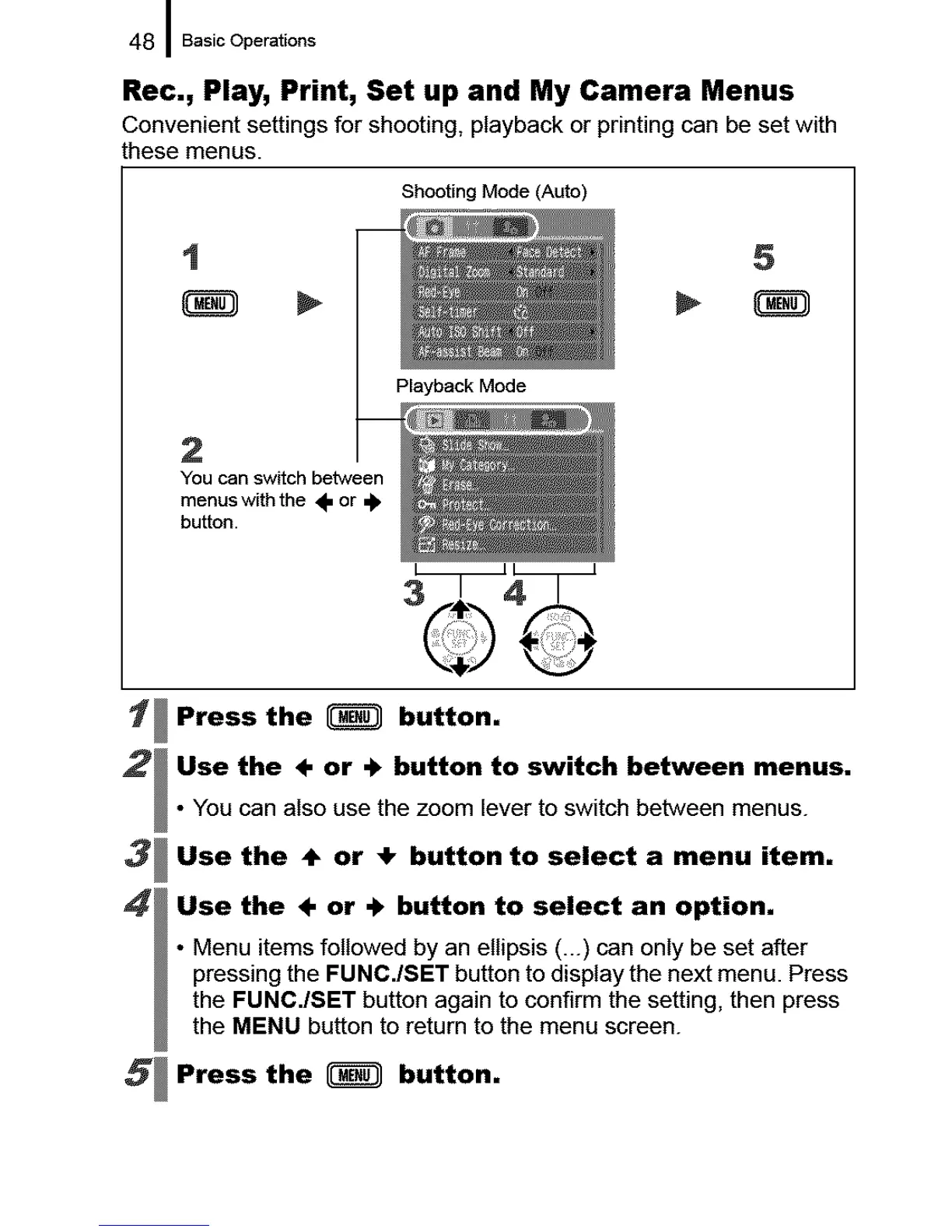
Rec., Play, Print, Set up and My Camera Menus
Convenient settings for shooting, playback or printing can be set with
these menus.
Shooting Mode (Auto)
1
2
3
4
Playback Mode
2
You can switch between
menuswiththe ÷ or ÷
button.
5
I II I
3/41
©@
Press the _ button.
Use the ÷ or + button to switch between menus.
• You can also use the zoom lever to switch between menus.
Use the ÷ or ÷ button to select a menu item,
Use the ÷ or + button to select an option,
• Menu items followed by an ellipsis (...) can only be set after
pressing the FMNC./SET button to display the next menu. Press
the FUNC./SET button again to confirm the setting, then press
the MENU button to return to the menu screen.
5 Press the _ button.





 To Next Page