I
70 _ Commonly Used Shooting Functions
_ Magnified Close-Up Shooting
(Digital Macro)
[]See Functions Available in Each Shooting Mode (p. 238).
You can shoot a subject 3 - 60 cm (1.8 in. - 2.0 fL.)from the end of the
lens at the maximum wide angle setting. With the digital zoom, the
image area is 12 x 9 mm (0.47 x 0.35 in.) at maximum zoom
(approximately 4.0x).
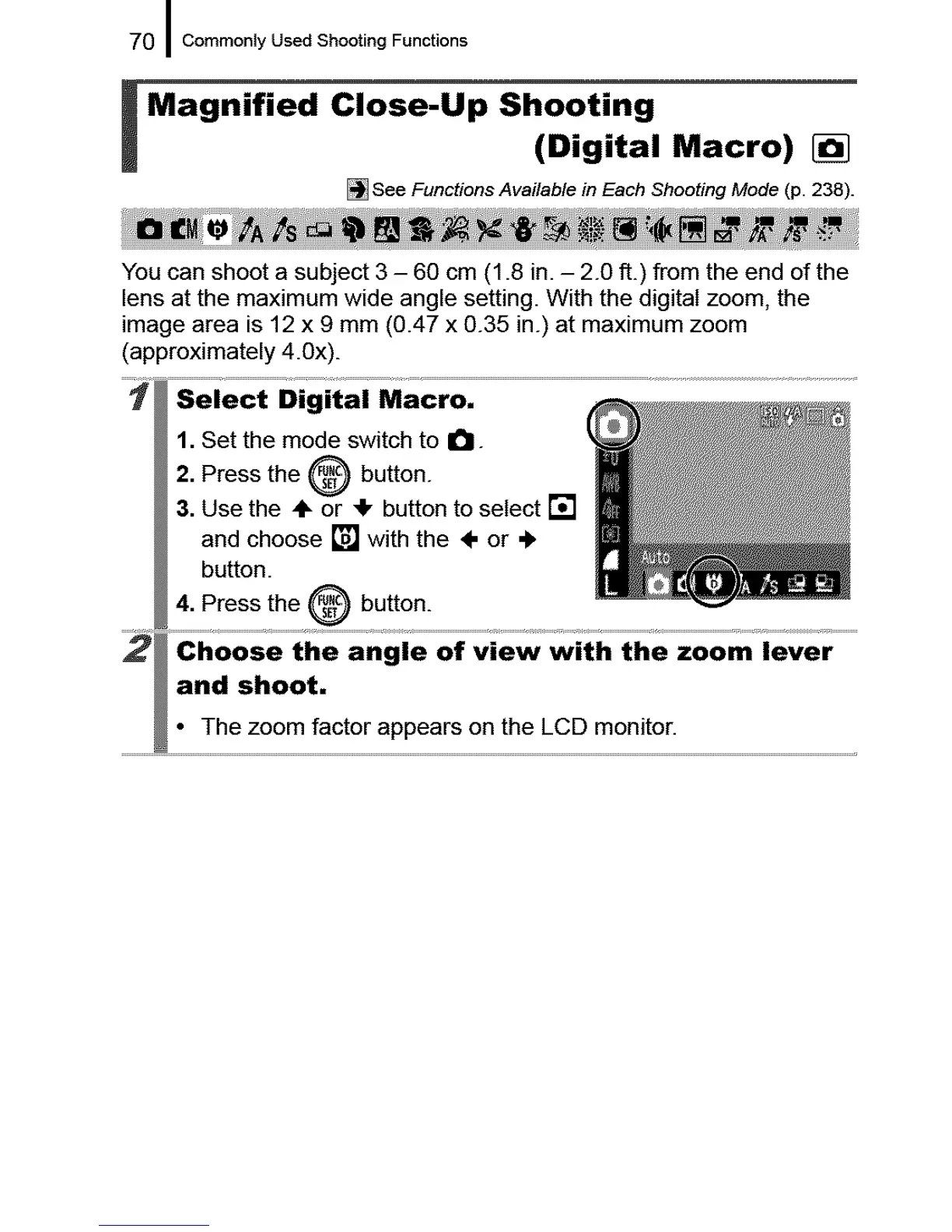
1. Set the mode switch to O-
2. Press the _ button.
3. Use the ÷ or 4, button to select []
and choose [] with the 4- or ÷
button.
4. Press the O button.
and shoot.
• The zoom factor appears on the LCD monitor.










 To Next Page