8 I Preparations
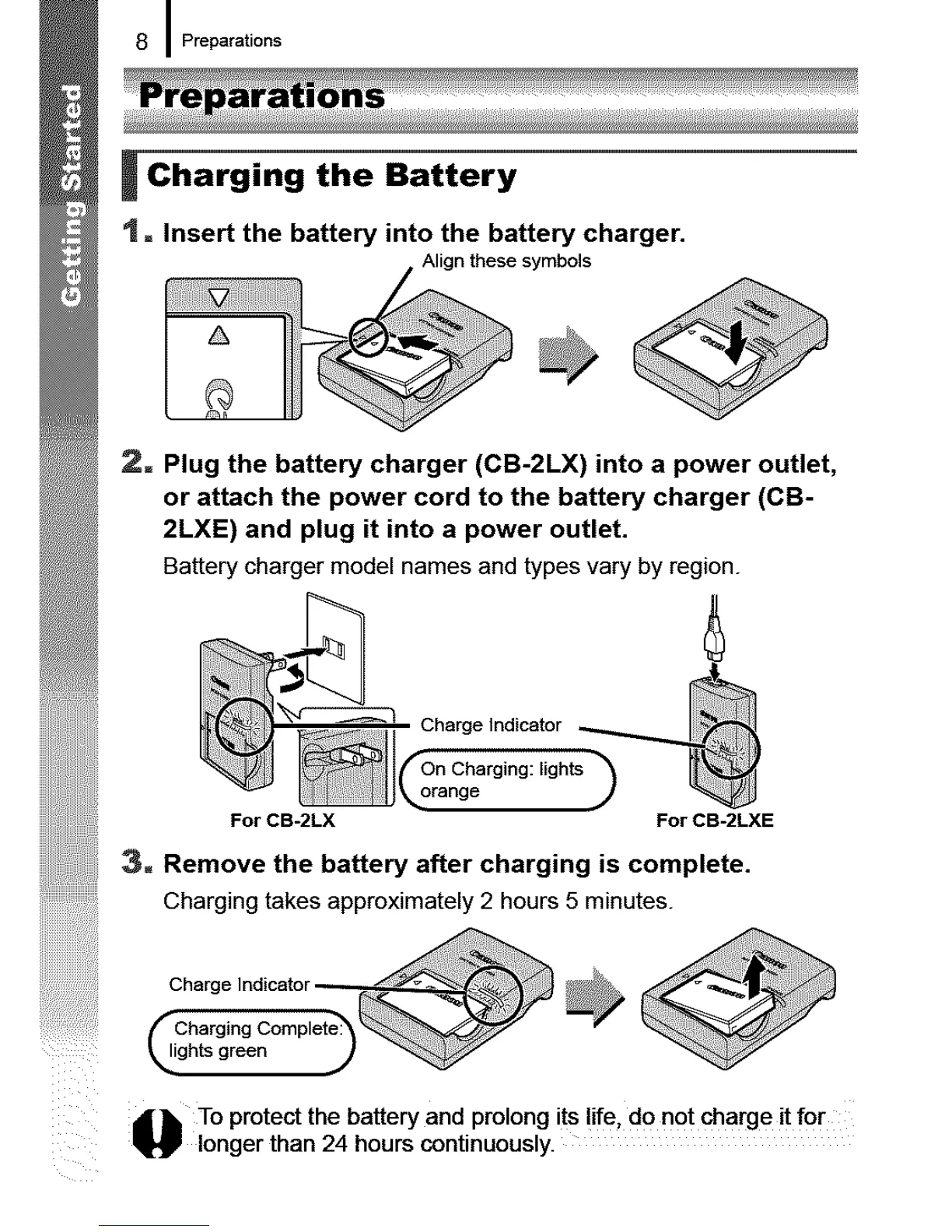
_ Charging the Battery
t = Insert the battery into the battery charger.
. Alignthesesymbols
2= Plug the battery charger (CB-2LX) into a power outlet,
or attach the power cord to the battery charger (CB-
2LXE) and plug it into a power outlet.
Battery charger model names and types vary by region.
Charge Indicator
Charging: lights
orange
For CB-2LX For CB-2LXE
3. Remove the battery after charging is complete.
Charging takes approximately 2 hours 5 minutes.
_1 i:chh_(._r_dlcCa tm°_r,et_ _ _
_', To protect the battery and prolong its !ire. do not charge it fo r
_._ longer than 24 hours continuously.










 To Next Page