113
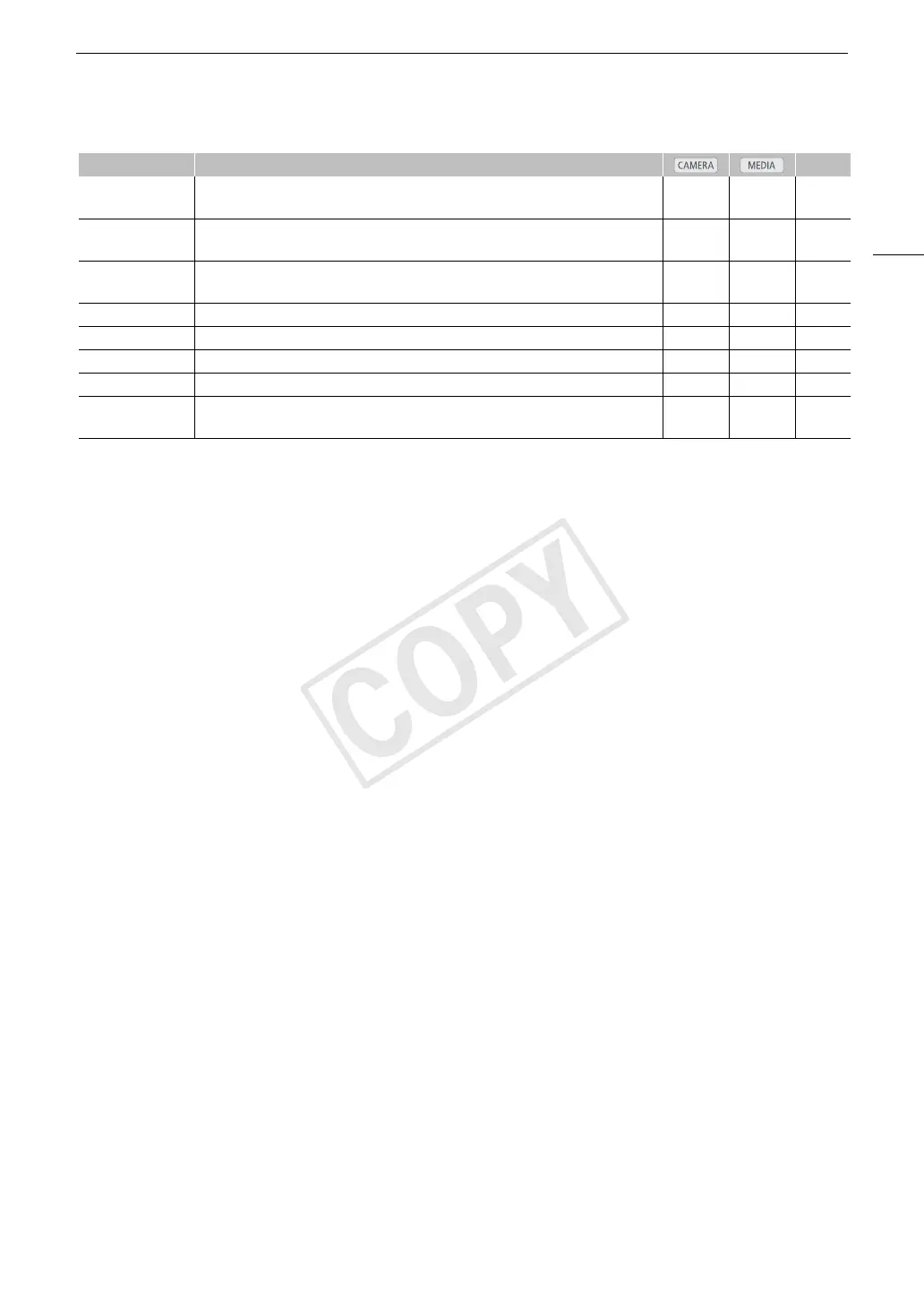
Assignable Buttons
* Function can be used only by assigning it to a button.
[FUNC. Shutter]
Enters the direct setting mode with the shutter speed highlighted and ready to be
adjusted.
Ü – 69
[FUNC. ISO/Gain]
Enters the direct setting mode with the ISO speed or gain value highlighted and ready
to be adjusted.
Ü – 71
[FUNC. WB]
Enters the direct setting mode with the white balance highlighted and ready to be
adjusted.
Ü – 76
[S&F Frame Rate]* Allows you to set the shooting frame rate during slow & fast recording mode. Ü – 109
[My Menu] Opens the [My Menu] customized submenu. Ü – 32
[Initialize Media] Opens the [Initialize Media] submenu. Ü Ü 47
[LENS EXCHANGE]* Turns the lens exchange mode on/off. Ü – 36
[User Setting
(NONE)]*
Customizable slot. Assign to the button any menu setting you would like to register. Ü Ü –
Function name Description A


 To Next Page