73
ND Filter
ND Filter
Using the ND filters allows you keep the aperture within an appropriate
range when recording in bright surroundings*.
* Closing down the aperture when recording under bright conditions may cause the
picture to appear soft or out of focus. To avoid the loss of sharpness due to diffraction,
use a denser ND filter or a faster shutter speed (A 68).
Using the ND Filter
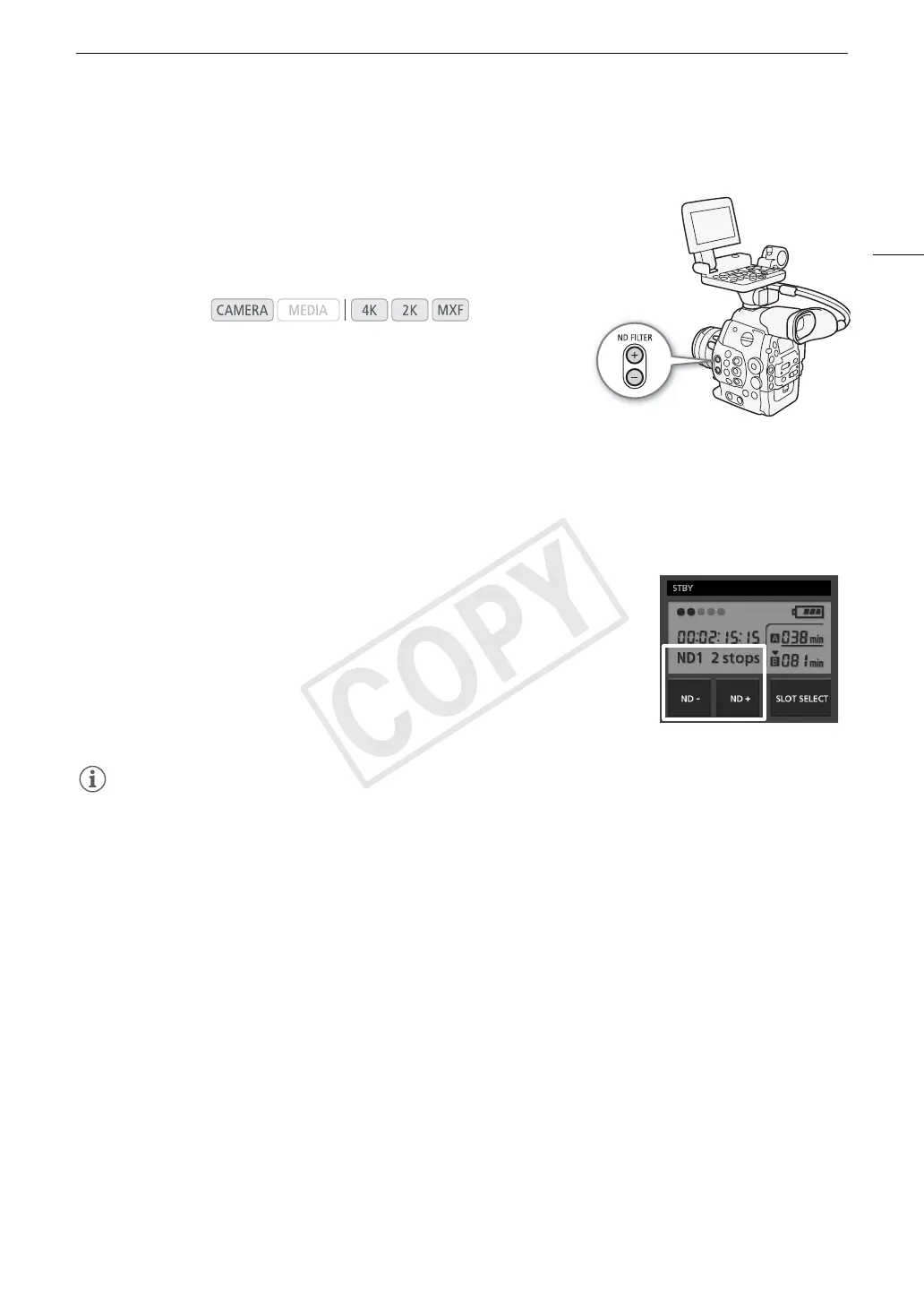
Press the ND FILTER + or - button to select the desired ND filter setting.
• Repeatedly pressing ND FILTER + button will change the ND filter setting in the following order: [ND1 2 stops]
[ND2 4 stops] [ND3 6 stops] ND filter off. (The ND FILTER - button cycles through the settings in
reverse order.)
Remote Operation Using Wi-Fi Remote
After completing the necessary preparations (A 51) you can adjust the ND filter
remotely from a Wi-Fi-enabled device using the Wi-Fi Remote application.
Press [ND +] or [ND -] on the Wi-Fi Remote screen.
• The function is identical to that of the ND FILTER + and - buttons on the
camera.
• The selected ND filter setting will be displayed on the Wi-Fi Remote screen and
will be applied on the camera.
NOTES
• Depending on the scene, the color may change when turning the ND filter on/off. Setting a custom white
balance (A 76) may be effective in such case.
Operating modes:



 To Next Page