Preparing the Power Supply
28
Turning the Camera On and Off
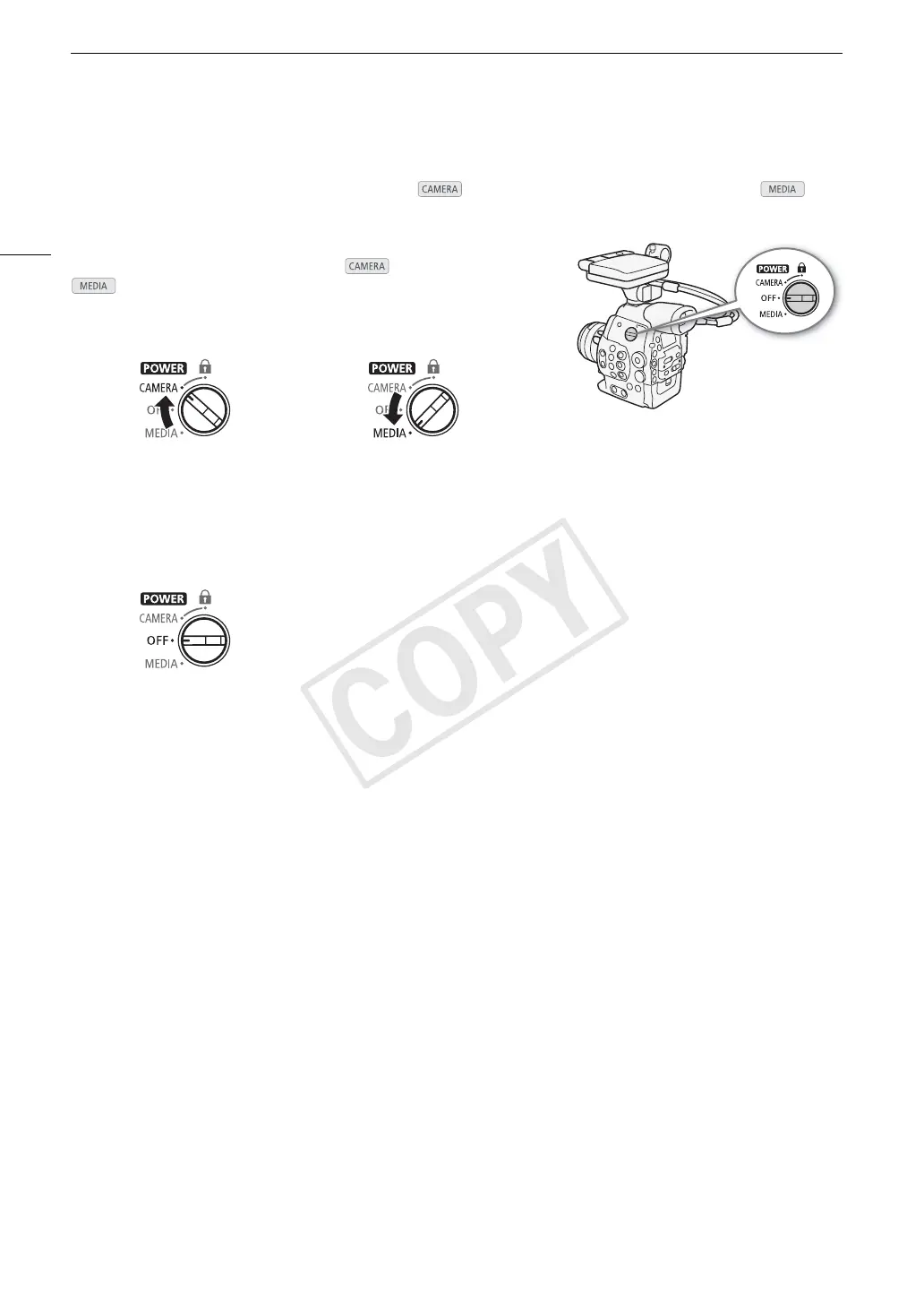
The camera has two operating modes: CAMERA ( ) mode for making recordings and MEDIA ( )
mode for playing back recordings. Select the operating mode using the Q switch.
To turn on the camera
Set the Q switch to CAMERA for mode or MEDIA for
mode.
• If a message appears prompting you to open the MON./3G-SDI
terminal cover, open the cover to shoot in 4K or 2K mode.
To turn off the camera
Set the Q switch to OFF.
CAMERA mode MEDIA mode: Allows you to play
back recordings made on a CF card.



 To Next Page