75
2 Adjusting the Aperture
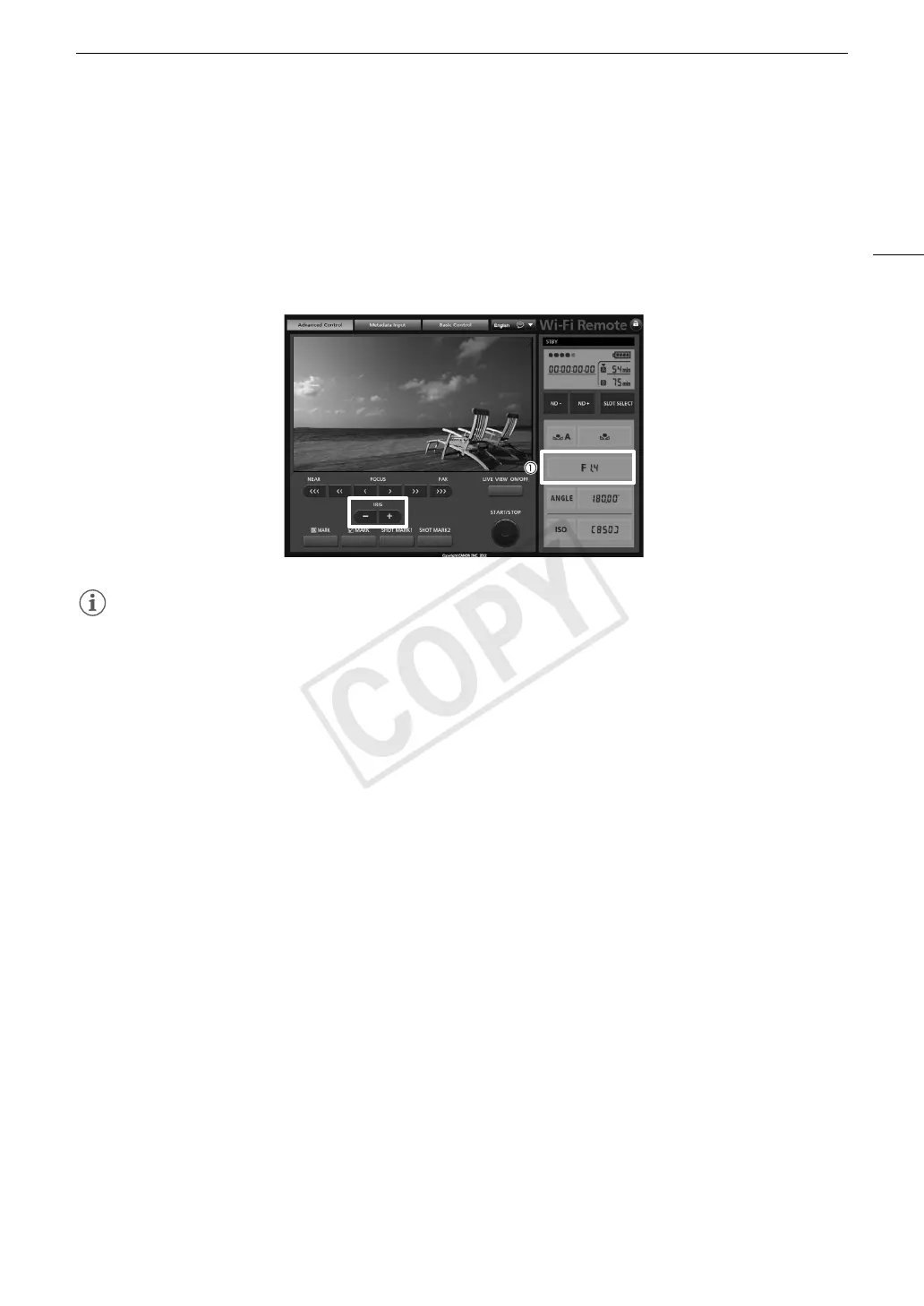
1 Press the current aperture value on the Wi-Fi Remote screen.
2 Select the desired aperture value from the list.
• You may need to scroll up/down to see all the available values.
• Alternatively, you can press IRIS [+] to open the aperture or IRIS [-] to close the aperture in 1/8-stop
increments. (Onscreen displays will show the closest 1/3-stop aperture value.)
• The selected value will be displayed on the Wi-Fi Remote screen and will be applied on the lens.
NOTES
• When using an EF lens with no lens contacts, such as a Canon Cine Lens, you cannot adjust the aperture
using the camera. Adjust the aperture using the lens.
• If you are using an EF lens that can correct the aperture value according to the position of the zoom, you can
use the [~ Camera Setup] > [Iris] > [Zoom-Iris Correct.] setting to activate this correction.



 To Next Page