White Balance
78
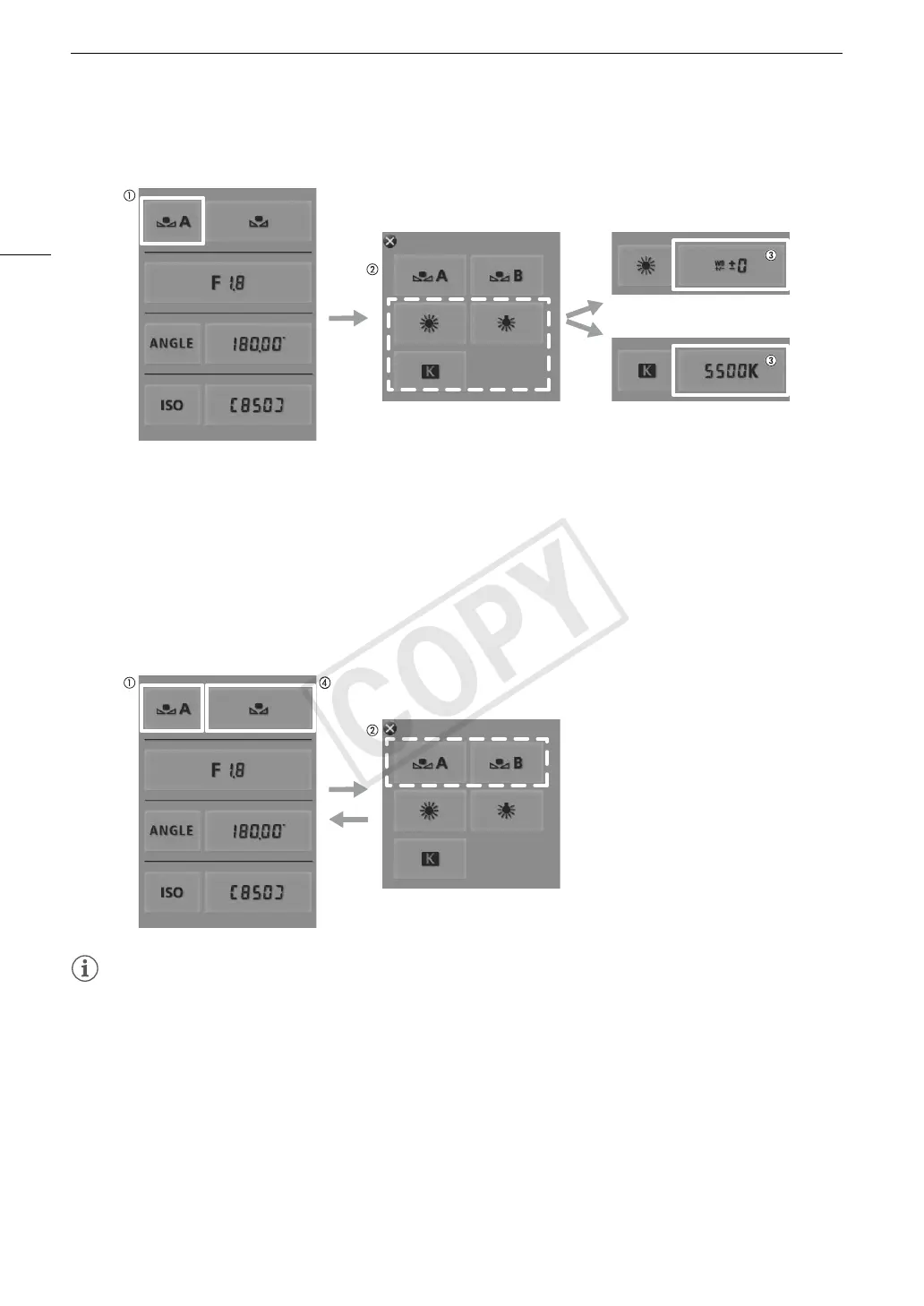
• The selected value will be displayed on the Wi-Fi Remote screen and will be applied on the camera.
If you selected ÅA or ÅB:
3 Point the camera at a white object so that it fills the whole screen.
• Use the same lighting conditions you plan to use when recording.
• Make sure the white object fills the screen until the procedure is completed.
4Press [Å].
• If a custom white balance has not yet been stored, [Å] will flash slowly.
• During the procedure, [Å] will flash quickly. When it stops flashing, the procedure is completed and the
setting will be applied on the camera.
NOTES
• Using the custom white balance setting:
- Readjust the custom white balance if you turn the ND filter on/off or when the light source has changed.
- Very rarely and depending on the light source, Å may keep flashing (it will change to a slow flashing). You
can still use the setting even in such case.
White balance fine-tuning
Color temperature


 To Next Page