Setting Up a Computer for Printing/Sending a Fax
5-7
5
Using a NetBIOS Network
Windows 98/Me
The following is the procedure for specifying a NetBIOS network with Windows 98/
Me.
1
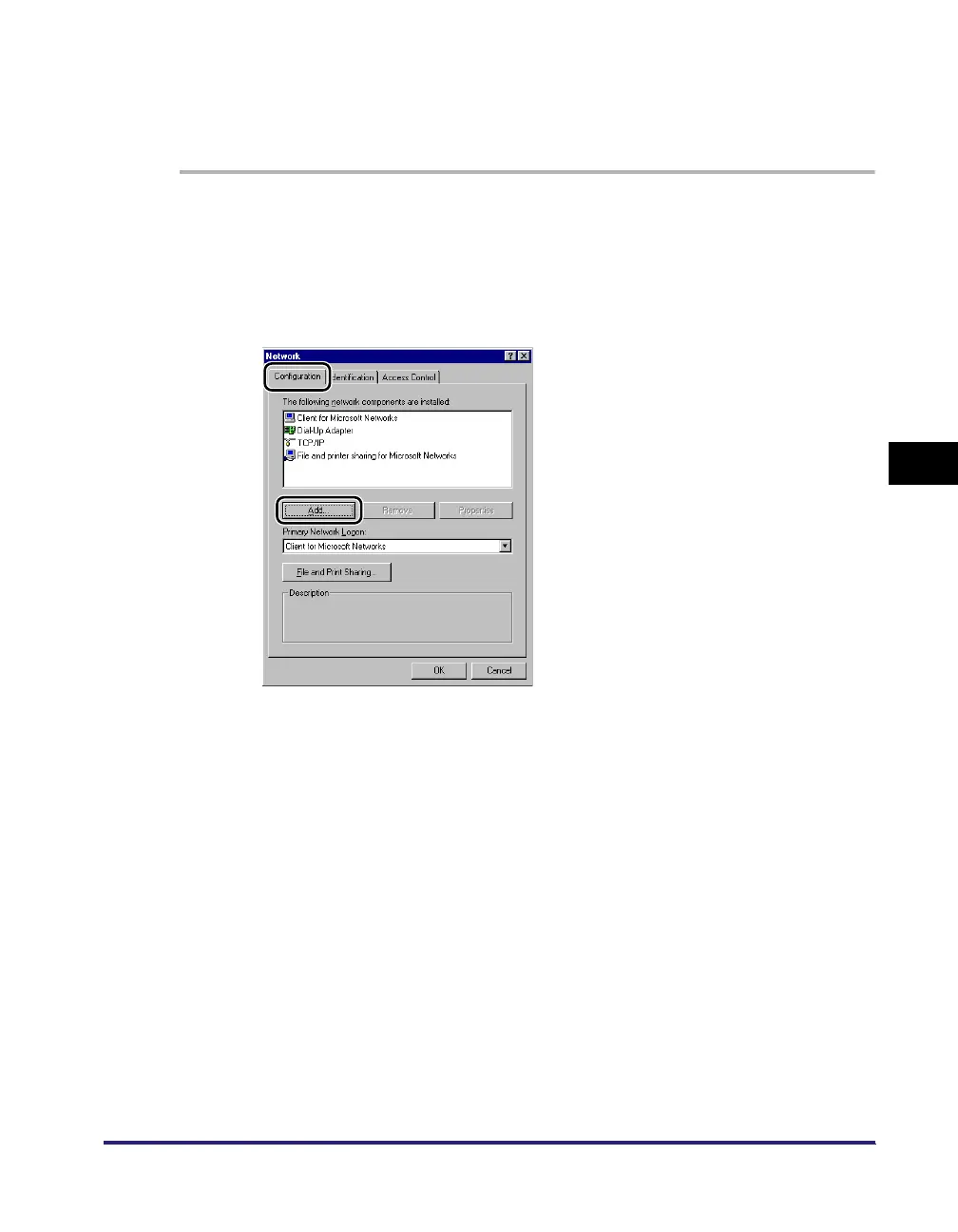
In the [Network] dialog box, on the [Configuration] sheet, if
both [Client for Microsoft Networks] and [File and printer
sharing for Microsoft Networks] do not appear, click [Add] ➞
follow the instructions on the screen to install these
components.
2
Select [TCP/IP] ➞ click [Properties] to open the [TCP/IP
Properties] dialog box.
3
On the [Bindings] sheet, click [Client for Microsoft Networks].
4
Restart the computer if prompted.















 To Next Page