Protocol Settings
3-34
3
Using a TCP/IP Network
Editing a CA Certificate
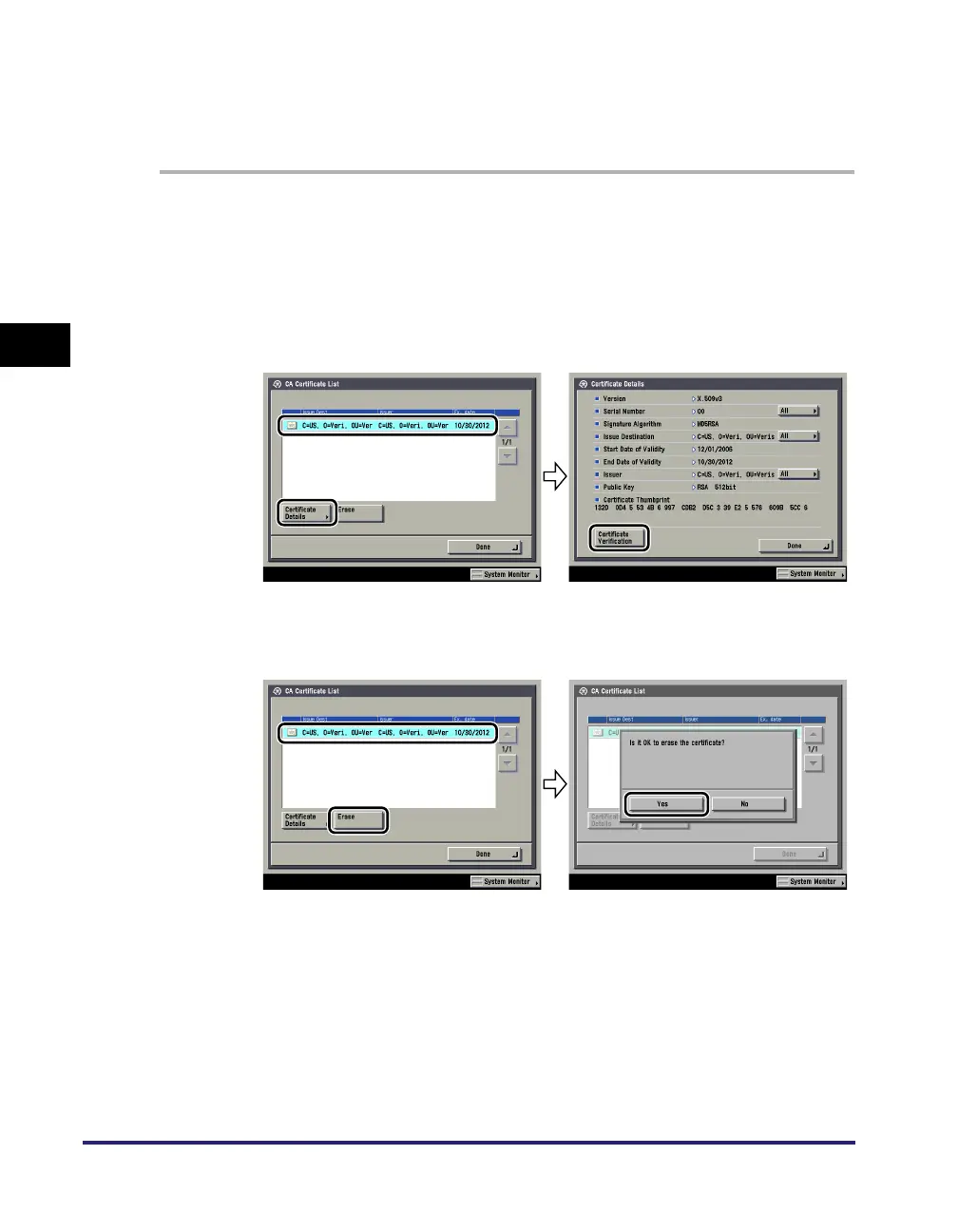
You can confirm the settings of registered CA certificates. You can also erase
unnecessary CA certificates.
1
On the TCP/IP Settings screen, press [Certificate Settings] ➞
[CA Certificate List] ➞ specify the following.
● If you want to confirm a CA certificate:
❑
Select the key pair for the CA certificate you want to confirm ➞ press
[Certificate Details] ➞ [Certificate Verification].
● If you want to erase a registered CA certificate:
❑
Select the CA certificate to erase ➞ press [Erase].















 To Next Page