Protocol Settings
3-17
3
Using a TCP/IP Network
Confirming TCP/IP Settings (IPv4)
The following is the procedure for confirming that the network connections are
properly set.
1
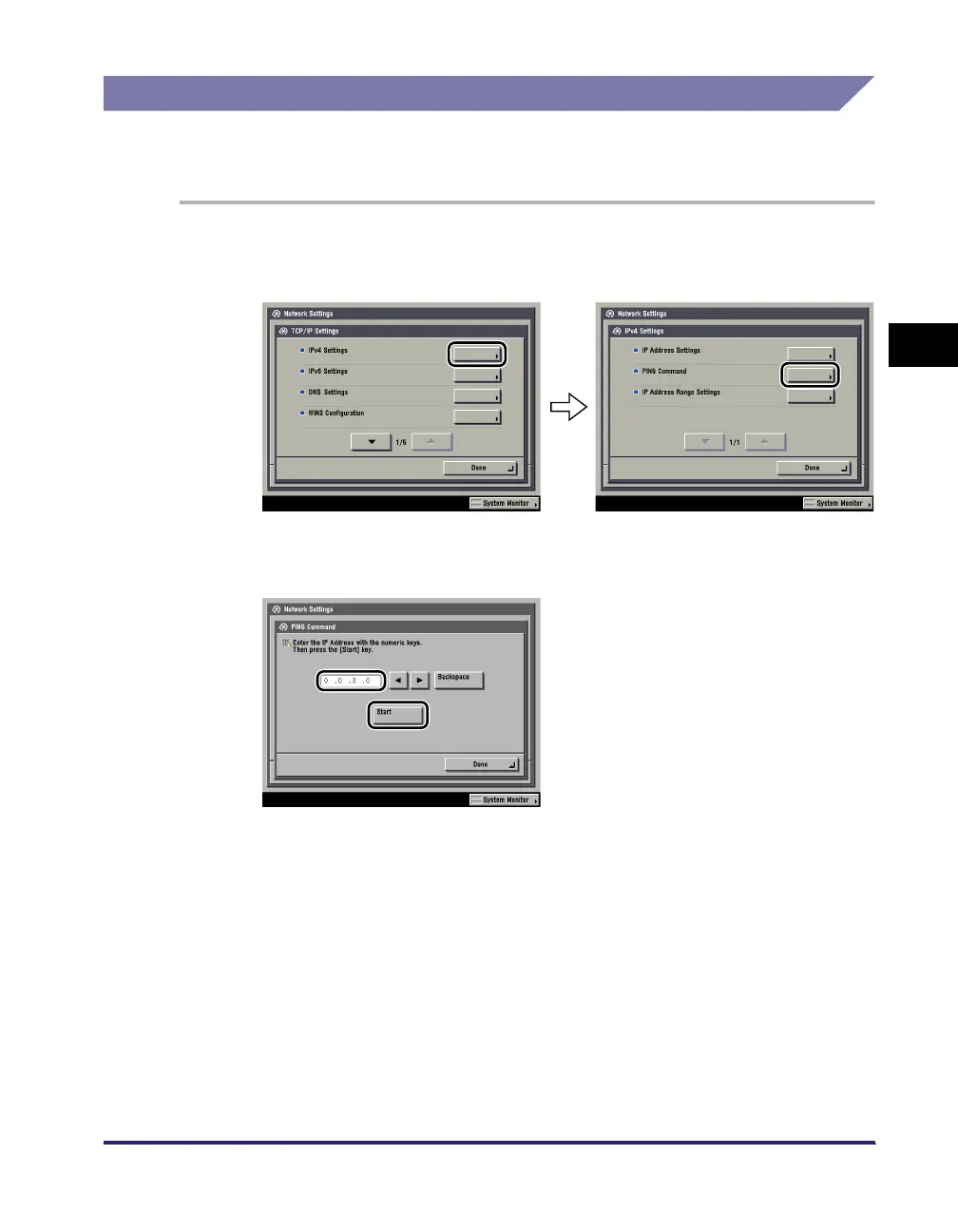
On the TCP/IP Settings screen, press [IPv4 Settings] ➞ [PING
Command].
2
In [PING Command], check the following.
Pressing [Start] after entering the desired IP address existing on the network
displays the result of the PING command on the touch panel display.
If this result is inappropriate, check the settings described in "Interface Settings,"
on p. 2-9, and "TCP/IP Settings (IPv4)," on p. 3-3.















 To Next Page