Touch Panel Display Transition
2-7
2
Settings Common to the Network Protocols
Touch Panel Display Transition
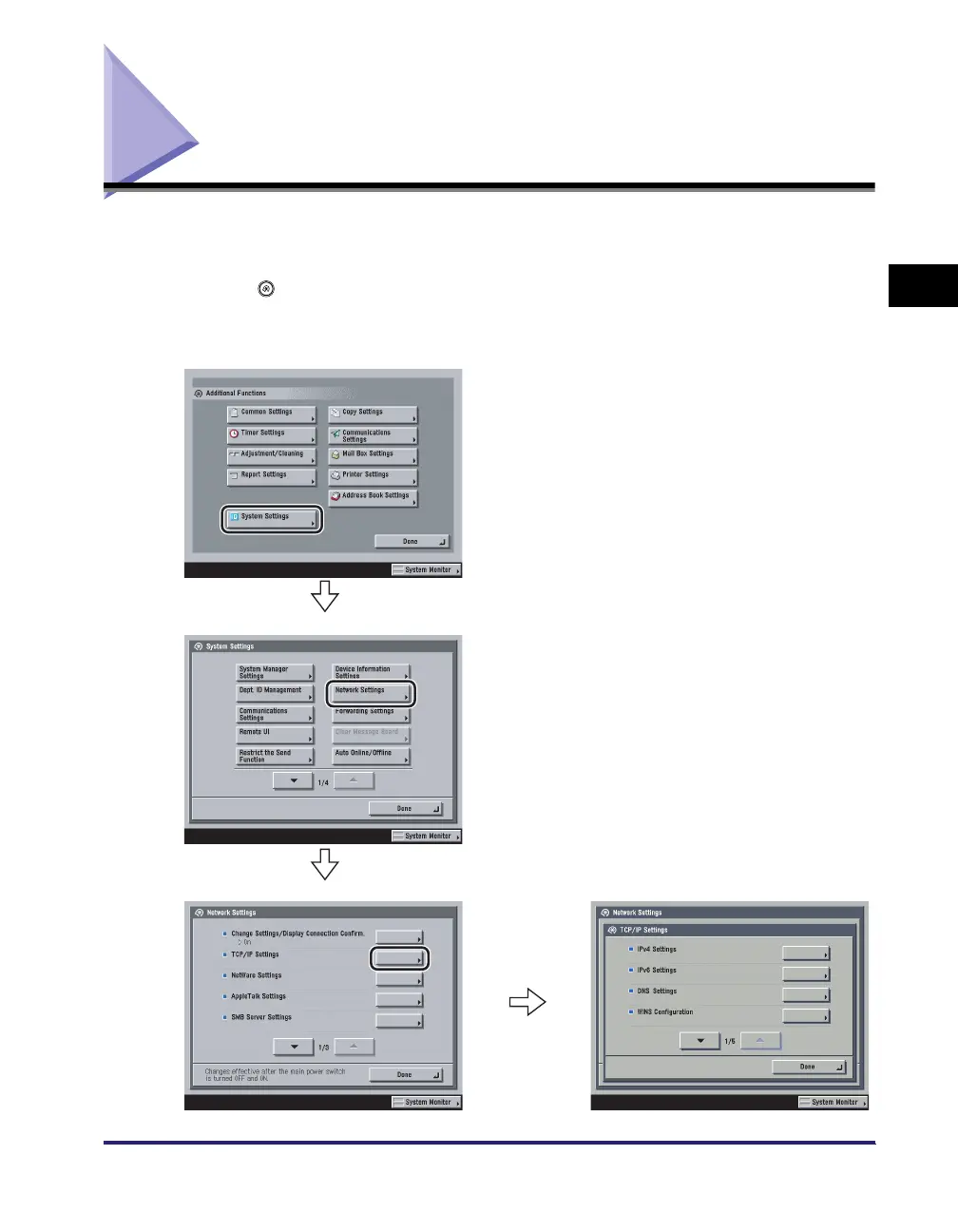
The following is a flow diagram of the touch panel display used in this manual.
Specify the network settings from the Additional Functions screen displayed by
pressing (Additional Functions). See this diagram to specify the various network
settings, in accordance with the procedures in Chapters 3 to 6.
Additional Functions screen
System Settings screen
Network Settings screen
TCP/IP Settings screen















 To Next Page