Protocol Settings
3-22
3
Using a TCP/IP Network
● If you do not want to restrict the IPv6 addresses of computers from
which data (print/fax/I-fax job) can be sent to the machine:
❑
<Apply Settings> of [Permit IPv6 Address] for <RX/Print Range>: [Off]
❑ <Apply Settings> of [Reject IPv6 Address] for <RX/Print Range>: [Off]
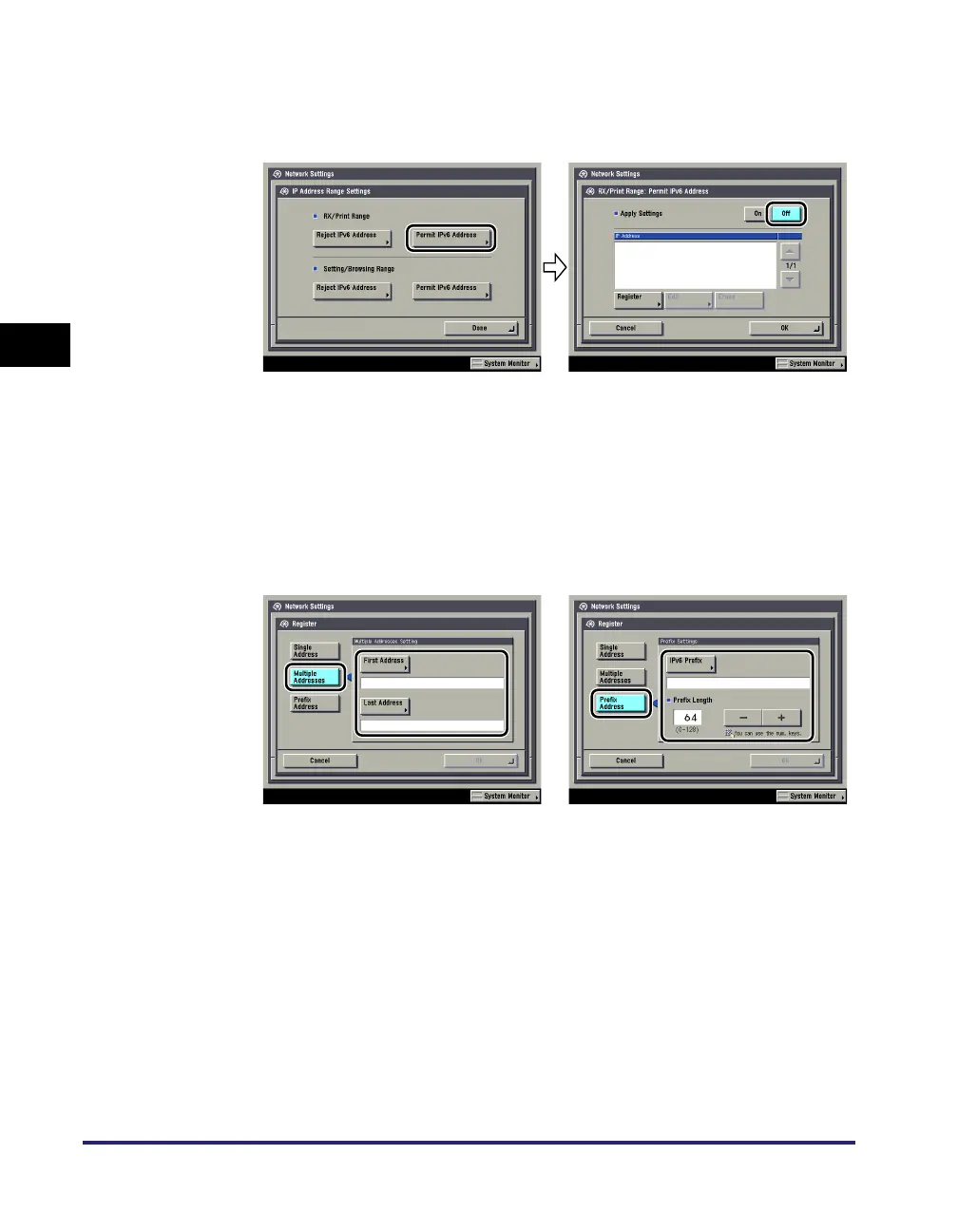
● If you want to restrict the IPv6 addresses of computers from which
data (print/fax/I-fax job) can be sent to the machine:
❑
<Apply Settings> of [Permit IPv6 Address] for <RX/Print Range>: [On]
Press [Register] ➞ store only one IPv6 address or a range of IPv6 addresses
that are to be permitted. Also specify the prefix and prefix length for the IPv6
address.
❑ <Apply Settings> of [Reject IPv6 Address] for <RX/Print Range>: [On]
Press [Register] ➞ store only one IPv6 address or a range of IPv6 addresses
that are to be rejected. Also specify the prefix and prefix length for the IPv6
address.
● If you do not want to restrict the IPv6 addresses of computers on
which the machine setting items can be set or browsed (using the
Remote UI or a utility):
❑
<Apply Settings> of [Permit IPv6 Address] for <Setting/Browsing Range>: [Off]
❑ <Apply Settings> of [Reject IPv6 Address] for <Setting/Browsing Range>: [Off]















 To Next Page