Protocol Settings
3-24
3
Using a TCP/IP Network
7
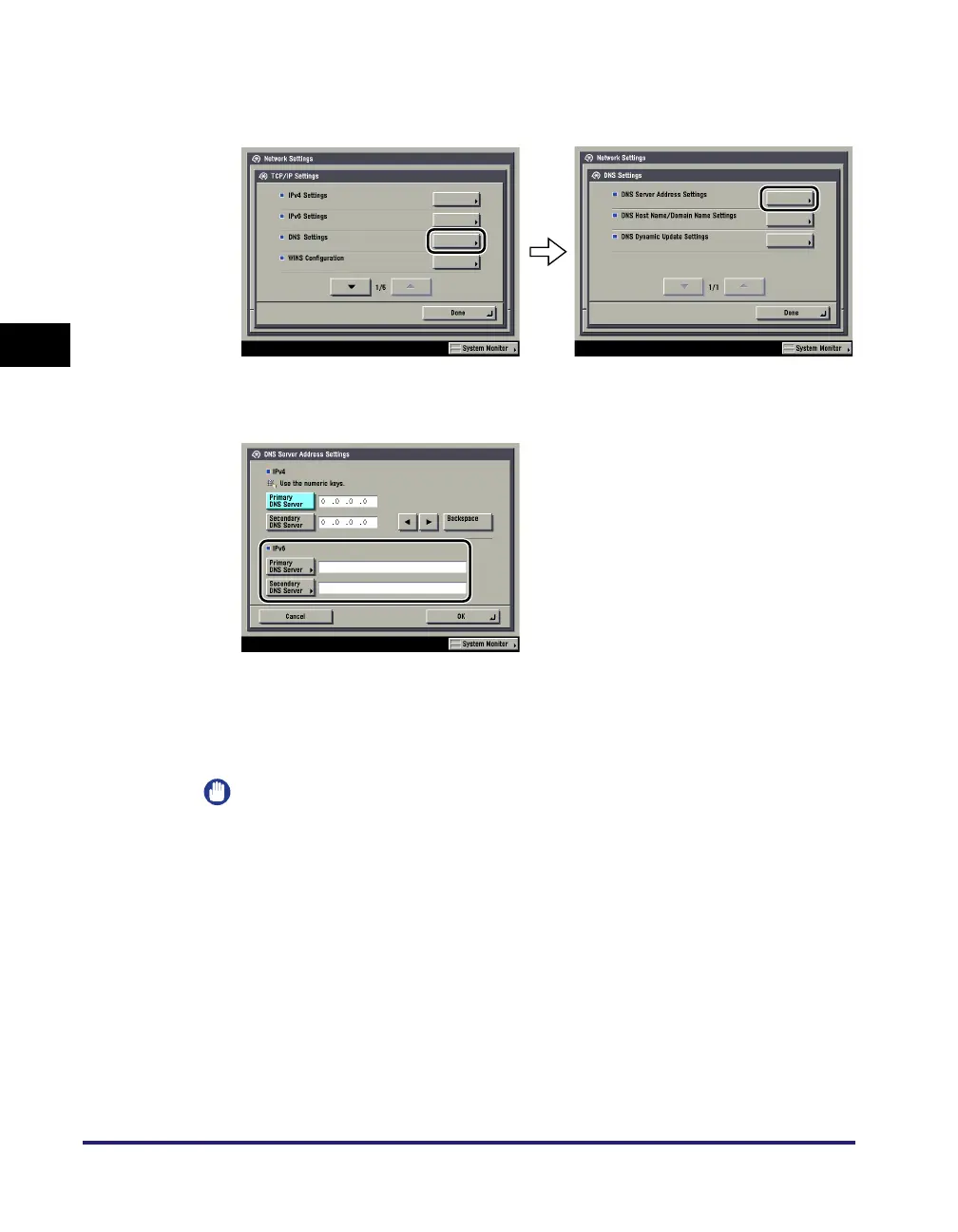
On the TCP/IP Settings screen, press [DNS Settings] ➞ [DNS
Server Address Settings].
8
In <IPv6>, specify the following.
If you want to use dynamic DNS updating, enter the IPv6 address of the DNS
server in [Primary DNS Server].
If you do not want to specify a secondary DNS server, leave [Secondary DNS
Server] blank.
IMPORTANT
•
You cannot enter a multicast address or address composed entirely of zeros in
[Primary DNS Server] or [Secondary DNS Server].
•
If you set <Use DHCPv6> to 'On' in step 5, the IPv6 address of a DNS server you
set manually will be overwritten.


 To Next Page
 Loading...










